

Birçok oyuncu envanteri ilk kez açtığında şaşırıp kalıyor: nereye tıklanacağı hemen anlaşılmıyor. Aslında CS2'de skin değiştirmeyi birkaç dakikada öğrenebilirsiniz: kozmetik eşyaları yönetmek için gereken her şey ana menünün Envanter bölümünde toplanmış. Bu rehberde skinleri nereden alacağınızı, onları silahlara ve ajana nasıl doğru şekilde takacağınızı ve hesabınızı kaybetmemek için kesinlikle nelerden kaçınmanız gerektiğini ele alıyoruz.
CS2'de skin nereden alınır?
CS2'de bir skini değiştirebilmek için önce onu edinmeniz gerekir. Bunun birkaç yolu var ve her birinin kendi mantığı bulunuyor.
En bariz yol Steam Topluluk Pazarı'dır. Orada neredeyse her skini piyasa fiyatından satın alabilirsiniz: birkaç kuruşluk graffitilerden binlerce dolarlık bıçaklara kadar. İkinci yol kasa açmaktır, ancak burada ekonomiyi anlamak önemli: her anahtarın sabit fiyatı 2,49$'dır ve bu fiyat kasanın kendi değerinden bağımsız olarak değişmez. Bıçak düşürme şansı yaklaşık 400 açılışta 1'dir, bu yüzden şansa güvenmemek gerekir. Üçüncü yol ise haftalık drop'tur: ücretsizdir, ancak yalnızca Prime statüsü sahiplerine açıktır.
Kaynakların tam listesi şöyle:
| Yöntem | Fiyat | Ne alınabilir | Özellikler |
|---|---|---|---|
| Steam Topluluk Pazarı | 0,03$'dan başlayan fiyatlarla | Oyundaki herhangi bir skin | Anında satın alma, güvenli |
| Kasa açma | Kasa + anahtar (2,49$) | Kasa havuzundan rastgele bir skin | Şansa bağlı, bıçak son derece nadir |
| Haftalık drop | Ücretsiz | Kasalar, skinler, graffitiler | Yalnızca Prime hesap, haftada 5.000 XP |
| Valve operasyonları ve etkinlikleri | Ücretsiz veya bilet (pass) gerekli | Etkinliğe özel skinler | Sınırlı süre |
Steam Topluluk Pazarı en güvenilir ve öngörülebilir seçenektir. Ödersiniz, alırsınız, bu kadar. Kasalarda işler daha karmaşık: matematiksel olarak nadiren kendilerini amorti ederler, ancak birçok oyuncu için bu, para kazanma girişiminden çok oyun deneyiminin bir parçasıdır.
Haftalık drop nasıl çalışır?
Ücretsiz drop sistemi ayrıca ele alınmayı hak ediyor, çünkü ilk bakışta fark edilmeyen bazı ayrıntıları var.
Haftalık paketi almak için üç koşulu yerine getirmeniz gerekir: aktif bir Prime statüsüne sahip olmak, içinde bulunulan hafta 5.000 XP kazanmak ve bunu Valve'ın resmi modlarında yapmak: Competitive, Premier, Casual veya Deathmatch. Topluluk sunucularından ve özel haritalardan kazanılan XP sayılmaz. Maç sonunda seviye atladıktan sonra ana ekranda bir Care Package belirir: aralarından ikisini seçebileceğiniz dört rastgele eşyadan oluşan bir set. Genellikle bir kasa, bir veya iki skin ve graffiti içerir. Kullanılmayan paket yanar, bir sonraki haftaya aktarılmaz.
Prime statüsü yaklaşık 15$'dır ve bir kez satın alınır. CS:GO'da zaten sahipseniz, otomatik olarak CS2'ye aktarılmıştır.
CS2'de Envanter üzerinden silah skini nasıl değiştirilir
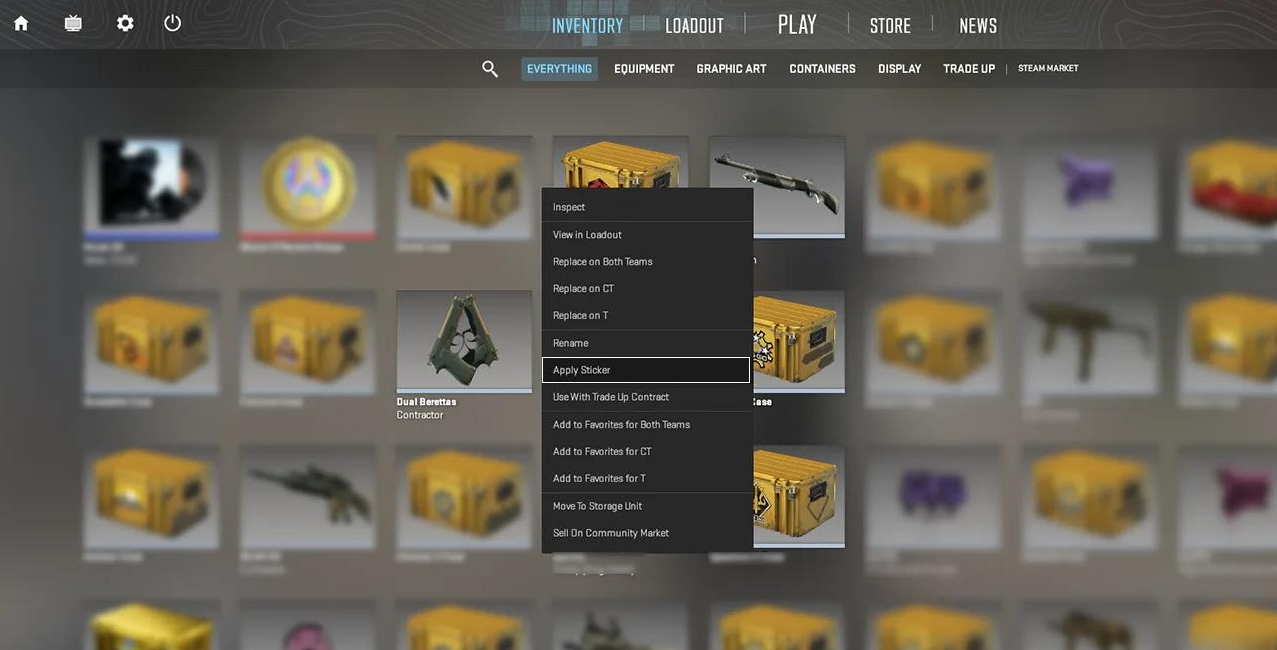
En doğrudan yöntem. Ana menüyü açın ve Envanter bölümünü bulun: hesabınızdaki her şey orada saklanır.
Pek çok oyuncu önce 'Uygula' düğmesi veya benzeri bir şey arar, ancak CS2'de sistem farklı çalışır. Skinler doğrudan envanterden, sağ tıklama menüsü üzerinden atanır.
Adım adım talimat:
CS2'yi başlatın ve ana menüyü açın.
Envanter sekmesine tıklayın.
İstediğiniz silah kategorisini seçin (örneğin 'Keskin Nişancı Tüfekleri' veya 'Bıçaklar').
Skine sağ tıklayın.
Açılan menüde skini kim için takacağınızı seçin: her iki takım, yalnızca CT veya yalnızca T.
Bundan sonra bir sonraki maçınızda silah seçtiğiniz görünümde olacaktır. Önemli bir nokta: öldürdüğünüz rakipten aldığınız silah, sahibinin skinini korur; bu bir hata değil, oyunun normal davranışıdır.
Ekipman bölümünden skin nasıl takılır
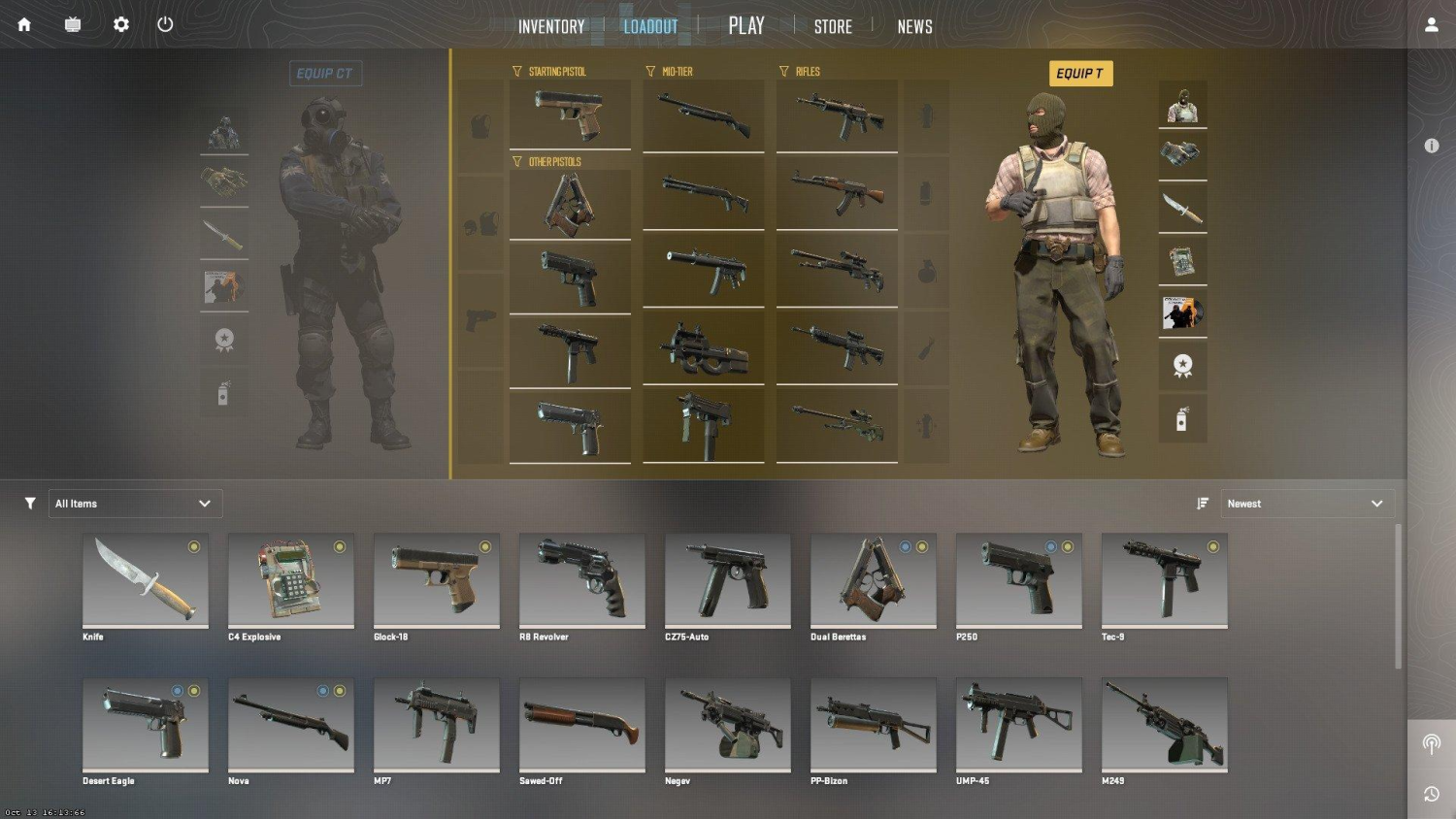
İkinci yöntem ana menüdeki Ekipman (Loadout) bölümünden geçer. Burada mevcut donanımınız görünür: CT ve T için her yuvada hangi silahın bulunduğu. Skini envanterde aramak yerine tüm donanımınızı bir arada görmek istiyorsanız bu bölüm kullanışlıdır.
Buradaki adımlar biraz farklıdır. Yuvadaki silah simgesine tıkladığınızda yanında bir ok ya da skin değiştirme simgesi belirir; silah modelinin kendisine değil, bu simgeye tıklayın. Envanterinizdeki mevcut seçeneklerin listesi açılacaktır.
Ekipman bölümünde sık sorulan bir soru da çözülür: CT tarafı başlangıç tabancası olarak USP-S ile P2000 arasında geçiş yapabilir. T tarafında böyle bir seçenek yoktur: Glock-18 saldıran tarafa sabit olarak bağlıdır. Bu bir hata değil, Valve'ın bilinçli bir kararıdır.
Ajan skini (oyuncu modeli) nasıl değiştirilir?
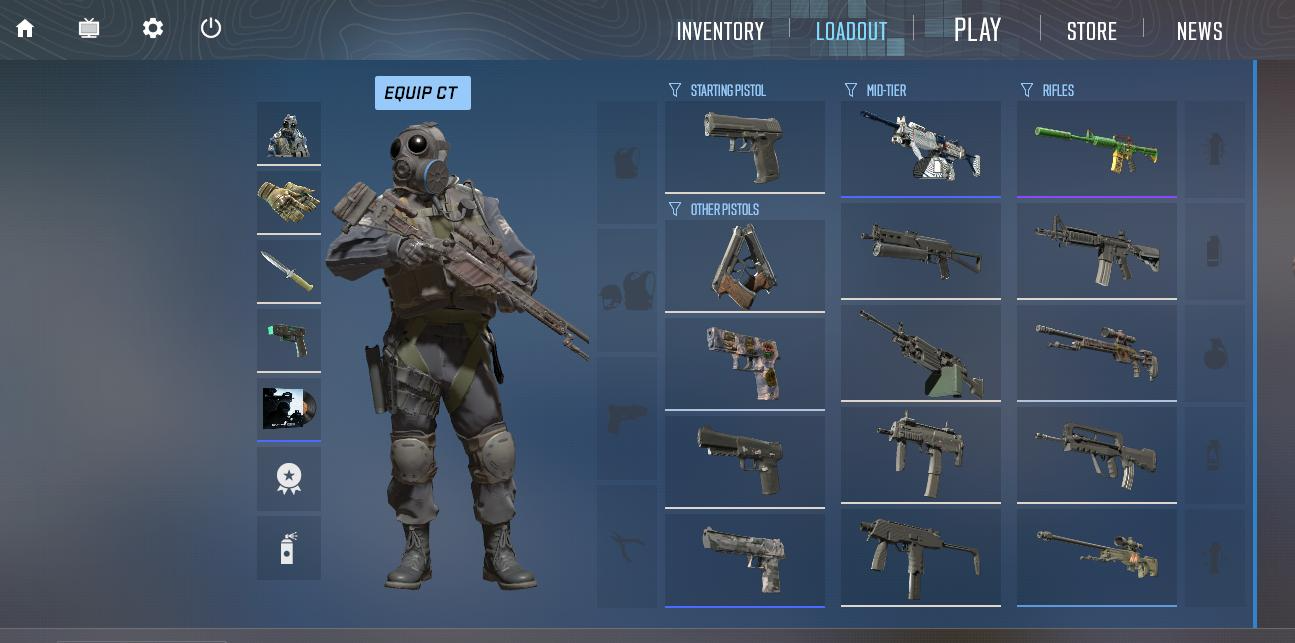
Ajanlar silahın değil, karakterin kendisinin skinleridir. Steam Topluluk Pazarı'nda ayrı olarak satılırlar veya belirli kasalardan düşerler. Ajanı aynı Ekipman bölümünden değiştirebilirsiniz: CT ve T modelleri için ayrı yuvalar vardır.
Ajanlarla ilgili bilinmesi gereken birkaç şey var. Birincisi, modelinizi yalnızca siz ve takım arkadaşlarınız görür; rakipler standart modeli ya da kendi özel ajanlarını görür. İkincisi, bazı ajan skinleri renk düzenleri nedeniyle belirli haritalarda gerçekten biraz daha az fark edilir, ancak bu garanti bir avantaj değil, küçük bir ayrıntıdır. Üçüncüsü, ajanlar hitbox'ları etkilemez; hitbox'lar tüm modellerde aynıdır.
Bıçak veya eldiven skini nasıl takılır
Bıçaklar ve eldivenler envanterde ayrı bir kategoridir, takma yöntemi ise aynıdır: eşyaya sağ tıklayın ve takımı seçin. Ancak fiyat bağlamını anlamakta fayda var.
Bıçaklar CS2'deki en pahalı eşyalardır. Field-Tested kalitedeki temel seçenekler bile Steam Topluluk Pazarı'nda 50-80$'dan başlar, Karambit Case Hardened veya Butterfly Knife'taki nadir pattern'ler ise binlerce dolar edebilir. Eldivenler de yalnızca kasalardan düşer ve orta seviye bir bıçaktan ucuz değildir.
Güncel fiyatlarla geniş bir bıçak ve eldiven yelpazesine göz atmak isteyenler için LIS-SKINS uygun bir seçenektir: burada Steam Topluluk Pazarı'ndan ve üçüncü taraf satıcılardan eşyalar tek bir yerde toplanmıştır.
İstediğiniz skin envanterinizde yoksa ne yapmalı?
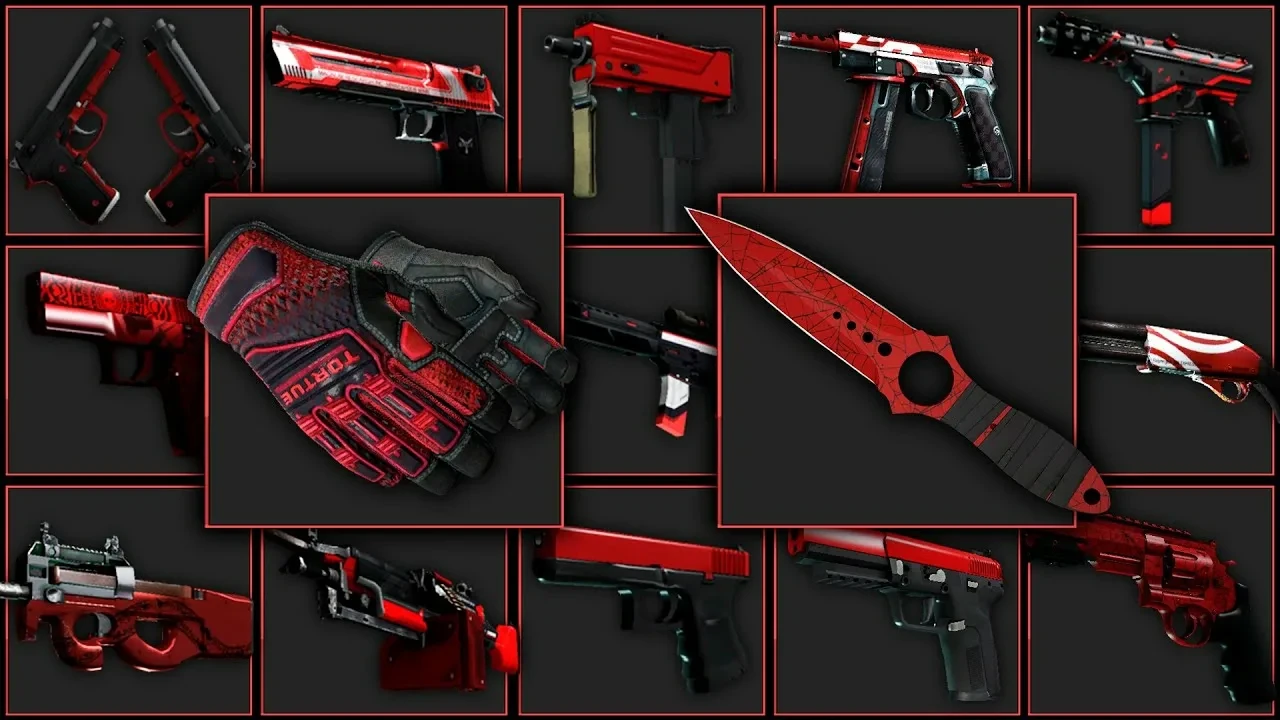
En dürüst cevap: satın almak. Ancak bunun birkaç yolu var ve hız, fiyat ve risk açısından farklılık gösteriyorlar.
Platform seçmeden önce tam olarak neye ihtiyacınız olduğunu belirleyin: belirli bir silah için tek seferlik bir skin mi, yoksa koleksiyonu düzenli olarak genişletmek mi? Hangi yolun daha kârlı olduğu buna bağlıdır. Steam Topluluk Pazarı güvenilir ve güvenlidir, ancak %15'lik komisyon pahalı eşyalarda belirgin şekilde hissedilir.
| Platform | Güvenlik | Hız | Steam'e göre fiyat |
|---|---|---|---|
| Steam Topluluk Pazarı | Maksimum | Anında | Temel fiyat (%15 komisyon) |
| Steam Trade (P2P takas) | Yüksek | Karşı tarafa bağlı | Pazarlığa açık |
| Üçüncü taraf pazarlar | Güvenilir olanlar seçilirse yüksek | Anında | Çoğunlukla Steam'den ucuz |
| Kasa açma | Maksimum | Anında, ancak sonuç rastgele | Tahmin edilemez |
Kasalarla ilgili önemli bir nokta: matematik oyuncunun aleyhine işler. Ortalama bir kasa 1 ile 19$ arasındadır, anahtar ise her zaman 2,49$'dır. Bıçak yaklaşık 400 açılışta bir kez düşer. Bu, kasaların kötü bir fikir olduğu anlamına gelmez; sadece yatırım değil, eğlencedir.
CS2'de skin ücretsiz değiştirilebilir mi?
Teknik olarak evet, ama bazı çekincelerle.
Gerçekten ücretsiz olan tek yol haftalık drop'tur. Normal oynayarak kasa ve skin kazandırır, ancak Prime statüsü gerektirir. Prime olmadan drop yoktur. Prime yaklaşık 15$'dır ve tek seferlik bir satın alımdır. Dolayısıyla tam anlamıyla «ücretsiz» sayılmaz, ancak düzenli oynarsanız drop'lar zamanla bu tutarı amorti edebilir.
Drop'tan gelen kasalar da 2,49$'lık bir anahtar olmadan açılamaz; ancak onları Steam Topluluk Pazarı'nda satabilirsiniz, bu da bir seçenektir.
CS2'de skin changer: riske değer mi?
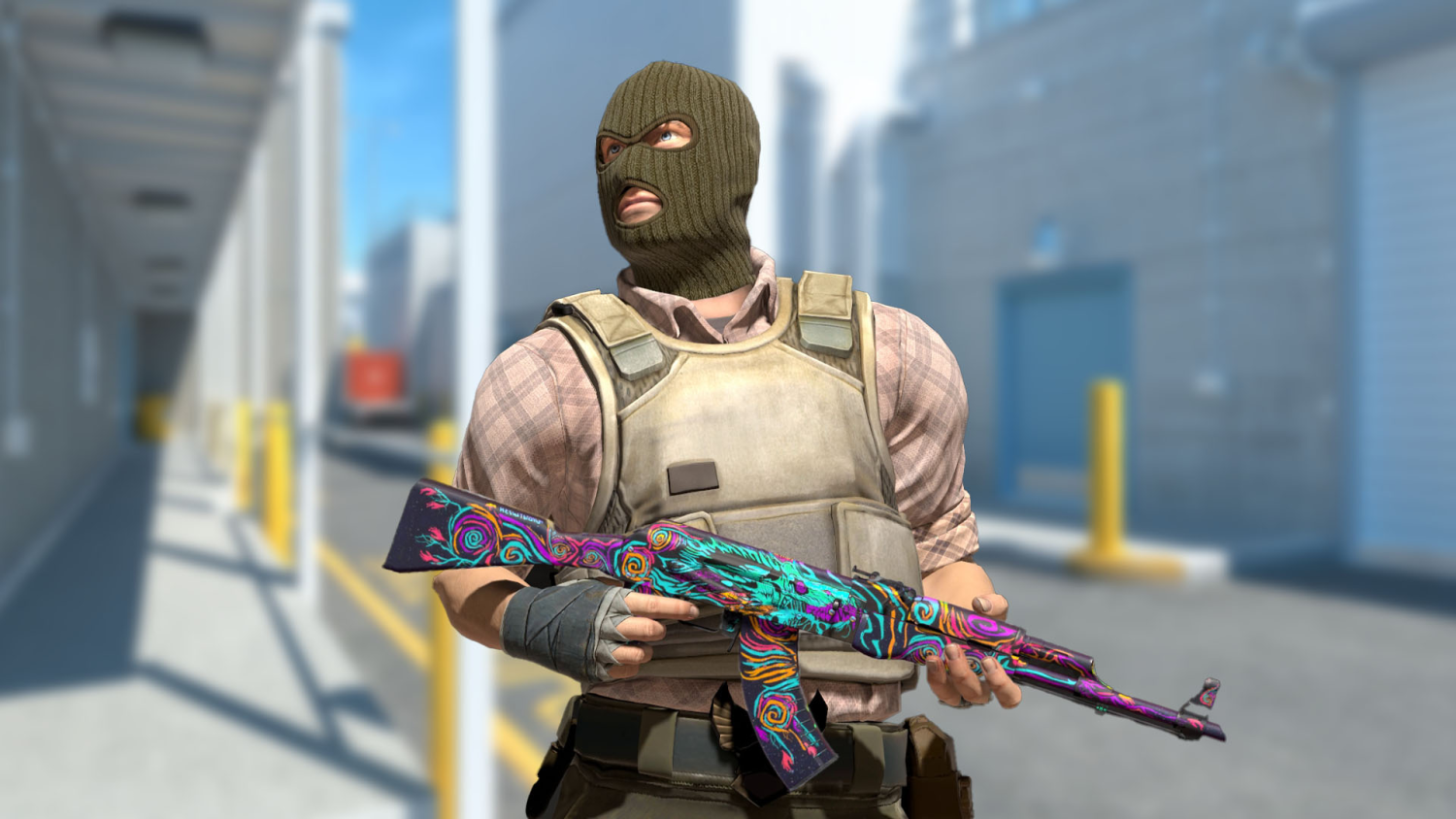
Skin changer, silah dokularını istemci tarafında yerel olarak değiştiren üçüncü taraf bir programdır. Zararsız gibi görünse de bu yaklaşımın temel bir sorunu var.
Birincisi, skini yalnızca siz görürsünüz. Rakipler ve takım arkadaşları standart dokuyu görür. Yani diğer oyunculara hava atamazsınız; bu tamamen kişisel bir görüntüdür.
İkincisi, ve asıl önemli olan: VAC (Valve Anti-Cheat) sistemi Source 2'de dosya bütünlüğünü ve istemci belleğini kontrol ederek çalışır. Skin changer'lar, oyun belleğine enjeksiyon için hilelerle aynı yöntemleri kullanır. VAC değişikliğin zararsız olup olmadığına bakmaz: izinsiz bir müdahale tespit edilirse yasak otomatik olarak verilir.
VAC yasağının sonuçları:
Kalıcıdır, itiraz imkânı yoktur
VAC korumalı tüm CS2 sunucularına erişim kalıcı olarak kaybedilir
Takas yasağı: Steam'de eşya satmak veya takas etmek mümkün olmaz
Tüm envanter hesapta kalır, ancak onu artık eşleştirmede (matchmaking) kullanamazsınız
Yalnızca sahibinin görebildiği bir skin için bu, orantısız bir risktir.
Skin maçta neden görünmüyor?
Oyuncuların karşılaştığı birkaç tipik durum.
Sık görülen bir durum: skin satın alınmış, envanterde duruyor, ancak oyunda silah hâlâ eski görünümünde. Neden genellikle birkaç şeyden biridir ve hepsi birkaç tıklamayla çözülür. Önce şunları kontrol edin:
Skin hiçbir tarafa atanmamış: envantere gidin, skine sağ tıklayın, CT, T veya her ikisini seçin.
Bıçak veya eldiven atanmamış: bunlar diğer silahlardan ayrı olarak, kendi kategorilerinde atanır.
Ajan skininiz rakiplere görünmüyor: bu normaldir, ajanları yalnızca kendi takımınız görür.
T tarafında tabanca değiştirilemiyor: Glock-18 sabittir, başlangıç tabancası seçimi yalnızca CT için geçerlidir (USP-S veya P2000).
Skin satın alındı ama envanterde görünmüyor: birkaç dakika bekleyip oyunu yeniden başlatın, bu genellikle sorunu çözer.
CS2'de skin değiştirmek zor değildir: her şey ana menüdeki Envanter veya Ekipman bölümünden yönetilir, konsol komutlarına ya da üçüncü taraf programlara gerek yoktur. Skin edinmenin birkaç kaynağı var (Steam Topluluk Pazarı, kasalar, haftalık drop) ve her birinin kendi fiyat ve şans mantığı bulunuyor. Skin changer'lar yalnızca yerel olarak çalışır ve hesabı kaybetme riski taşır; bu yüzden profiline değer verenler için bir seçenek değildir. Envanterinizi genişletmek istiyorsanız LIS-SKINS kataloğuna göz atın: burada fiyatları karşılaştırmak ve aradığınız skinleri tek bir yerde bulmak kolaydır.
