


The redesigned console in the CS:GO sequel creates many questions, for example, “How to check FPS in CS2?”. Knowing your FPS allows you to find out the general condition of your hardware and, based on it, make a configuration that is comfortable for you.
What is FPS
The FPS value is a digital designation of the number of frames that appear on the screen within one second (derived from the English expression Frames Per Second). The smoothness of the image depends on this indicator. At low frames per second, it is almost impossible to play online shooters due to the torn picture, which looks more like a slide show than a game.
The smoothness of the game depends not only on the FPS, but also on the Hertz of the monitor. Some people who played on screens with a higher hertz felt that there was more FPS, although this was not the case.
There are several average FPS values:
- 30 FPS - hardly suitable even for single games.
- 60 FPS - a standard that is recognized by most gamers, but not CS players. This number of frames per second is not enough for a quick reaction and comfortable gameplay.
- 120 FPS is the gold standard, which will provide an enjoyable game without significant restrictions and discomfort.
- 240 FPS is an ideal option for professional players, we can achieve this result only on screens with a 240 Hertz resolution.
High FPS is certainly a plus that allows you to shoot more accurately and react faster to enemy actions, but you shouldn’t chase numbers if they jump. It is better to achieve stable 120-130 fps than to suffer from changes in the range of 160-240.
What does FPS depend on
The smoothness of the picture depends on the optimization of the application, but this indicator is primarily influenced by the configuration of your laptop or computer. The main components that are responsible for this are:
Video card.
Processor
RAM.
The main one of this trinity is the video card, so if you want to increase FPS in CS, then first of all think about buying a new video card. Well, if you don’t have money, then you should make sure that you have already optimized the cs2 settings as much as possible.
How to increase FPS
Increasing the frame rate per second is not always associated with the purchase of a new computer or its parts. If you, having learned how to check FPS in cs 2, were horrified by the numbers you saw, then you can try the following:
Set all graphics settings to minimum.
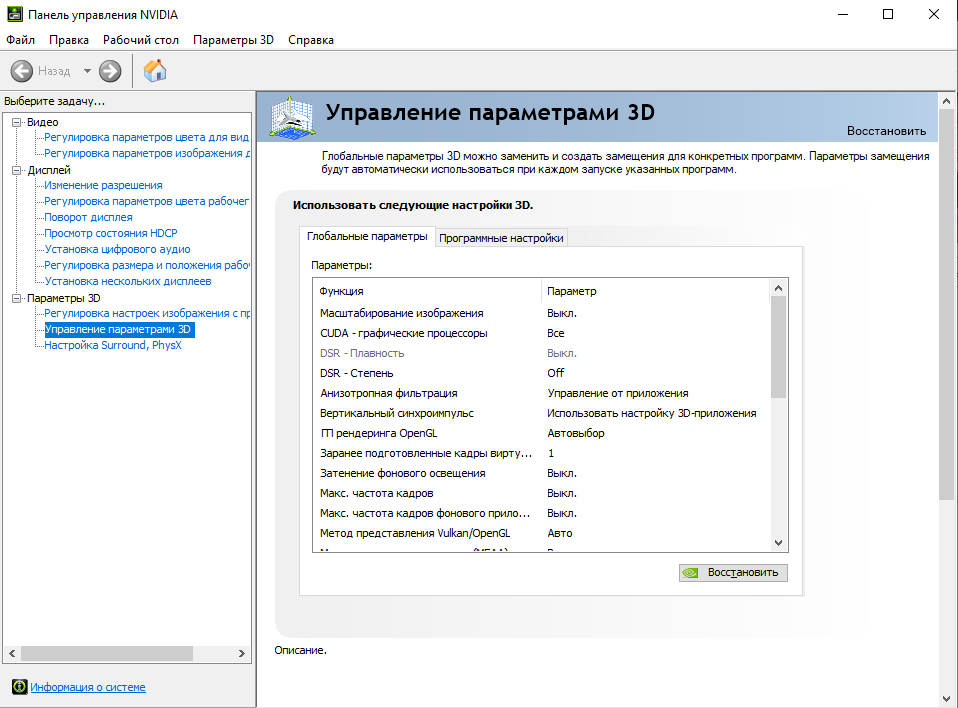
Some video cards, for example nvidia, allow manual settings, thanks to which you can increase the performance of your PC, sacrificing picture quality.
Find launch properties on the Internet for weak PCs and register them.

There are a large number of different configs that reduce your FPS using console commands. But some of them may confuse Valve's anti-cheat, so be careful with this.
Find a list of maps that are easy to load, often they have more FPS compared to others.
An option for the most desperate is to boost your video card. It is worth noting right away that without experience, it is better to entrust this to professionals, otherwise it may burn out and then you will definitely have to update your PC. Before boosting, read all the pros and cons.
If nothing helps you, then simply update the components. This will not take a lot of time, and if you choose the manufacturer and model wisely, your finances will not suffer much.
Why know your FPS
The recent announcement of CS 2 turned everything upside down. The active policy of promoting the new version of the game is going too far. CS:GO was removed from Steam, and the combination of these letters is censored and replaced with asterisks.
It is not known why Gaben decided to take such a risk and force everyone to switch to the recently released sequel, but one thing is certain. CS 2 runs on a new engine, which is very demanding on your hardware and Valve will have to work on it for a long time.
Knowing how to check FPS in CS 2, you can analyze PC performance at different moments of the match and optimize it. For example, if you have lag in areas with a lot of blood or traces of shots, then you can use a bind to reduce their quality.
How to find out FPS through the console
Previously, there was a net_graph 1 command in CS, but the new console does not have it, so you have to use new, not very convenient analogues. Perhaps in the future the developers will add an adequate FPS counter.
Command for checking FPS in cs 2:
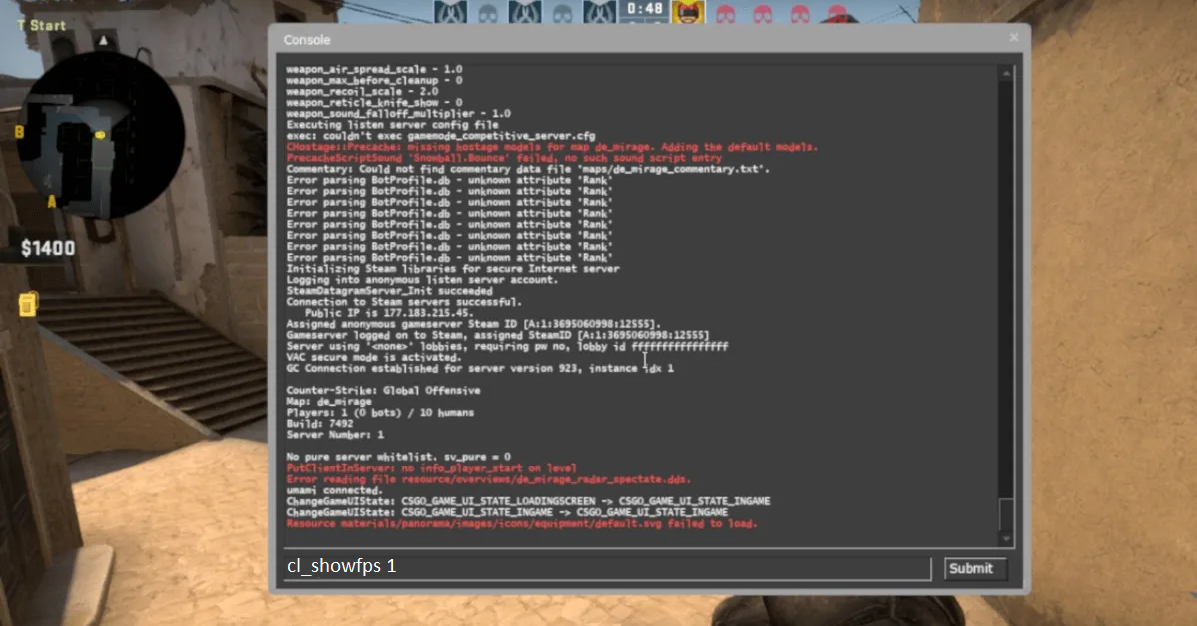
Turn on the console in the game settings and open it.
Enter cl_showfps 1.
We are horrified by the negligence of the developers and exit games.
The fact is that the FPS counter is covered by the mini-map. There is no way to change its position, and the bright-eyed font coupled with the red color leaves much to be desired.
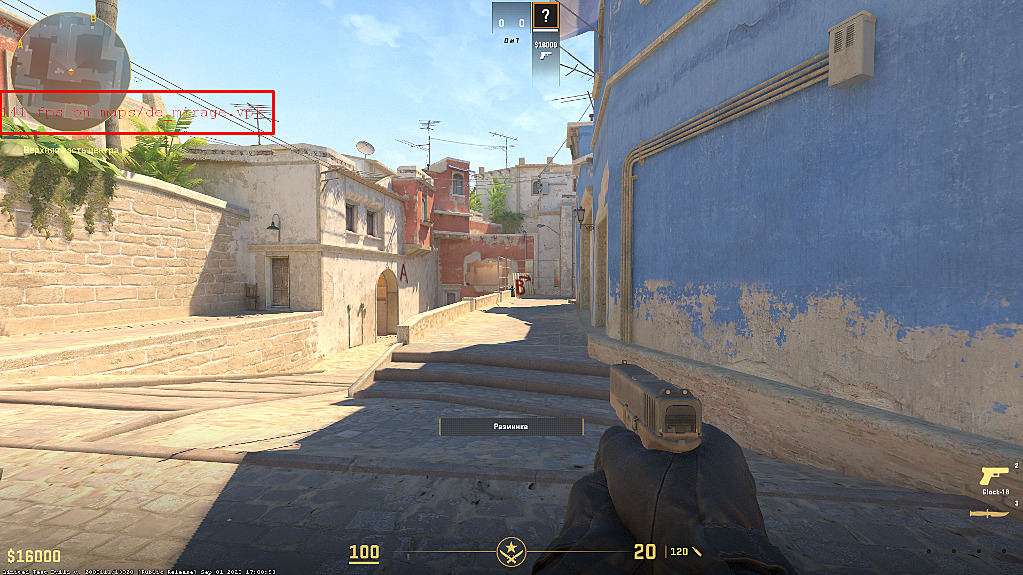
Okay for a one-time FPS check, but monitoring it on an ongoing basis is unrealistic. There are two more options for replacing net_graph:
cl_showfps2 shows FPS with ping.
cl_showfps 3 displays the server tickrate along with the delay.
In general, you will have to wait for the FPS counter to change from the valvs, and until then you can be content with this. Or is there another way to check FPS in cs 2?
How to check FPS through programs
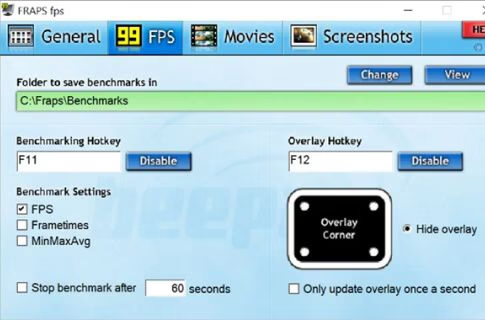
We've sorted out the console, the only adequate option is applications like Fraps and Bandicam. They are designed to record the monitor screen, but have a built-in FPS counter, the location and visual of which can be changed to suit you.
Install any of these two applications and customize them a little. First, you need to assign a button to which the counter can be turned on and off. The rest of the settings will not cause any difficulties, everything is intuitive there.
After that, go to cs, turn on the FPS counter in cs 2 and rejoice, because you don’t have to endure the disgusting net_graph that is blocked by the mini-map. If you don’t temporarily need the counter or are distracting during a clutch, you can turn it off and then turn it back on.
