


Within the Counter-Strike 2 community, the question of where to view skins has become as relevant as choosing a tactic before a deciding round. For many players, a weapon’s appearance is more than an aesthetic detail — it’s part of their persona, style, and even their psychological mindset for a match. In a world where the visual side of gameplay is a key part of esports culture, the ability to see a skin before buying or trading takes on special importance.
Previewing skins helps you assess how well they pair with a specific weapon model, verify texture quality, and judge how the design fits your personal taste. A static image on a store page or marketplace can be misleading: shades may differ, details can get lost, and effects may look different. That’s why experienced players look for ways to test a skin in conditions as close to real gameplay as possible.
There are plenty of methods — from Steam’s built-in features and the in-game inventory to special maps and community servers. Each option has its advantages and limitations, and knowing them is useful for both newcomers and CS2 veterans.
What skins are and why to view them before buying
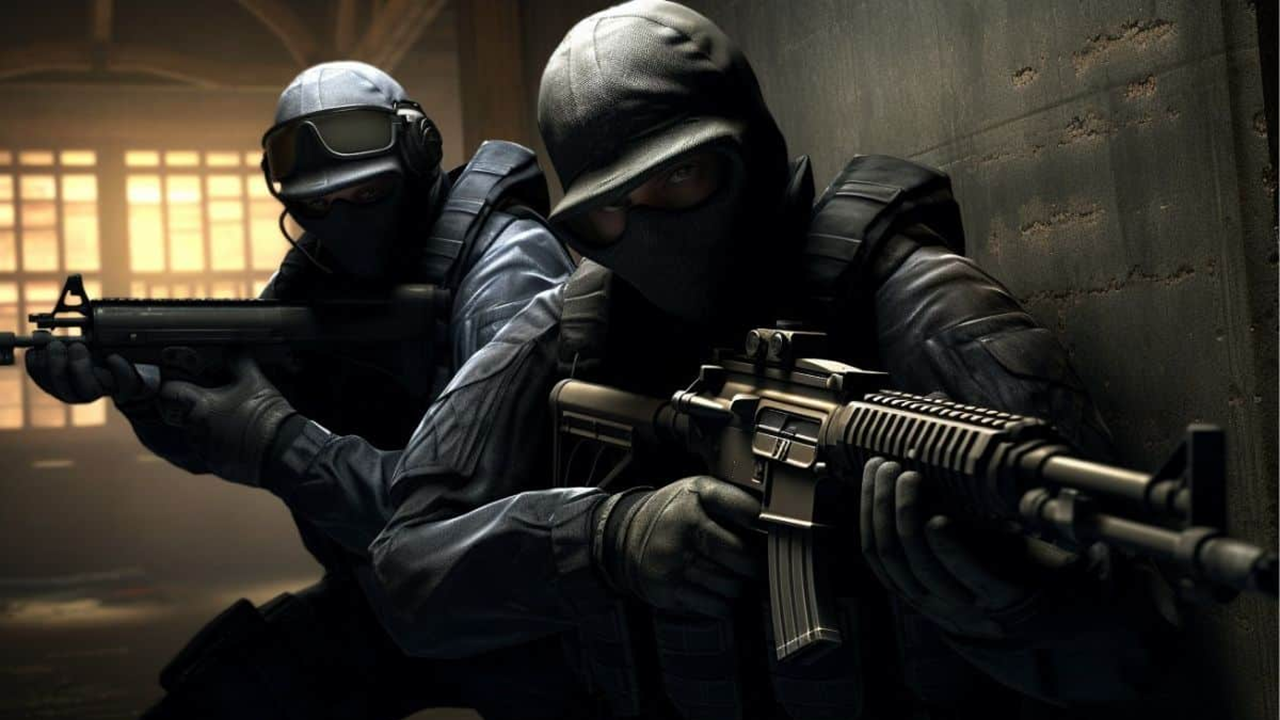
Skins in CS2 are cosmetic finishes for weapons, knives, gloves, and other inventory elements. They don’t affect stats, but they change how an item looks and can become a player’s calling card. Unique skins often turn into collectibles and sometimes sell for more than the weapon itself.
However, how a skin looks in the store doesn’t always match how it feels in a match. Several factors play a role:
Map lighting — warm lighting on Dust 2 or cool lighting on Nuke can change perceived shade and brightness.
Wear level — from «Factory New» to «Battle-Scarred», the appearance can change dramatically.
Environmental color palette — a skin can blend into a map or, conversely, stand out.
That’s why seasoned players always try to view skins under different conditions before spending money. This is especially important for expensive items, where a difference in perception can be worth hundreds or even thousands of dollars.
Where you can view skins in CS2
In CS2, how your weapon looks isn’t just a cosmetic detail — it’s part of your identity, so it’s important to see a skin in action before buying or trading. Store or marketplace images give you a general idea, but in real matches textures and colors can look different. That’s why many players look for convenient ways to test skins in various conditions — from the standard inventory to specialized maps and servers. Each method has its benefits, and experienced players combine them to make the most informed choice.
Where to view skins on Steam
For many, the first step is the official Steam Community Market. It’s straightforward: find the skin, open it in the 3D viewer, and within seconds you can rotate the model, zoom in on details, and examine the texture, tones, and pattern. This is especially handy for quick checks — for instance, when a friend sends you a listing or you spot a rare deal at a good price.
Veteran players note that Steam’s preview helps you quickly decide whether it’s worth doing deeper tests on maps or servers. But keep in mind the 3D viewer still differs from what you’ll see in a live match: in-game, a skin “lives” — it changes with movement, shooting, and lighting.
Pros:
Fast and convenient — no need to launch the game or download extra maps.
All key info is right there: price, wear, seller, and listing history.
The ability to inspect the texture up close from any angle.
Cons:
You can’t see how a skin looks in motion — while shooting, running, or reloading.
No varied lighting conditions, so colors may appear brighter or darker than in a match.
No way to test how it pairs with gloves or other inventory items.
Still, if a player is wondering where to view skins on Steam, this method works well for an initial pass. It’s a great “first filter” to quickly discard mismatches and keep only what truly catches your eye.
Maps and mods for skin testing
A distinct tradition has formed in CS2: testing skins before buying, primarily on community-made maps. Over the years, the community has created dozens of locations designed specifically so you can calmly and thoroughly evaluate any skin in conditions close to actual gameplay.
Experienced traders and collectors often start with these maps. The reason is simple: you see the weapon not in a static store, but in a full in-game environment — with proper lighting, textures, and surroundings. That’s crucial for pricey skins: impulse buys without testing often lead to disappointment.
On one of the most popular maps — you could loosely call it a map for viewing skins — you’ll find dozens of features to help you build the perfect loadout.
What these maps let you do:
Select any weapon and instantly apply any skin.
Change lighting and time of day to see how a skin looks on bright, evening, or dark maps.
Pair gloves and knives to create a fully cohesive look.
Switch backgrounds and environments to simulate conditions close to specific competitive maps.
Compare several skins in a row without returning to menus.
Installing such maps is easy: open the Steam Workshop, search by name, subscribe, and wait for the download. The map will appear in your client’s list and you can launch it solo or invite friends to test together.
Players who’ve tried this approach rarely go back to picking skins “blind” — buying off a pretty screenshot is one thing, but seeing how it looks in real gameplay, with all the nuances, is quite another.
Servers for previewing skins
For many, specialized servers built to preview skins are the go-to tool before buying expensive items. They’re set up so you can run through dozens of weapon, knife, and glove options in minutes, see them in motion, and decide whether a skin fits your playstyle.
Joining is simple: open the CS2 server browser, search by name or a specific IP address, and you’re in within seconds. Most are open to everyone, with no passwords or restrictions.
Why players choose these servers:
Free access to virtually any look — from budget options to rare collectibles.
The ability to test gloves, knives, and weapons in any combination.
Check skins in motion while shooting, reloading, and swapping weapons.
Different maps and lighting presets to see how perception changes by environment.
Live chats with other players to swap impressions and tips.
On such servers, you can try things that aren’t always feasible in a regular match. For example, pick up an AK-47 | Wild Lotus in «Factory New» condition, currently priced around $15,450, and calmly decide whether its vivid pattern and saturated colors will keep you happy long-term.
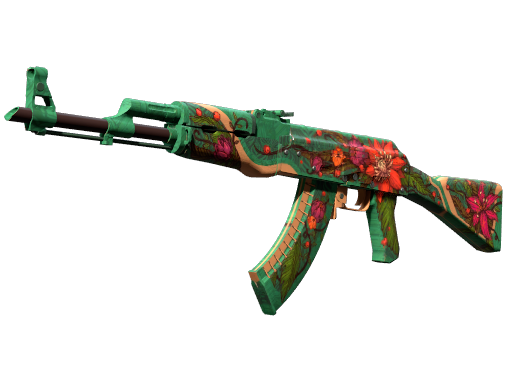
Seasoned traders say server testing often proves decisive: a skin can look impressive in a picture yet be distracting in-game or clash with other inventory items. Here, you can confirm the fit — or decide to pass.
Comparing the methods
With so many options, it makes sense to compare them by key criteria. Each method has strengths and weaknesses, and the right choice depends on whether you value speed, accuracy, or a real-match feel. Some prefer testing everything in the Workshop, others jump straight to a server, and some rely on Steam’s preview. This comparison helps you decide where to start and which method to use most.
Method | Advantages | Disadvantages |
Workshop map | Free, fast, convenient | Requires a download |
Server | Lots of features, player interaction | Ping may be unstable |
Steam | Official method | Can’t see it in live gameplay |
This comparison shows there’s no one-size-fits-all solution. If you just need to gauge looks and wear, Steam is enough. For deeper testing across maps and lighting, Workshop maps or dedicated servers are better. Ideally, combine methods to be confident in your choice and avoid wasting money.
Tips for newcomers
Players new to skins often make the same mistake — deciding based only on a glossy store or marketplace screenshot. In practice, the same item can look totally different on a sunny map like Mirage versus the dark corridors of Nuke. Only testing in varied conditions will reveal whether a skin truly appeals in real gameplay or fades into the background.
Experience shows: before spending money, spend a bit of time testing. Even if a skin seems perfect at first glance, in-game testing often reveals small things that can annoy — overly bright accents that distract while aiming, or, conversely, a dull pattern that loses impact.
What newcomers should consider:
Check wear level — the difference between «Factory New» and «Battle-Scarred» is huge. Wear sometimes adds character, but more often it dulls colors and detail.
Try different maps and servers — lighting, textures, and a map’s color palette can radically change perception.
Mind glove and knife combos — sometimes they’re harmonious, other times they create visual chaos that hurts readability while playing.
Compare alternatives — even if you’re sure, it’s useful to check similar skins in the same price range.
Once you get used to testing skins in-game, you’ll quickly distinguish smart buys from impulse purchases. Every new item will be more than a pretty thing — it’ll be a considered choice that delights you in the first round and after hundreds of hours.
Why skin testing is the key to a smart purchase in CS2
Today, CS2 players have plenty of ways to evaluate a weapon’s look before buying — from Steam’s built-in tools to community maps and servers. By combining these methods, you can make an informed choice and avoid disappointment.
For those who value style and atmosphere, testing a skin before purchase isn’t a luxury — it’s a necessity.
