


Among Rust players, item appearance has always sparked special interest: some want their weapons to look gritty, others pick harmonious colors for their base, and some aim to stand out with a rare piece. So the question of how to change a skin in Rust comes up a lot—and it’s totally logical. In practice, it’s pretty simple: you can change looks via the Workbench, your in-game inventory, or the Steam Inventory menu. All of these methods are available to every player; the only difference is how you obtained the skin in the first place. This article breaks down the methods, common beginner mistakes, and why collecting naturally becomes part of the gameplay loop over time.
Main ways to change a skin in Rust
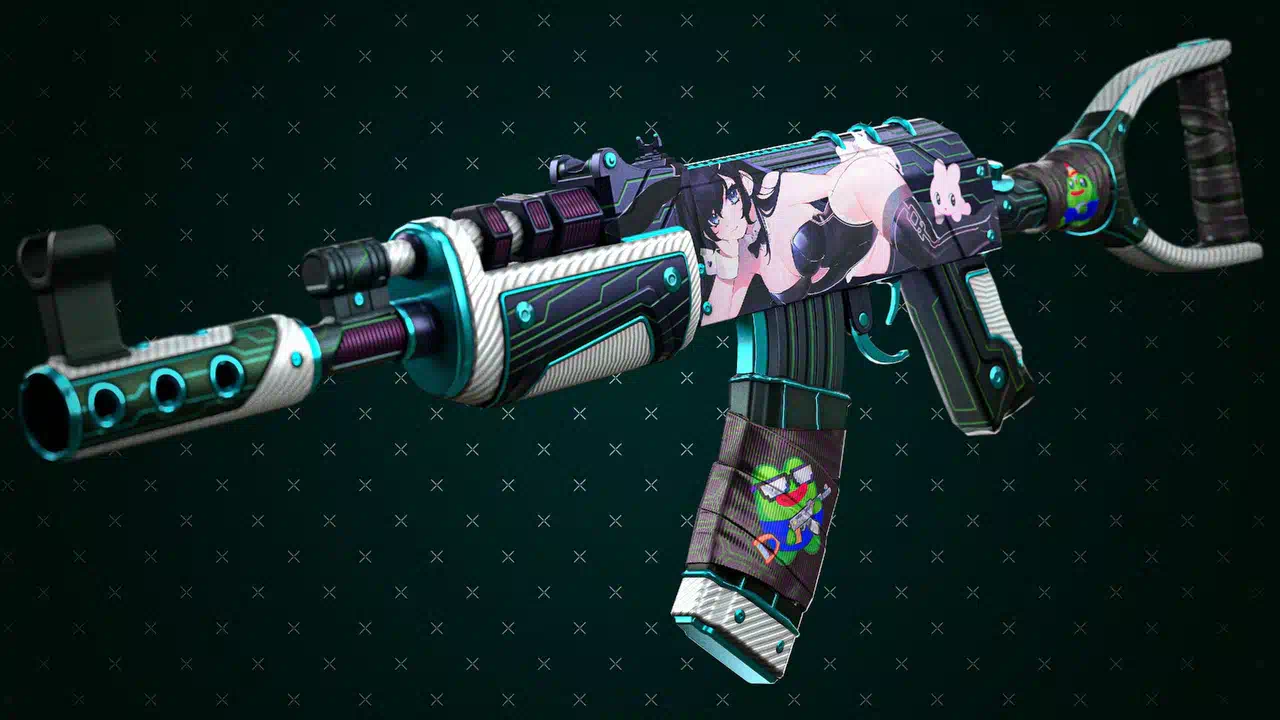
Players have three tried-and-true options for changing item appearance.
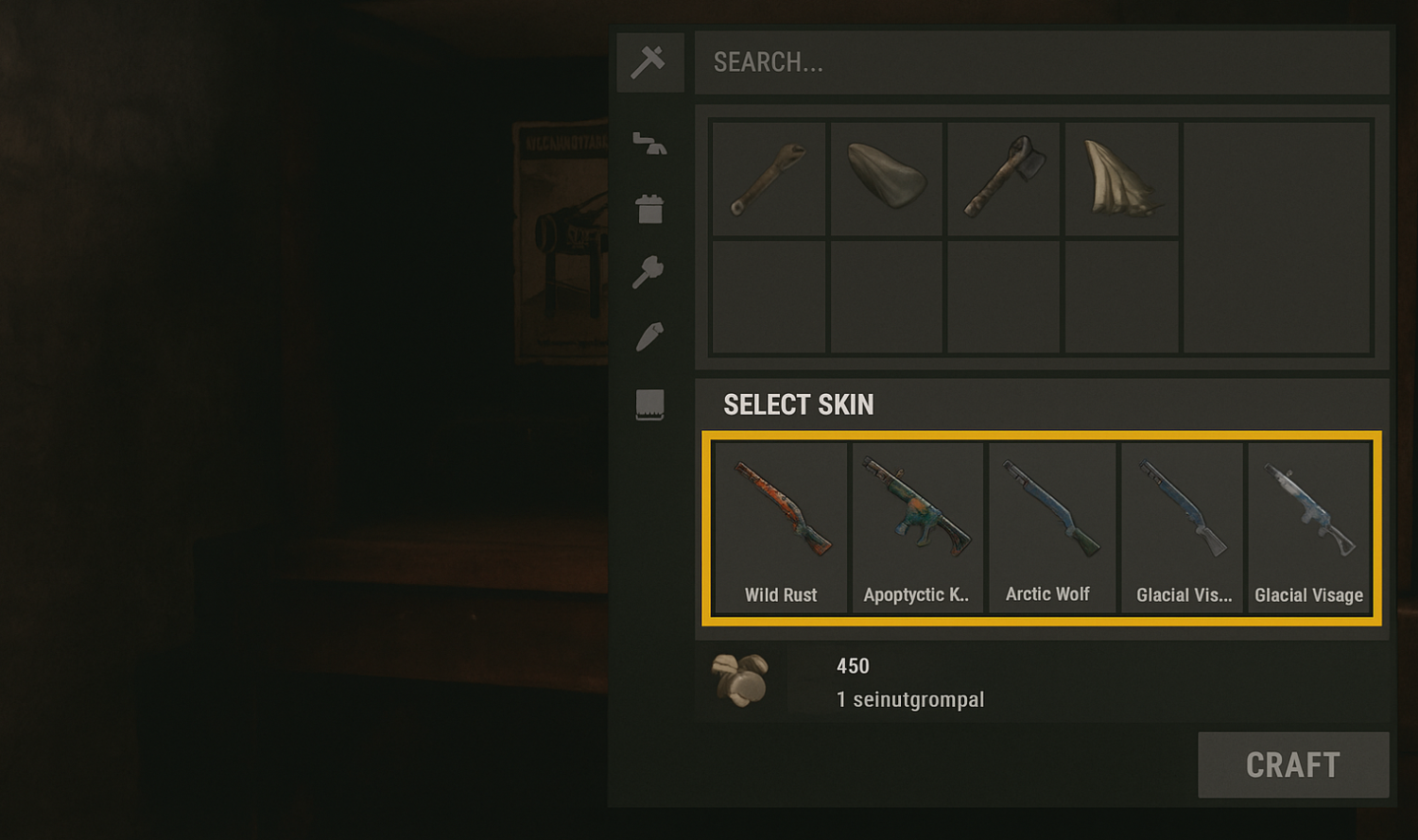
Via the Workbench is handy when crafting: just open the menu, choose the item, and apply the skin you want. This approach is most common when you’re creating something new.
Via your inventory is even simpler: if you already own the item and it has alternate looks, just click it and pick the variant you like.
Via Steam Inventory lets you link up skins you’ve bought or received on the Steam Market. This is especially relevant if you actively trade or collect rarities.
In short, there are several easy ways to change a skin in Rust, and all of them are intuitive—even if it’s your first time playing.
Step-by-step guide for beginners
To understand the mechanics, it helps to walk through each method separately.
Workbench:
Approach a Workbench and open the crafting menu.
Find the item you want.
In the “Skin selection” section, click the option you like.
Confirm and receive the item with its new look.
Inventory:
Open your inventory.
Find an item that supports alternate skins.
Right-click it and choose the variant you want.
Save the changes.
Steam Inventory:
Open your Items from the Steam main menu.
Select Rust.
Find the skin you need and apply it or move it into the game.
A common beginner mistake: trying to use a skin on an item that doesn’t support that variant. Remember, skins are tied to specific items.
After a few experiments, most players start building a personal collection—it’s natural to want different looks for weapons and your base over time.
Extra tips and nuances
Changing a skin in Rust doesn’t require re-crafting the item: just select another look. However, if the item was destroyed or lost, you’ll have to craft it again—and that’s when you can pick any available variant.
There are limits: not every skin fits every item. For example, an AK-47 skin won’t apply to an M4 or a hatchet.
Distinguish between official skins and custom Workshop creations. Official ones are approved by the devs and become part of the game; Workshop skins can exist as concepts and may only be available to a limited group.
Rarity and price directly affect availability. The rarer and more popular a skin, the harder it is to obtain.
Comparing ways to obtain skins
To change a skin in Rust, you first need to acquire it somewhere. In practice, that doesn’t mean just one path: the game has an entire ecosystem, where some methods are about luck, others about patience, and others about creativity. Players often debate which method is best, and each has its merits.
The most straightforward route is buying on the Steam Community Market. It’s predictable: pick an item, check the price, add it to your collection. The catch is that rare skins can be pricey, which is hard to justify for newcomers. Still, people value this method for its transparency and the ability to grab exactly what you need fast.
Cases are a different experience. Players love the thrill: you never know if you’ll hit something valuable or end up with a cheap item. Unlike direct purchase, there’s that surprise factor collectors enjoy. But keep in mind: the odds of pulling a rare, expensive skin are very low, so if you treat cases strictly as an investment, disappointment is likely.
Random in-game drops are the most “honest” mechanic—you get skins simply for time spent in Rust. Players appreciate this because it requires no spending: just play actively, join events, and watch for updates. In reality, rare drops are extremely uncommon, so this path suits those who see skins as a nice bonus, not a goal.
Workshop is for the creative. You can submit your own designs and, if the community and devs approve, see them in the game. It’s not just a way to get a unique item—it’s a chance to leave your mark on Rust. The challenge is that few skins make the cut, and you’ll need graphic/3D skills.
To show how different these approaches are, here’s a quick table:
Method | Pros | Cons |
Steam Community Market | Quickly buy a specific item; access to rare skins | High prices for popular options |
Cases | Gambling thrill; chance to score something valuable | Much higher odds of cheap drops |
Random drops | Free; naturally complements gameplay | Minimal chance of rare skins |
Workshop | Show off creativity; get your content into the game | Requires skills and patience; approvals are rare |
Veterans usually mix methods: buy some things directly, open cases for fun now and then, collect drops, and dabble in Workshop. That variety makes a collection feel richer—and turns skin hunting into its own mini-game inside Rust.
The rarest and most expensive skins in Rust
Once you learn how to change a skin in Rust, another layer opens up—choosing which item to use. And you quickly realize not all skins are equal: some are everywhere, while others have become community icons.
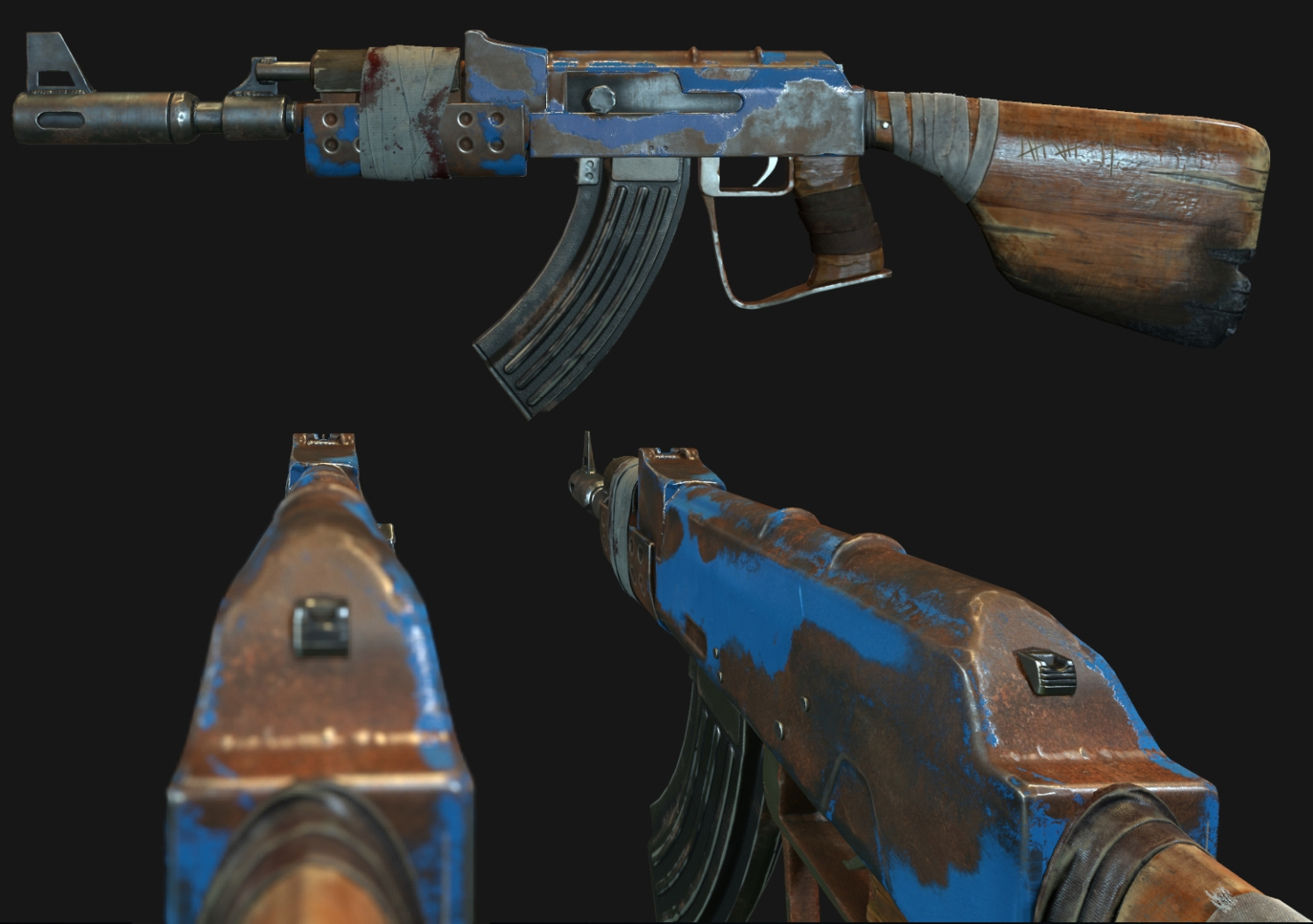
For example, the AK-47 “The Tempered” is considered a cult pick not just for its vivid metallic sheen but because it sets its owner apart. Swapping your weapon skin to something like this isn’t just cosmetic—it’s a statement.
Metal chest plate and other rare gear pieces do the same. When a player applies such a look, it instantly reads as a status marker: they don’t just know how to swap skins—they own items few people have.
Even unique door skins change a base’s vibe. Replacing a plain door with a rare one turns your home into a recognizable landmark on the server.
Rarity and price tie directly into the selection process: to switch to a legendary skin, you have to acquire it first—via Steam deals, rare drops, or lucky case pulls. That’s when it becomes clear the skin-swap mechanic isn’t only about “repainting” an item—it’s about the emotions and impressions it sparks in other players.
In the end, the most expensive Rust skins become more than inventory decor—they’re goals in their own right. Every time you apply one, you make your experience unique and prove that a simple “change skin” feature can carry deeper meaning.
Frequently asked questions
New players tend to ask a few common questions.
Can I change a skin for free? Yes, if the skin came from drops or an event.
Can I trade with friends? Yes, Steam trading is available.
Can I revert if I don’t like the new look? Yes—just select the original again.
Do skins affect item stats? No. Skins only change appearance.
How long does it take to switch? Just a few seconds.
Tips and tricks
Players who know the skin system well will tell you: changing an item’s look in Rust is easy, but the real fun starts when you decide which skin to use and when. That’s where experience, timing, and a feel for the in-game economy come in.
One key tactic is price watching. Many skins are volatile: prices can spike when new events hit and drop when hype fades. Sometimes it’s smarter to wait than to overpay for a fresh skin and apply it immediately.
Another trick is collection management. With dozens of items, you’ll want to find what you need fast. Sorting by category and curating favorites saves time: a couple of clicks and you’ve changed the look of your weapon or door.
Also remember that swapping a skin isn’t just personal taste—it signals to other players. If your character sports rare armor or a cult AK, people notice. Sometimes it’s better to hold off and unveil that skin at the right moment for maximum impact.
A few more useful habits for a more intentional approach:
Check price charts before buying—you’ll see when an item is trending up or down. That makes it easier to decide whether to apply a new skin now or wait.
When choosing between similar looks, consider rarity: one might be flashier, but another could be a smarter pick for your collection’s value.
If you’re unsure, stash it for later—tastes change, and what felt “plain” today can become a favorite next month.
Use third-party analytics to read the market. Not to buy, but to understand the landscape—what’s worth applying now and what to hold.
With this mindset, it’s not just a mechanical “change appearance” click—it’s part of a strategy. Experienced players say that’s where the joy lies: not just knowing how to change a skin in Rust, but doing it at the right time, intentionally, and with a sense of value.
Mistakes to avoid
Some actions can lead to trouble.
Buying unofficial skins outside authorized platforms is almost always risky: you could lose money and never get the item.
Using third-party software to spoof looks can lead to a ban—and yes, it has happened.
Beginners sometimes splurge on prestige items without realizing there are more affordable yet equally stylish options.
To avoid problems, be thoughtful with your choices and remember the main goal is to enjoy the game.
Change skins — change the experience
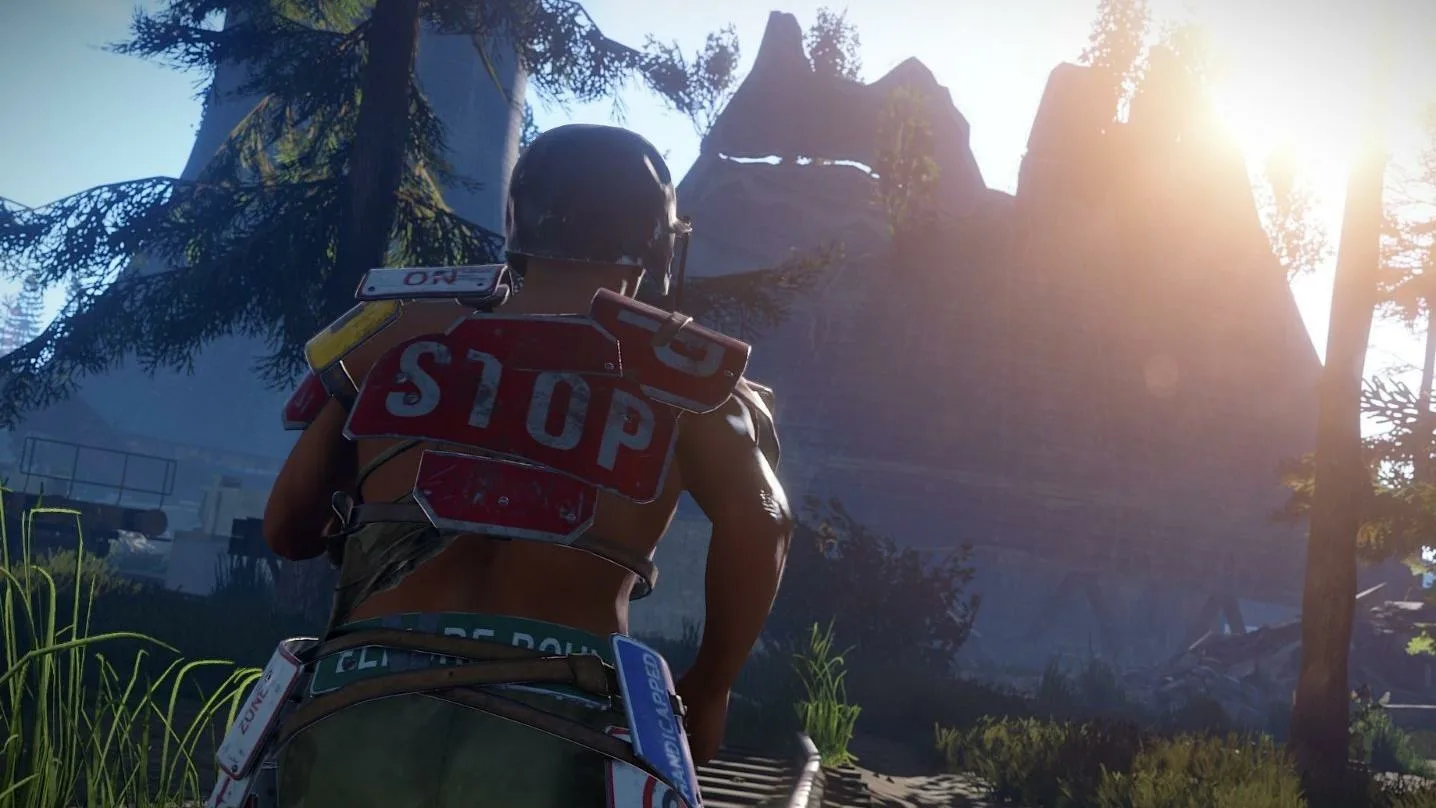
Rust isn’t just harsh survival—it’s also a game about style. The ability to change a skin in Rust turns every item into an extension of your identity.
There are multiple ways to do it: via Workbench, inventory, or Steam. Each method has its perks and nuances, but they’re all straightforward.
In the end, a skin is more than a picture: it sets the mood, helps you stand out, and makes every session feel special. If you care about aesthetics as much as efficiency, collecting and picking the right looks become a genuine part of the ritual.
