


CS2 skin mechanics aren't just about opening cases. Trade-up contracts have long been an alternative way to obtain desired items, especially when it comes to targeted skins from rare collections. That's why many are interested in how to craft skins in CS2 and whether it can be done with minimal losses. This approach allows bypassing expensive cases, managing odds, and even saving money with smart selection of input items.
What Is a Trade-Up Contract in CS2 and Why Do You Need It?
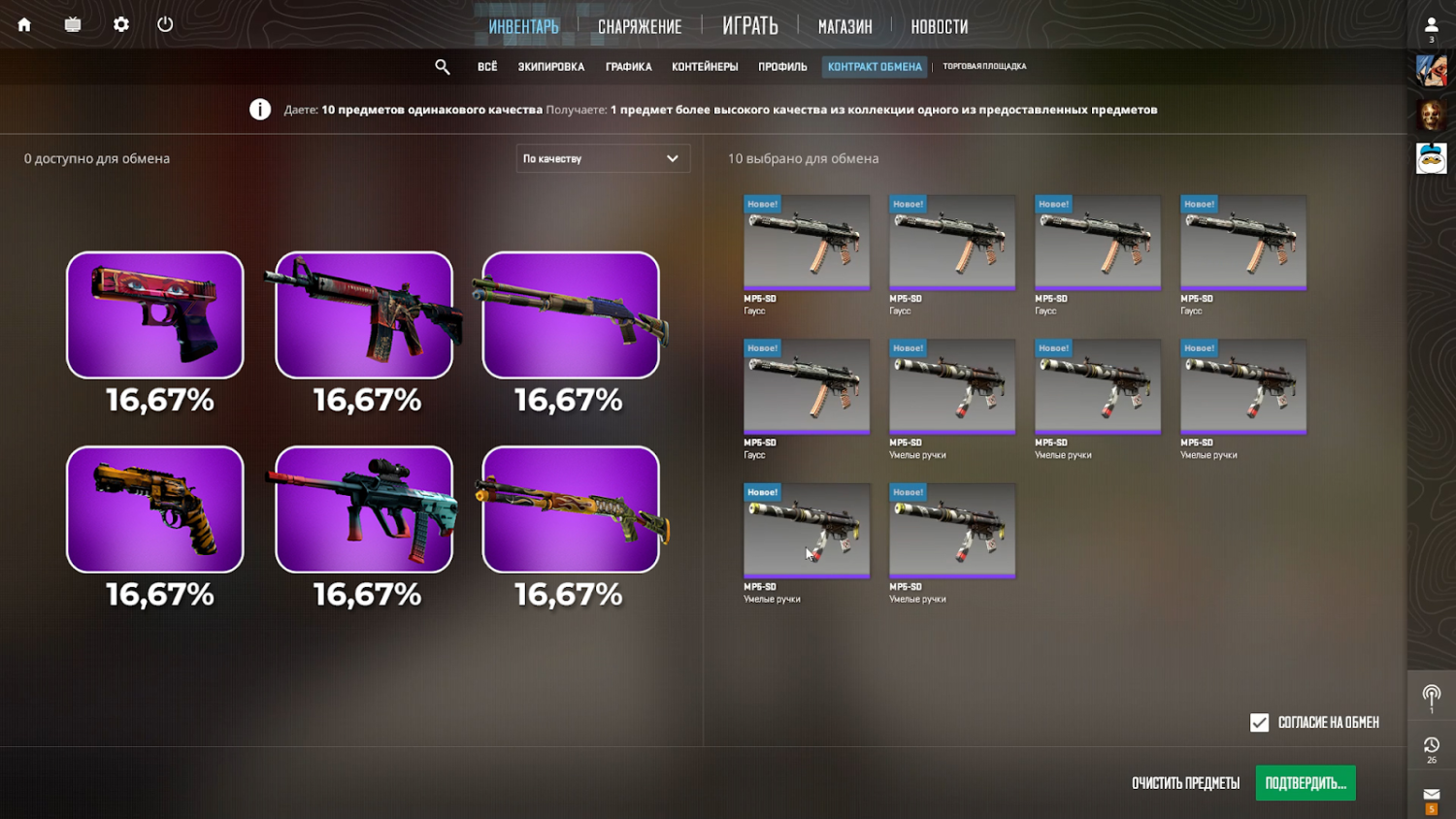
The Trade-Up Contract is an in-game feature that allows you to "upgrade" 10 skins of the same quality to one item of the next category. Valve officially supports this mechanism since CS:GO, and in CS2 it continues to work by the same rules. To craft skins in CS2, the player needs to collect 10 items of the same quality and confirm the contract. The system will generate a new higher-tier skin that will appear in inventory immediately after the operation completes.
Crafting mechanics are built on a simple principle: 10 skins → 1 new one, a tier higher. But there's a nuance — if input items are from different collections, the final drop is determined randomly, with equal probability between all possible options.
Which Skins Can Be Crafted in CS2?
To craft skins in CS2, it's necessary to understand which exact items are allowed for use in contracts. The exchange system is built on strict quality matching: all 10 items must be of the same tier. Only then can the player launch the contract and receive a skin one tier higher.
The following tier transitions are supported:
Consumer Grade (gray) → Industrial Grade (blue).
Industrial Grade → Mil-Spec (light blue).
Mil-Spec → Restricted (purple).
Restricted → Classified (pink).
Classified → Covert (red).
The higher the tier, the more expensive the input items and potentially more valuable the result. However, risks also increase. Therefore, most players choose the most balanced option — using Mil-Spec skins to get Restricted. This is the most accessible way to craft skins in CS2 with reasonable entry cost and chance for an interesting drop.
It's important to understand that not all skins can be used in crafts. Completely excluded from exchanges are:
agents;
items with unique drop systems (for example, skins from cases with exclusive rare pools);
and any items without standard quality (for example, souvenir skins or stickers).
Crafting is impossible if inventory contains items with trade restrictions — for example, purchased less than 7 days ago or dropped from recent drops without transfer capability.
Nevertheless, even old items from CS:GO remain relevant: if a skin is in inventory and has appropriate quality, it easily participates in contracts. This gives an opportunity to use items sitting in the account for upgrades and obtaining new drops already in CS2.
Thus, you can craft skins in CS2 at almost all stages — from the cheapest items to rare specimens, if you consider quality, type, and compatibility. Smart selection of source materials is not only a step toward a beautiful drop but also a way to rationally manage inventory.
How to Select Skins for Crafting: Precise Approach
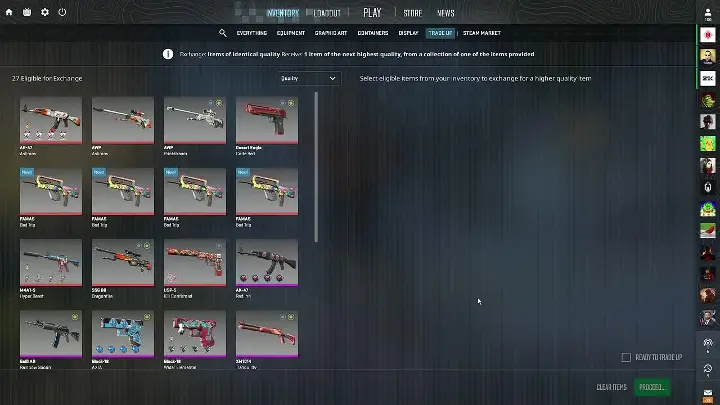
Selecting the right items is the foundation of a successful contract. Often beginners rely on appearance or random selection from inventory, thinking any 10 skins of the same color will work. But in practice, this approach rarely leads to the desired result. To craft skins in CS2 consciously, it's important to understand exactly how the system calculates the outcome.
Secondly, the system pays attention to collections from which input items come. The fewer different collections in the contract, the higher the chance of getting the target skin. For example, if using 10 skins from one collection — the chance to drop the needed item is 100%. But if combining skins from two collections (for example, 7 from Dust 2 and 3 from Mirage 2021), the final chance divides proportionally — 70% and 30% respectively. This calculation allows the player to flexibly manage chances but requires attentiveness.
Third point — StatTrak™. If at least one item in the contract has kill tracking, the final skin will definitely be StatTrak. But it's important to remember: you can't mix regular skins and StatTrak. That means either all 10 items have the tracker or none. This is especially important if the goal is to sell the obtained skin, since StatTrak versions often cost more.
To better understand which parameters need attention when selecting, you can highlight the main criteria:
Item quality. All 10 skins must be of the same tier (for example, Mil-Spec), otherwise the system won't allow launching the contract.
Collection. It's desirable to choose items from one collection — this increases the chance for a specific skin and eliminates random drops.
Skin type. StatTrak or regular? Decide before starting: you can't mix types.
Cost. Don't take too cheap skins just to save money — it's important to evaluate the ratio of price to chance.
Float. Checking wear is critically important, especially if the player expects a skin in Minimal Wear or Factory New condition.
These five points help systematize the approach and reduce the number of random errors. At first glance it may seem like many nuances, but with experience the entire selection process happens literally in a couple of minutes. The main thing is to always remember that if you craft skins in CS2 without preparation, the outcome will most often be disappointing.
How Much Does Crafting in CS2 Cost: Cost Table
Price is affected by quality of input items and collection. Cheap Mil-Spec from irrelevant collections cost from $0.30, while rare ones — up to $10+. Here's an approximate cost table:
Quality | Example Collections | Average Price per Skin | Total Cost | Output Tier |
Consumer Grade | Dust 2, Italy | $0.03 | $0.30 | Industrial |
Industrial | Safehouse, Train | $0.07 | $0.70 | Mil-Spec |
Mil-Spec | Inferno 2018, Ancient | $0.60 – $1.50 | $6.00 – $15.00 | Restricted |
Restricted | Bravo, Control | $3.00 – $6.00 | $30.00 – $60.00 | Classified |
Classified | Breakout, Spectrum | $8.00 – $15.00 | $80.00 – $150.00 | Covert |
Prices vary depending on season, patches, and popularity of specific collections. For guidance, use the Steam Market.
Step-by-Step Instructions: How to Craft Skins in CS2
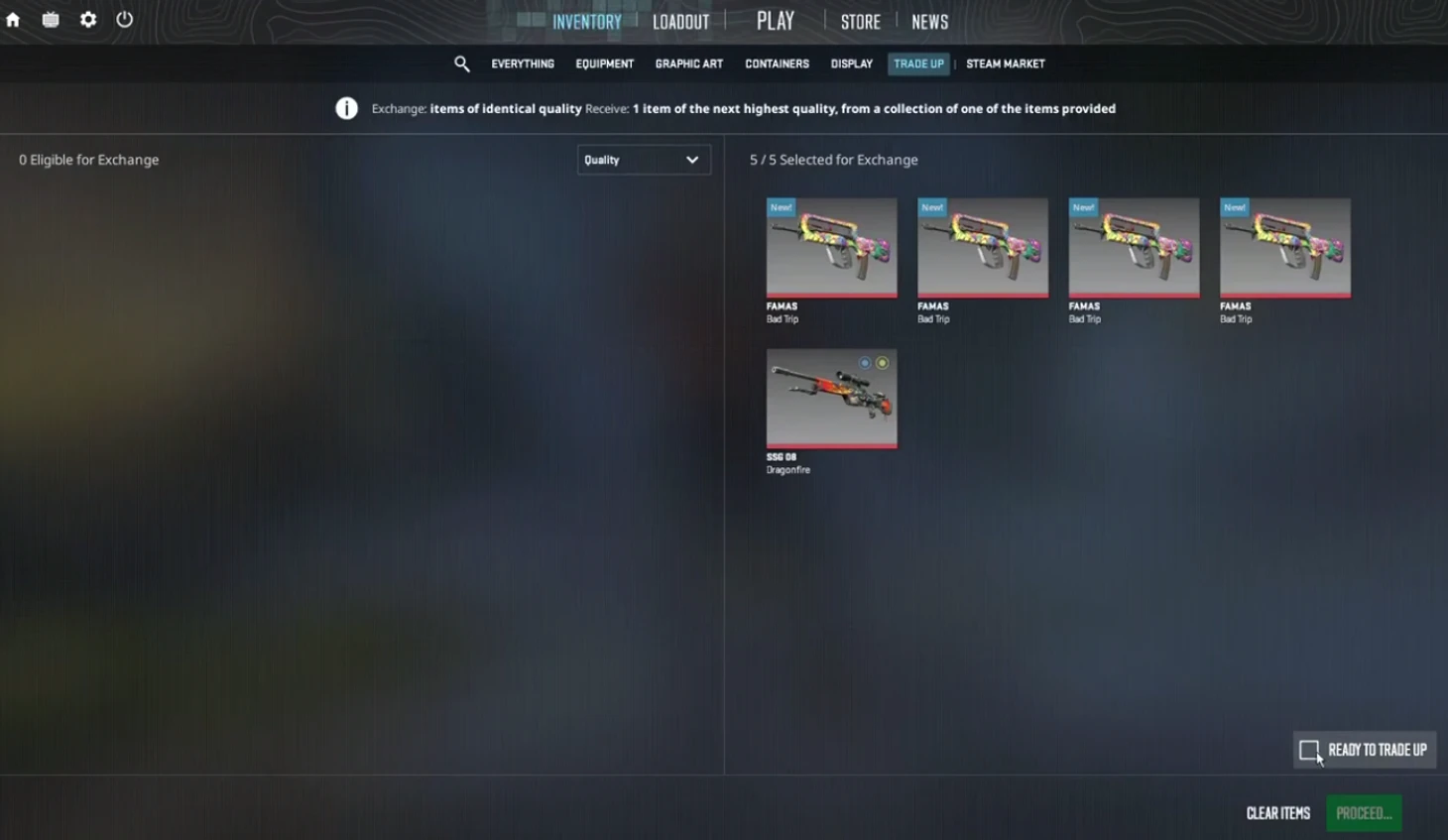
To not miss anything, it's important to understand the entire process. The CS2 interface has been slightly updated, but the logic remains the same.
Before this — clarification: crafting through trade-up contract doesn't require third-party sites or third-party software. This is an official Valve feature available to all CS2 inventory owners.
Action list:
Open inventory and select "Trade-Up Contract" tab.
Click "Add Item" and select 10 skins of the same quality.
Make sure collections match the goal.
Click "Accept," sign the contract, and confirm.
Wait for animation — new skin will immediately appear in inventory.
After this, you can evaluate the float of the new item and if necessary — immediately list it on the market.
Important: you can craft skins in CS2 as many times as you want if there are enough items of the needed quality. There are no limits.
How Does Float Affect the Final Result?
For those planning to craft skins in CS2 and expecting an attractive condition for the final item, knowledge of float mechanics is a mandatory condition. Float (or wear) is a numerical indicator reflecting the degree of skin wear. It varies from 0.00 (Factory New) to 1.00 (Battle-Scarred). The lower the value, the better the visual condition and, as a rule, the higher the price on the marketplace.
In contracts, float has key significance: the final skin receives the arithmetic average float value from all ten items participating in the exchange. This means every skin in the contract affects the result. Even one with high float can significantly worsen the outcome.
To avoid unpleasant surprises, it's important to check the float of each skin in advance, especially if the goal is to get an item in good condition, for example, Minimal Wear or Factory New. Checking can be done through built-in browser extensions.
Players who want to receive maximum quality items should follow these recommendations:
Check each float manually — don't rely on visual appearance. Even visually good condition skins can have float 0.20 and higher.
Try to select items with close values — this reduces fluctuations and allows more accurate prediction of the outcome.
Avoid skins with float above 0.45 if the goal is to get something better than Field-Tested.
Use float calculators before executing the contract — this helps understand in advance which category the final skin will fall into.
If one of ten skins strongly differs in wear — replace it, even if the other nine are in good condition.
These simple but important steps will help not only save money but also avoid disappointment when the output is a skin with visual defects that don't match expectations. Especially if you craft skins in CS2 with plans to sell, the difference between Factory New and Field-Tested can be tens of dollars.
Let's look at a simple example. A player is going to use 10 MP7 | Urban Hazard, whose float value fluctuates between 0.13 and 0.16. The average value will be around 0.145, which corresponds to Minimal Wear condition. In this case, the final skin (for example, AWP | Phobos) will also be in Minimal Wear category, which positively affects its cost.
But include at least one MP7 with float 0.60 in the contract, and the outcome can shift closer to Field-Tested — and this already reduces drop value by 20-40% depending on the model.
Float is not an abstract number but a concrete economic factor. For expensive skins, a difference of 0.01 can mean a price difference of $5, $20, or even $100. Therefore, if the goal is to craft skins in CS2 with maximum profit, float should be controlled just like collections and cost of input items.
Which Collections Are Most Profitable to Craft?

Players who craft skins in CS2 usually focus on rare collections with expensive items in the output category. In 2025, these include:
Dust 2 Collection — chance for Desert Eagle Blaze (Restricted).
Ancient Collection — possibility to get M4A1-S | Welcome to the Jungle (Covert).
Mirage 2021 — popular Mil-Spec and Restricted skins.
If collecting 10 Mil-Spec from Dust 2, you can get a Restricted skin, including the legendary Blaze. But remember: chances depend on collection distribution, and Dust 2 Mil-Spec skin prices start from $1.20.
For beginners, more accessible collections like Safehouse or Italy work, where input skins cost around $0.10.
Typical Crafting Mistakes
The desire to get something rare sometimes clouds judgment. Often players:
Buy expensive items without calculating profitability.
Mix collections and lose chance for target drop.
Ignore float and get skins in poor condition.
Think that crafting = profit (actually — it's almost always gambling and lottery).
If you craft skins in CS2 without understanding the mechanics, you can easily go into the red. Even if the needed skin drops, it can be in Battle-Scarred condition — and its price will be below craft cost.
What's More Profitable: Crafting or Buying?
Good question, especially when it comes to popular skins like AK-47 | Redline or AWP | Atheris.
Example:
Cost of 10 Restricted skins from Safehouse collection — about $30.
Potential output — AWP | Atheris (price on LIS-SKINS: from $50 in FN).
Probability of getting the needed item — 1 in 6 or less. In most cases, direct purchase is more profitable, especially if not hunting for rarity or StatTrak.
Exception — rare collections removed from drops, where the finished skin costs much more than the craft. But such situations are rare.
How to Make Crafting as Profitable as Possible?
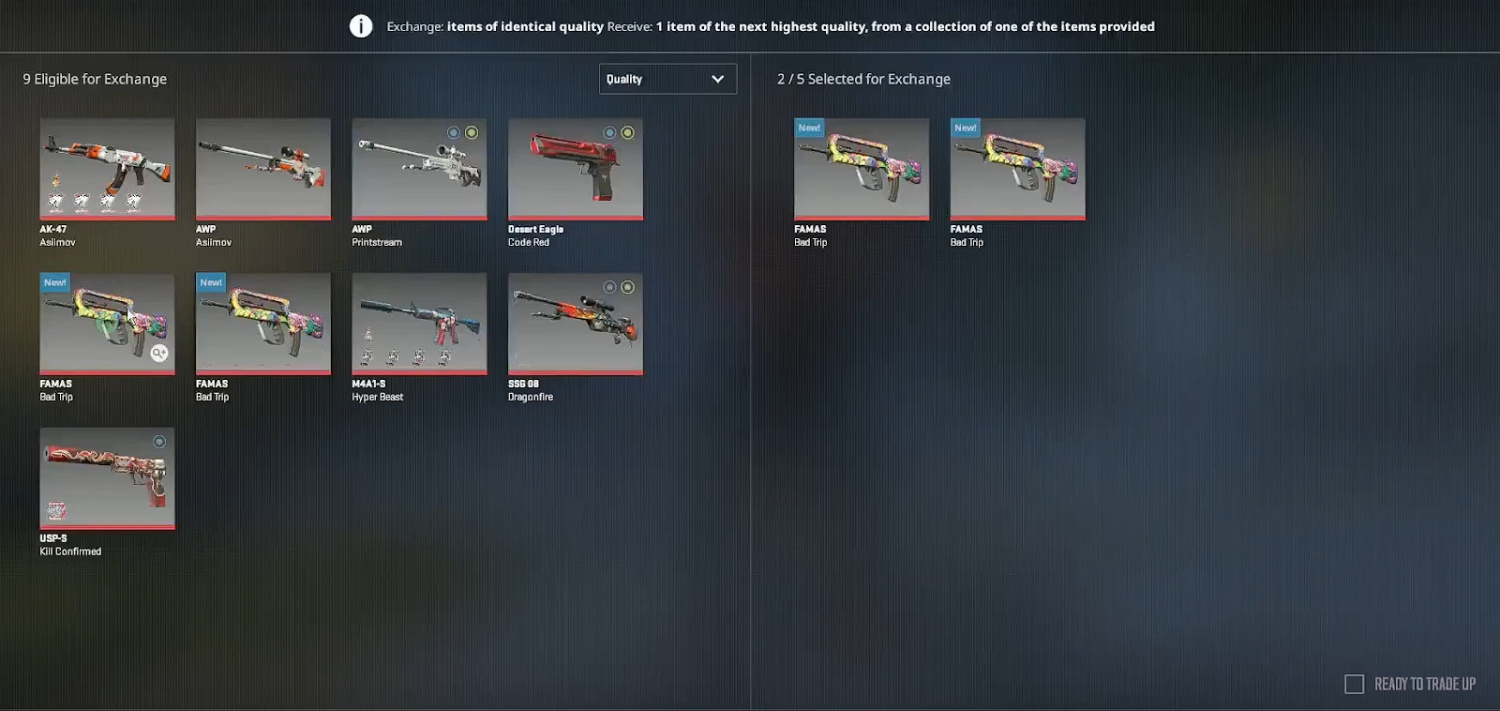
If approaching it calculatingly, you can reduce losses and even get profit. Here are some tips:
Use skins from one collection — precise drop.
Check float of input items in advance.
Don't use StatTrak if the goal is a regular skin.
Use external calculators before executing the contract.
Monitor changes in drops (Valve updates, patches).
Only this approach allows you to craft skins in CS2 consciously, not just waste inventory.
Conclusion
Trade-up contracts in CS2 aren't just a "craft" button but a mini-game with real economy, odds, and calculations. If you craft skins in CS2 without a plan, you can quickly lose funds. But if you consider float, use one collection, and monitor the market — crafting becomes an interesting way to get exactly the skin you want.
The main thing is to stay cool-headed and not turn mechanics into a casino. In CS2, it's the same as in life: who counts, wins.
