


Sooner or later every CS2 player runs into a near-paradox: a favorite skin with hundreds of confirmed kills has gone stale, but parting with those numbers feels wrong. That is exactly what Valve built the StatTrak Swap Tool for, back in 2015. It moves the kill counter from one weapon to another and removes the choice between a new skin and your old stats. Years on, the tool is still the standard fix for players who swap skins often but value the win count they have built up. Here is how the StatTrak Swap Tool works in CS2, what its limits are and how much it costs, with a quick look at StatTrak in CS2 overall if the topic is new to you.
The StatTrak Swap Tool, explained
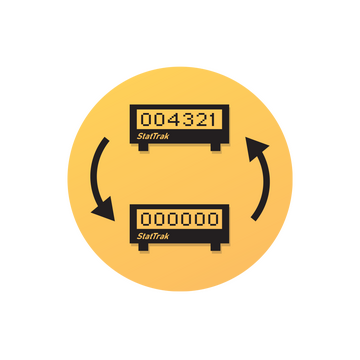
The StatTrak Swap Tool is a single-use Base Grade item that moves the StatTrak counter from one weapon to another of the same type. It arrived on March 31, 2015 with the StatTrak Swap update and has been the only official way to keep your stats when changing skins ever since. It is just a card in your inventory with no visual variants — the value is in owning it, not in how it looks.
What the tool transfers
In practice the tool moves the six-digit count of confirmed kills from one StatTrak weapon to another. The donor resets to zero and the recipient inherits the whole value, as if the kills had always been logged on it. It works on the counter only: stickers, name tags, wear and other cosmetic details are left untouched.
How the swap works
This is where the most confusion comes from, thanks to inaccurate articles online. The rule is simple: both StatTrak versions must be the same weapon, not just the same class. You cannot move a counter from an AK-47 to an AWP or an M4A4, even though they are all rifles or primary weapons — the game only accepts a pair like AK-47 → AK-47 or M4A4 → M4A4. Rarity, wear and collection, on the other hand, do not matter: you can move a counter from Factory New to Battle-Scarred and back.
There is no partial transfer and no splitting the count across several items: the value either moves to the new skin in full or stays on the old one if the swap is not confirmed.
Using the tool step by step
The process takes about half a minute, but do each step carefully, because it cannot be undone. Decide in advance which skin the stats should move to.
Open your CS2 inventory and find the StatTrak Swap Tool among your items.
Right-click the tool and choose "Use".
Pick the source weapon — the one you want to move the counter from.
Pick the target item: the game shows only compatible StatTrak versions of the same weapon.
Confirm the swap — it cannot be undone afterward.
After you confirm, the old item resets to zero and the new one instantly gets the transferred value. The only thing consumed here is the tool itself, which disappears from your inventory right after the swap.
What you can and cannot transfer
The limits are logical, but worth spelling out — this is where stats most often get lost through carelessness. Below is a short table of valid and invalid combinations (the swap works on knives too, as long as it is two StatTrak versions of one model).
| Works | Does not work |
|---|---|
| Two of the same weapon (AK-47 → AK-47, M4A4 → M4A4) | Different weapons, even of one class (AK-47 → AWP, AK-47 → M4A4) |
| Any rarity and any wear on both items | Transfer to an item with no StatTrak version |
| Knives of the same type (StatTrak Karambit → StatTrak Karambit) | Transfers between weapons and music kits |
If you are unsure whether two specific items are compatible, the safest check is to open the tool in game and look at the list of available targets: it filters out incompatible options and will not let you make a wrong swap.
Music kits and the Swap Tool
The StatTrak Swap Tool does not work on music kits. It is built only for StatTrak weapons and knives, where the counter tracks confirmed kills. Music kits have their own StatTrak mechanic — it counts how many MVP anthems have played, not kills — and Valve never added a separate swap for them. Some articles online claim otherwise, but there is no evidence for it: try to pick a music kit as the target and the game simply will not show it in the list of available items.
StatTrak Swap Tool price
The price depends on the marketplace and drifts a little with the market. The official two-tool pack in the CS2 store costs $0.99, about $0.50 each when bought as a pair. On the Steam Community Market a single copy usually trades around $0.50 to $0.70 depending on demand. You can buy the StatTrak Swap Tool on LIS-SKINS one at a time, without buying a pair — check the live price right on the item page, as it updates in real time.
Who should buy the tool
There is no one-size answer — it comes down to how much the numbers mean to you. On the plus side: the tool is cheap next to the price of many skins, it is simple to use, and it lets you freely upgrade the look of your inventory without giving up your match history. On the downside, the strict same-weapon limit and single use mean the cost of new Swap Tools adds up if you upgrade often. If the counter is more of a status detail for you, the tool is worth it; if the collection itself matters more, look at ready-made affordable StatTrak skins that come with a counter already.
