


StatTrak in CS2 is a version of a skin with a built-in counter that tracks the kills its owner gets with that weapon. Visually it differs from the regular version only by a small display on the gun (on knives the counter sits in the blade) and the StatTrak™ tag in its name, but it usually costs two to three times more: a Field-Tested AK-47 | Redline is about $25, while the StatTrak version is about $65. Below is where these skins come from, how the counter works and whether it is worth paying extra.
The feature arrived in CS:GO with the Arms Deal update in 2013 and carried over to CS2 unchanged. There are two key differences from regular skins:
higher rarity: roughly one in ten case drops is StatTrak;
a kill counter on the weapon that both the owner and other players can see.
How to Get a StatTrak Skin
Regular skins can come for free in the weekly drop, but StatTrak versions do not. There are three legitimate ways to get one:
open a case: only skins from cases have StatTrak versions, and knives from cases can be StatTrak too (see our breakdown of what skins are in CS2 cases);
use a trade-up contract with StatTrak inputs: 10 StatTrak skins give a StatTrak skin of the next rarity, and 5 StatTrak Covert skins can craft a StatTrak knife or gloves;
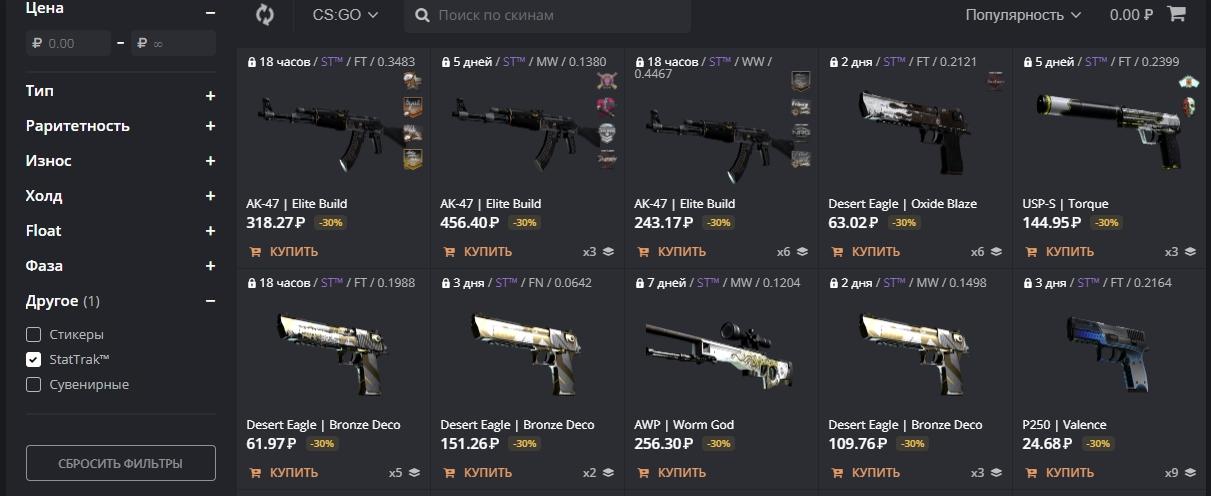
buy the skin outright on the Steam Market or on LIS-SKINS, where StatTrak versions have their own pages and prices.
Every other route, such as "free skins" sites, is either risky or pure luck, so we do not recommend them.
In most cases buying is the better deal because it removes the randomness. The chance of unboxing the StatTrak version of the exact skin you want, in a good wear, is tiny, and every attempt costs money: the case plus a $2.49 key. For budget options, see our list of affordable StatTrak skins in CS2.
What a StatTrak Weapon Looks Like
Many players know the name but not how StatTrak skins differ from regular ones. Visually, the only difference is the counter on the weapon.
Take the StatTrak Desert Eagle | Crimson Web as an example: in Field-Tested it costs about $20, versus about $9 for the regular version.
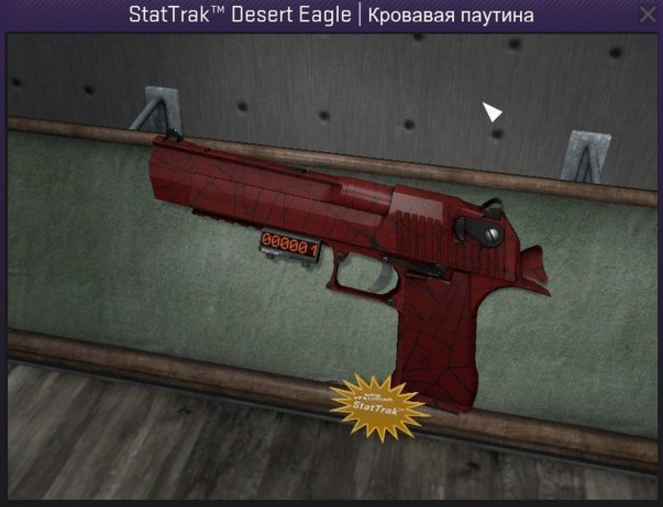
A separate display would look out of place on a knife, so the counter is built into the blade instead. It looks like this:

On this Karambit, the number "5" is clearly visible near the handle.
Those are all the visual differences you will see in the game. In your inventory, StatTrak items carry the StatTrak™ tag in their name and a distinct frame color, and the description shows how many kills you have made with the weapon.
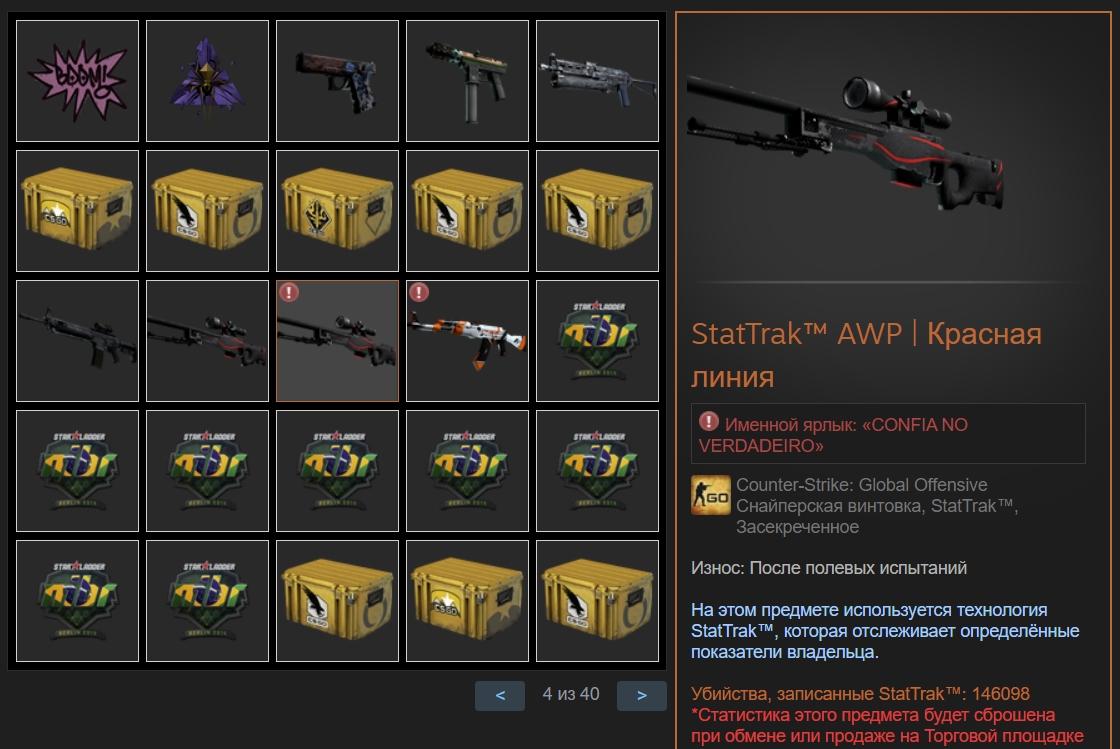
Keep in mind that when an item is traded or sold on the market, the counter resets and the new owner starts from zero.
How the Counter Tracks Kills
The principle is simple: each kill adds one to the total. The counter only counts kills on real players; bot kills do not register, otherwise fans of big numbers would have farmed them on local servers long ago.
The counter gives a rough idea of how often a teammate plays with that weapon. But take the number with a grain of salt: the skin may have been bought recently, which means the counter was reset recently.

The reset happens whenever the skin changes owners, for example after a sale on the Steam Market. The system clears the counter so the next owner does not inherit someone else's stats.
There have also been community servers where players farmed kills specifically for the counter. Numbers like that say nothing about skill and make StatTrak stats even less meaningful.
If You Reach the Maximum Value
The counter display has six digits, so it can show up to 999,999 kills. In practice nobody gets close: you are far more likely to sell the skin first. Reportedly, the display starts over from zero past that limit, while the real number stays visible in the inventory.
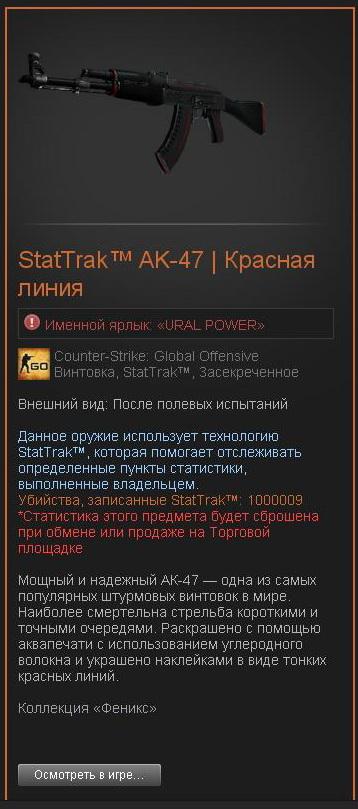
Then again, proving such a result would mean sending everyone a link to your inventory, so there is little point.
Can Other Players See Your Stats
However good a player is, sooner or later an opponent will kill them and pick up their StatTrak weapon. But the opponent cannot see the owner's stats or add their own kills to them.
Valve handled this neatly: when someone other than the owner uses the weapon, the display shows ERROR or UNKNWN USER instead of the number.
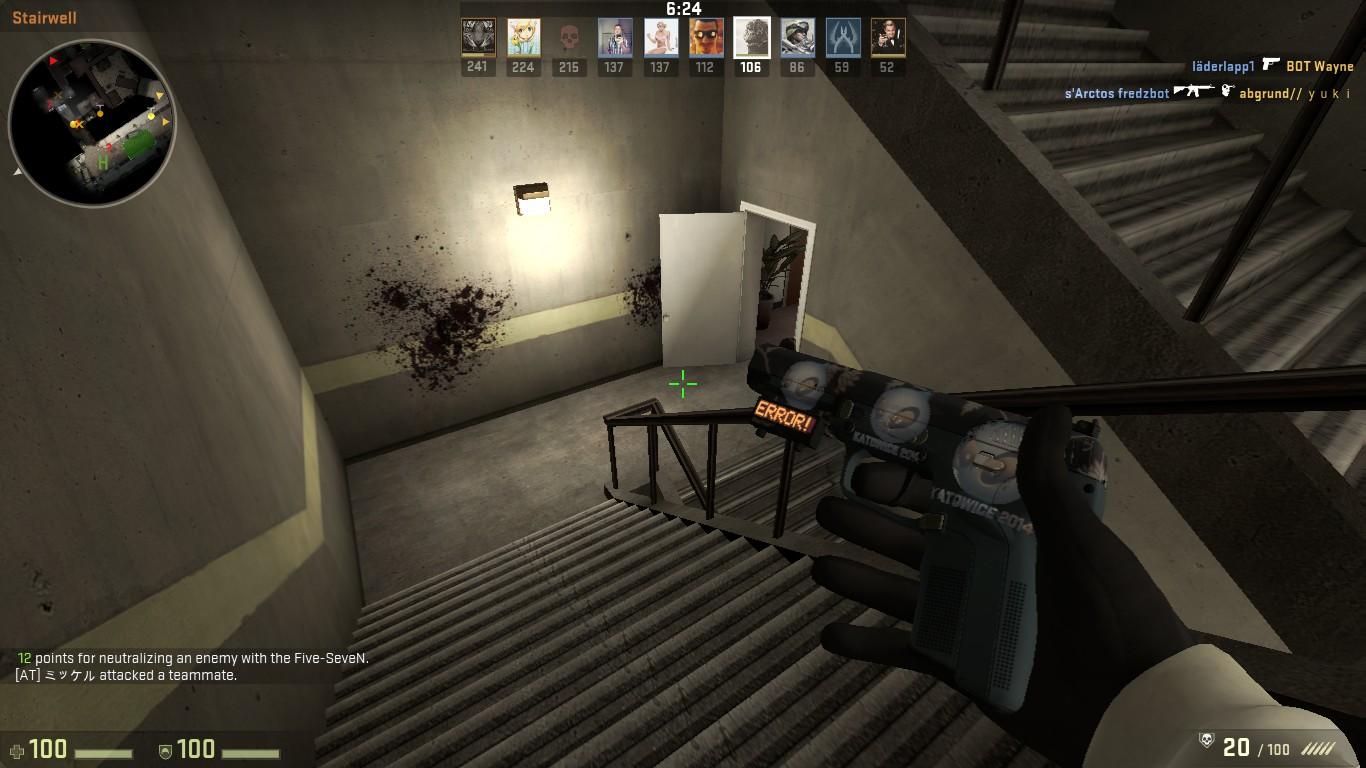
So nobody can add kills to a skin they do not own, and the owner's stats stay intact.
Can You Move the Count to Another Weapon
You can, but only between two StatTrak items and only with a special single-use item, the StatTrak Swap Tool. It costs under a dollar, and the exact rules on which item pairs qualify are covered in our StatTrak Swap Tool guide.
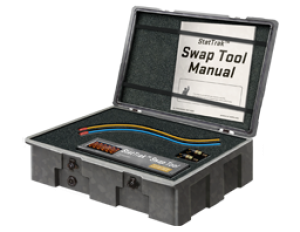
Why bother? Say you have a favorite worn StatTrak skin with a big count, and then you get the same StatTrak skin in Factory New or a more interesting one for the same gun. The Swap Tool lets you carry your kills over to the new weapon instead of starting from scratch.

The Bottom Line
Overall, StatTrak is cosmetic and has no effect on gameplay. It does have a clear effect on price: on popular skins the StatTrak version often costs two to three times more. A Field-Tested StatTrak AWP | Asiimov is about $220 versus around $100 for the regular one. On some skins the gap is close to zero, so compare both prices before buying. StatTrak is not a guaranteed investment either: its prices move with the market.
Do you need a counter in the game? That is up to you. But if it is your favorite weapon, seeing your own stats on it is a nice touch.
