


Almost all players are trying to find a way to express themselves and are wondering how to make an avatar in cs 2. This question is fueled by the fact that in the sequel CS:GO it is possible to see animated GIF avatars of other players.
Steam allows you not only to set almost any photo to your profile, but also to customize them with various effects in the form of frames, stickers, and so on.
Why do players put an avatar in cs 2
In today's realities, a profile photo is not only a way of self-expression, but also a method of presenting oneself as an individual. Every CS player, without exception, has seen teammates or rivals with anime avatars and behavior that imitates the heroes of the work.
Avatars in CS 2 are made not only by representatives of various subcultures or fans of something, but also by ordinary people who want to stand out from others due to an original and beautiful profile.
What avatars can be put in CS 2
Fortunately, Steam rules limit the acceptable content on profile avatars. Otherwise, every fifth ava contained pure chernukha. It is prohibited:
Use images protected by copyright.
Put any shocking 18+ content on your avatar.
The rules do not greatly limit the acceptable standards, if you are not specifically trying to get a ban, then you are unlikely to be able to anger the admins with your avatar. If you do this, the Steam administration will delete your avatar and prohibit you from posting new ones for a certain period of time, and maybe forever, if such a violation is not repeated for the first time. If you see a profile that violates these rules, you can write a complaint about it.
You can’t make an avatar in cs 2 from any picture, its minimum resolution should be 32x32. The maximum allowed image size is 184x184 pixels; for better quality, try to select just such photos for your profile.
How to put a regular avatar
Changing a profile photo is no more difficult than on social networks, two minutes is enough to figure it out:
Find and download the desired image to your computer.
Launch Steam in the application or on the website.
Open your profile by clicking on your nickname and select the “profile” section.
Look for the “Edit profile” button, which is located next to your nickname.
By going to the profile editor, find the section dedicated to avatars, there you can update it.
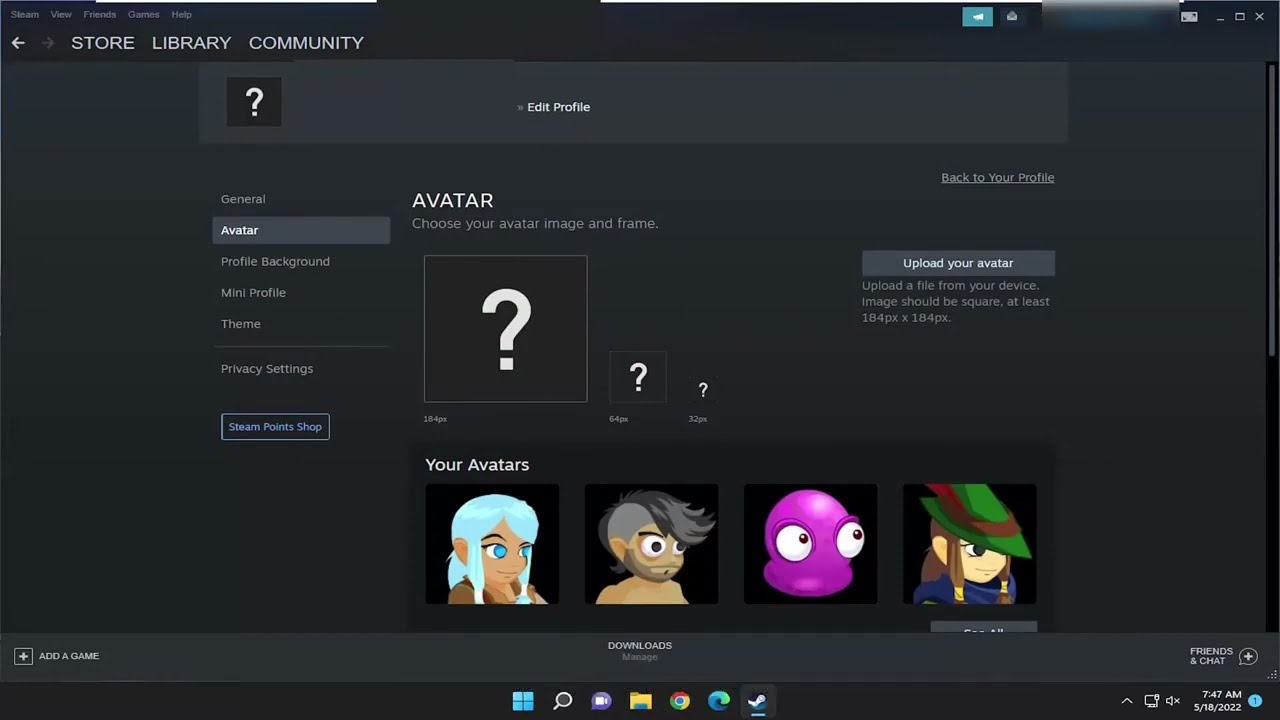
Done! From now on, your profile will be different from others and it will be more convenient for your friends to recognize you, and after death at your hands, rivals will admire your avatar while watching a replay of death.
How to set an animated avatar
Previously, it was impossible to set a live avatar; users had to resort to using scripts and third-party programs that had a huge number of disadvantages. They worked every other time, only when a person was online. If the player was offline, then the image stopped moving.
Steam heard the requests and allowed you to make an avatar in cs 2 in the form of a gif that can move. Unlike Counter-Strike 2, other games do not play animated images; they are played only when viewing a profile.
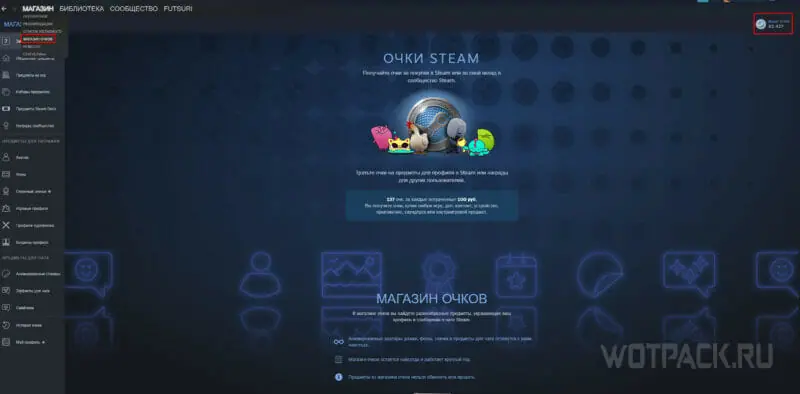
However, remembering the greed of Uncle Gaben, you can guess that this function is paid. This is partly true. Animated Avas can be purchased for special points that are added to your account. For every dollar of transaction you will be given 100 points. Purchases must be made in any section of the Steam store.
Sometimes there are promotions that allow you to get one or a couple of GIF images for some actions. For example, when watching a video on the page of a game about Sonic, a banner and ava were displayed.
After purchasing the animated photo of interest, we go to the profile editing section. There we look for the column “Your avatars” and look for the previously purchased image and save it. Unfortunately, animated avatars can only be taken from the store; your own cannot be used
How to make a frame on a profile avatar
A frame is another way to customize a made avatar in cs 2 using beautiful edges. Frames can be animated or static, and the price depends on their type. You can purchase them in the same place as live avatars, in the Steam points store.
Frames greatly change the perception of the avatar, adding uniqueness to it. They not only add a nice border, but also volume with the help of shadows or traced 2D prints that create the illusion of 3D.
Animated frames do the same thing, but at the same time they can glow, shimmer in different colors, even simulating the color of neon lamps, and the prints can move.
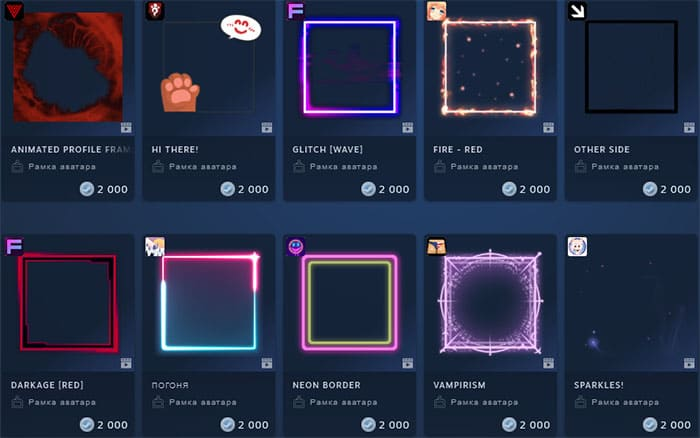
By adding an edge in the form of frames, you can be sure that all players can see it. To do this, you don't need to go to your profile or hover your mouse over your profile photo. By the way, animated frames work not only in Counter Strike 2, but also in all other games.
In some cases you can get them for free by completing a survey from the game publisher or watching some video, but such distribution events happen very rarely.
How to get an animated frame and avatar
Many people want to make an avatar in CS 2 is animated, but not many people are ready to spend money on it. Various promotions from game creators allow you to do this for free:
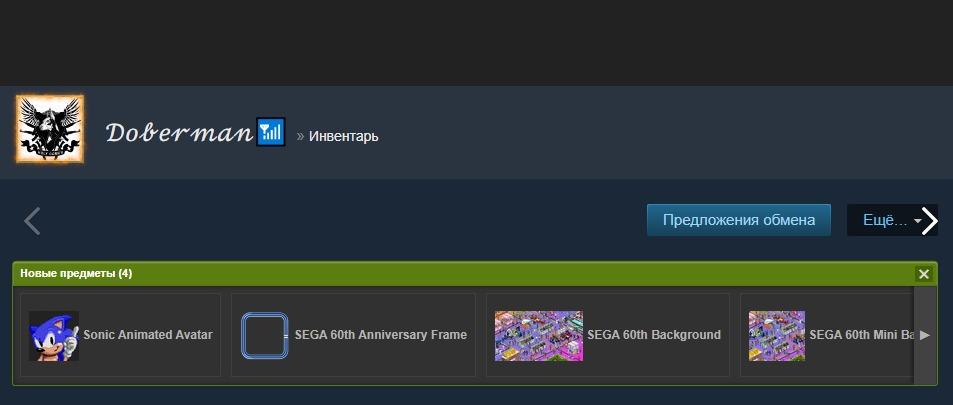
In honor of the anniversary, SEGA is giving away frames, animated avs and banners with Sonic for 15 minutes watching the stream on the sale page.
The developers of the game Dying Light 2 Stay Human: Bloody Ties are releasing a complete set of animated customization for passing the game knowledge test.
This is just a small list of freebies. You can search for others on the Internet, or wait for some significant event in honor of which similar goodies will be given out.
How to make your own animated avatar
The list of available options in the Steam store, although huge, may not meet the user’s requirements and desires. There is a way to put your own GIF on your ava, for this you will have to use special scripts.
Such applications were widespread at a time when the Steam functionality did not allow you to buy animated customization for points. However, you won’t be able to make your avatar alive in CS 2 this way. Perhaps over time these scripts will be updated and such a function will be added.
Today this option is often abandoned, because these applications with scripts do not work stably, it is difficult to find a really working version without viruses. They can’t even afford to work around the clock; if you exit Steam or turn off your computer, the animation will stop that very second.
How animated avatars work in CS2
Many users are outraged because animated avatars can distract from the game and interfere with concentration. If you are indignant about this, then we hasten to reassure you that in the game settings it is possible to disable the visibility of avatars and nicknames of other players.
The undeniable disadvantage is that static avatars also disappear; it is a little unusual to play surrounded by gray profiles. This situation will most likely be corrected in subsequent patches.
