


To improve their skills, Dota players hone their casts on bots, and unknowing people wonder: how to create a lobby in Dota 2? In addition to castings, you can study the map and conduct tests there.
Why create a lobby?
There are a large number of heroes that have complex mechanics or require refined actions to cast. Beginners should not immediately rush into an online game without familiarizing themselves with the features of their hero; play a couple of games with bots and get used to the controls, the location of neutral camps, etc. For example, you can find new places for wards, hone your ability to stop creeps, withdraw and stack.
The lobby functionality allows you to:
Create enemy and allied heroes, manage them and issue items.
Conduct experiments on builds, checking the damage heroes.
Learn how to cast on the Invoker and other complex characters.
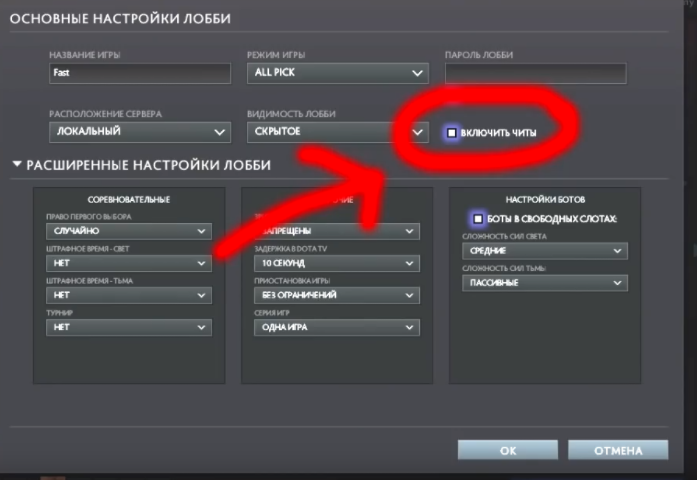
In addition, by creating a lobby in Dota 2, you can play a match with your friends without outside players, setting your own rules using cheat codes, the use of which can be allowed or prohibited in the settings.
How to create a lobby?
To create your match you need to do the following:
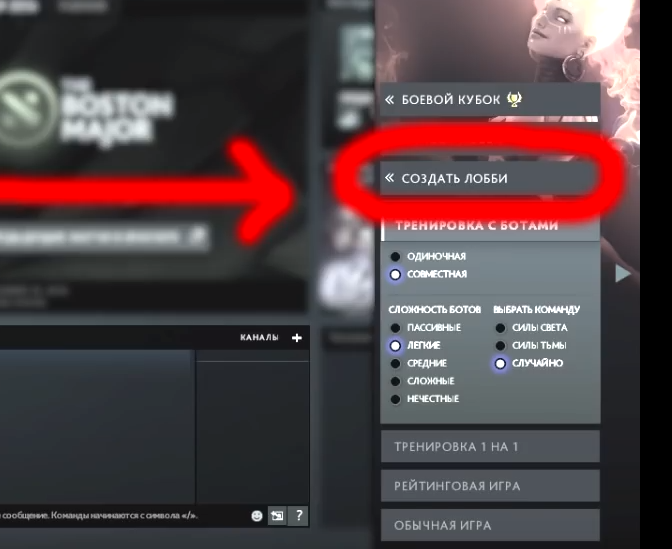
Click on the “play” in the lower right corner of your screen.
Find and click on the inscription “create lobby”. The function is located in a separate category of the same name.
If you want to change the rules of the game, then a wide range of settings functionality can be found in the “Change” section.
After creating a lobby in Dota 2, you can invite friends from the list to join, or provide information with which you can visit you. They are located in the “Edit” tab.
In addition to the usual modes, you can launch a custom:
Go to the game library.
Select the desired custom.
Click on “create lobby”.
Customs cannot be configured as usual lobby, but you can play with your own and try unusual modes without strangers.
How to create Roshan
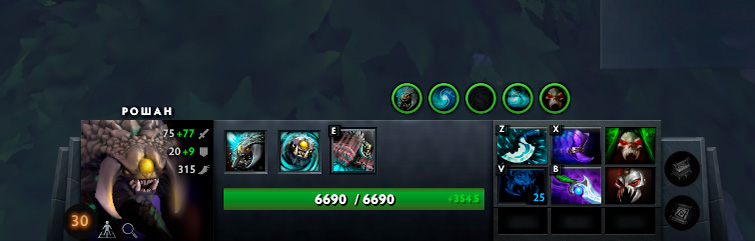
There are ways to kill Roshan alone, but this requires practice. For example, this can be done by switching the armlet on the huskar. This is difficult and it will be very disappointing to die in a ranked game due to a mistake. You can train in the lobby, but to do this you need to know the console command that will revive Roshan. Without it, you will have to wait for the full rebirth time, and this is quite long and unproductive.
In order to create a Roshan in the Dota 2 lobby, there are several commands:
-createhero Roshan - spawns an allied Roshan (you will not be able to attack him);
-createhero Roshan enemy - creates an enemy Roshan (you can hit him damage);
Several spare commands in case the previous ones did not work for some reason: -createhero npc_dota_roshan, -spawnroshan, -createunit npc_dota_roshan. Don't forget to add enemy at the end of each command if you want to spawn an enemy npc.
You can control him, use his skills and even give him items. This is a great way to play a prank on a friend by sending Roshan to demolish the throne. Or just have fun while searching for a rated game.
How to create a target
In the old days there was a command -createhero dummy enemy, which allowed you to create a kuru with a DPS counter, but in modern Dota this is not possible. If you need to check the damage, you can do this on enemy heroes, but there is a more convenient method:
Open the “heroes” tab.
Select the desired character.
Click on the “test hero” button.
A small map will open on which you can create target with a counter for DPS and damage received.
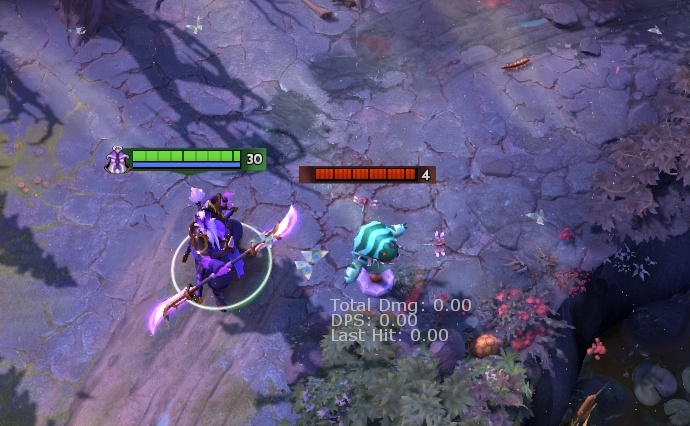
This is a great way to test new interesting builds and skill combinations. Just like in the lobby, you can create allied and enemy characters there and control them.
How to create an enemy or ally
In the Dota 2 lobby you can create enemy units and completely control them. To spawn you will need the command “-createhero” to which the name of the desired character and “enemy” are added. Examples:
-createhero abbadon enemy.
-createhero arc_warden enemy.
Replacing “enemy” to “neutral” a friendly hero is created who cannot be controlled. When creating creeps and others with this team, NPCs they will be neutral. If you remove the console, the spawned heroes will be allies.
Interesting features of this console command include the ability to create buildings and various NPCs from events, even those that are in development. The full list can be found on the Dota 2 Wiki.
It is worth remembering that the artificial intelligence of created heroes is different from those that can be created in the lobby settings at the beginning of the game. Console characters and npcs can only attack nearby opponents.
How to create a team
Creating a team in the Dota 2 lobby is not difficult. Valve took care of those who have no friends and created artificial intelligence so that they could play a game close to the online rating. To do this, you need to:
Before starting the lobby, go to “edit&rdquo.
The next step is to find the setting responsible for bots and enable it.
Of course, bots are very different from real players and have little functionality. They don’t know how to stack or coordinate their actions, but this option is suitable for beginners who have just entered Dota and want to master the basics of gameplay without unnecessary stress. You cannot control bots that have AI, for this you need to create an npc yourself.
How to create a tormentor
The tormentor recently appeared and many players do not know how to spawn it. There are two ways:
Through the console command -createhero npc_dota_miniboss neutral.
Waste time. This option is less convenient.
On the tormentor, you can learn to kill him in the early stages using different assemblies, or the old way in the form of a huskar with an armlet.
Basic commands in the lobby
You can create anything in the Dota 2 lobby, from towers to a fountain. In addition, you can give out experience, gold and change characteristics. First of all, don't forget to enable console commands in the lobby settings before launching it. You need to enter commands into the chat, no matter whether you do it in the general chat or the team chat.
List of basic commands:
-gold *number* gives gold to your hero.
-respawn returns you from taverns on the battlefield.
-refresh restores HP, mana and rolls back the CD of all your skills and items.
-spawncreeps creates a wave of creeps on all lanes.
-lvlup *number* increases your level.
-killwards destroys all observer and sentry wards.
-spawnneutrals resurrects all neutral units (including enemies and other forest creeps)
-levelbots *number* increases the lvl of all bots.
-item *id* returns the given item. You can see the list of item IDs on the dota 2 wiki.
-startgame starts the game and sets the game timer to 0:00. Often used in one-on-one lobbies to avoid waiting for creeps to come out.
-tp moves you to the cursor location.
