


Custom Dota 2 skins come in two kinds: homemade models and textures that third-party tools (skin changers such as Dota 2 Changer) swap into the game files, and official items from the store and the Steam Workshop. The first kind is visible only on your own PC, never reaches your inventory and breaks Valve's rules: since February 2024 players have reported the anti-cheat blocking these mods, with Overplus users the first to raise it. Official items are safe, everyone in the match sees them, and many cost only a few dollars. Below: how skin changers work and what they put at risk, which skins stand out, and how to build a model of your own.
How Custom Skins Are Installed in Dota 2: With a Launcher and Without One
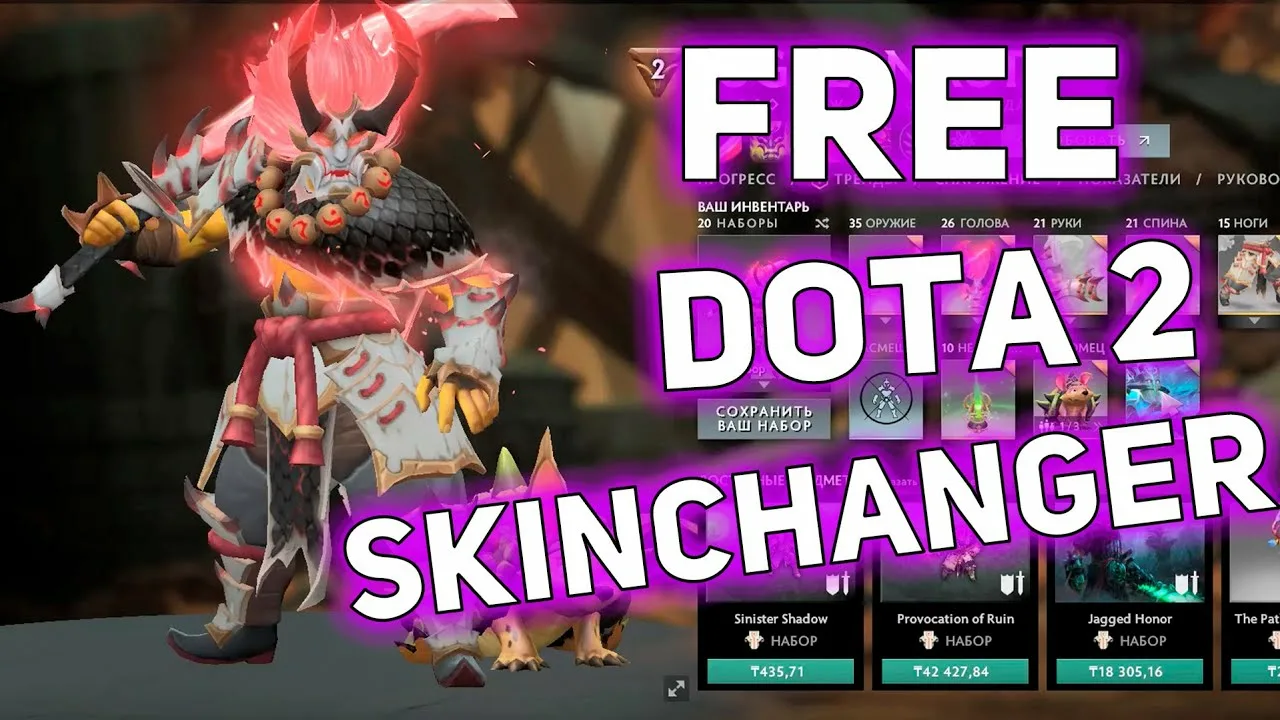
A skin changer works the same way whatever it is called: it downloads packs of models, textures and sounds and replaces the stock game files with them. The launcher route usually looks like this:
register on the tool's website and install its launcher;
download the sections with hero cosmetics;
pick the items you like and install them until the tool reports that the files were installed successfully;
launch Dota, where the hero's default look is replaced by the custom one.
Without a launcher the process is similar: after signing in on the skin changer's website you pick items in the settings, move the files into the game folder, and a "generate files" button assembles the mod automatically.
In both cases the tool edits client files, not your inventory. Only you see the custom look; teammates and opponents see the standard item. The Steam Subscriber Agreement and Dota 2 rules forbid modifying the game, so the risk of an account ban sits with the player. Before installing any mod, check Valve's current stance and what other users report about that specific tool.
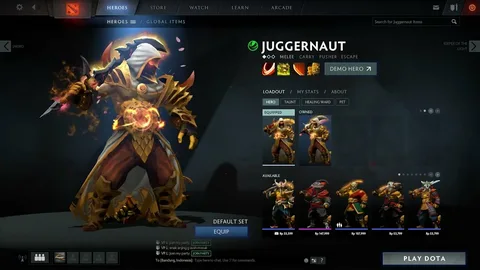
Most Noteworthy Custom Skins in Dota 2
Back in 2021 modders showed a series of works that are still popular examples today:
the rocket launcher a hero carries on his back was turned into a full-fledged robot;
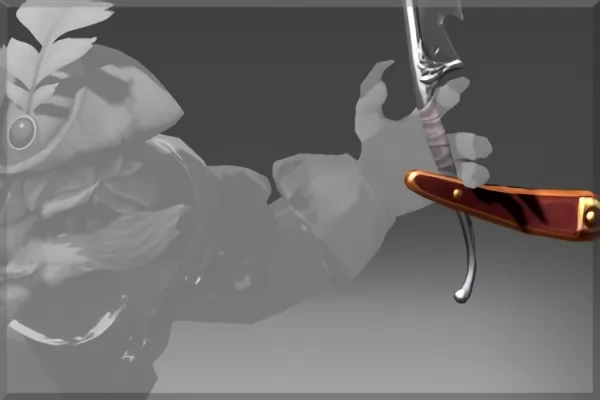
Pangolier appeared as a barber;
Meepo and Ogre Magi were redesigned in a pirate style, with a treasure chest behind them;
Rubick turns into the Nutcracker with every attribute of the fairy-tale character, including a cane with a horse's head.
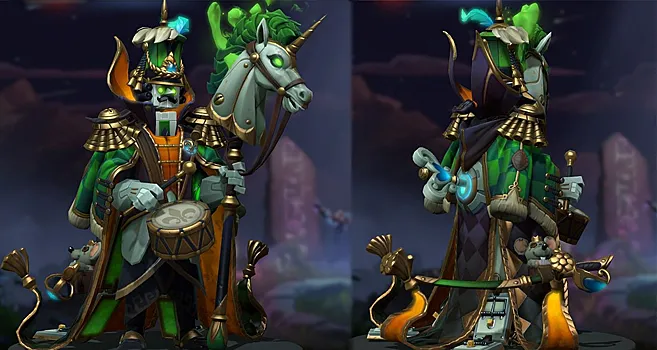
These examples are far from the full range. Many players who go looking for a custom look end up choosing official items instead: they look just as good, stay in the inventory and cost little. Here are a few standout options with current LIS-SKINS prices.
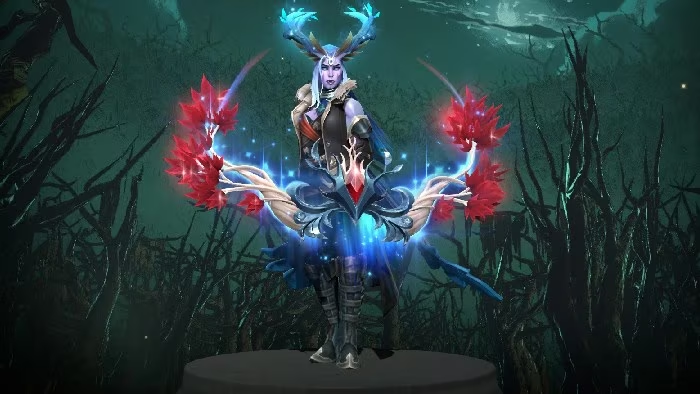
The bow Reaper's Wreath is carefully designed: rich colors and a shape that resembles tree branches make it striking. The standard version costs about $6, the Inscribed one around $8.
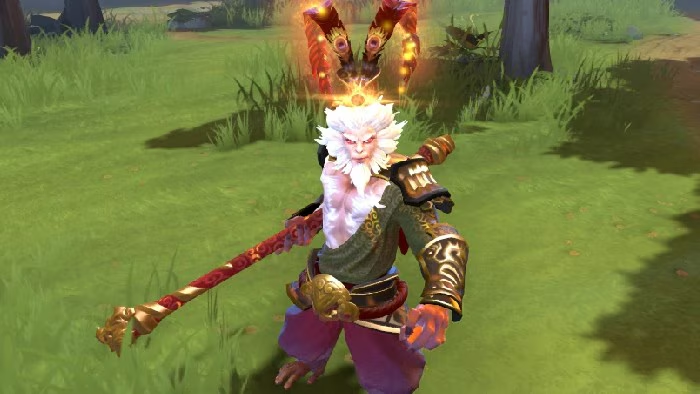
Monkey King looks fine in his default outfit, but the Exalted Great Sage's Reckoning set changes his image completely. The Exalted version could be obtained only for a limited time in early 2017, and today it trades on the secondary market for about $20.
Two Notable Skins in Dota 2
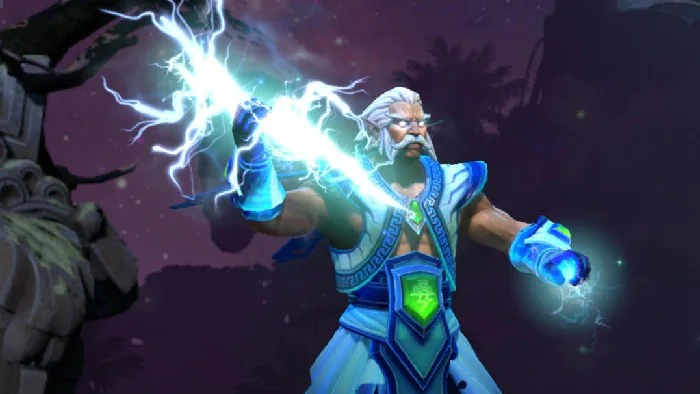
Righteous Thunderbolt for Zeus has a strong reputation. It fits the hero's theme and looks great on its own. It can now be bought only on the secondary market, at around $15. Like every cosmetic in Dota 2, it changes appearance and animation effects only, not the hero's stats or attack mechanics.
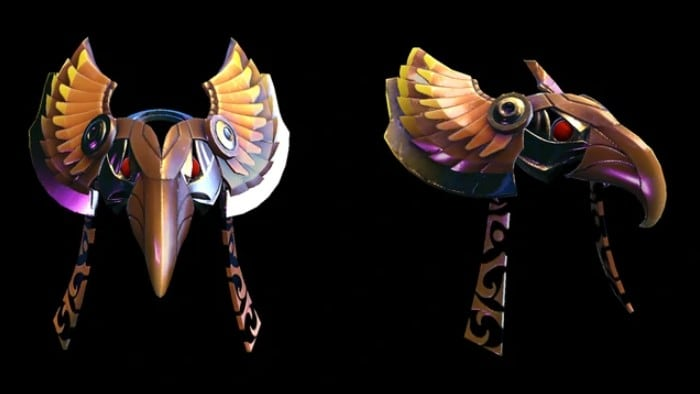
Solar Forge for Phoenix is also worth a look:
with it the bird looks noticeably more imposing and predatory;
it shifts the color palette of the hero;
it is cheap, at about $2.
An item's price does not always match how well known it is, as the next examples show.
Recognizable and Rare Items in Dota 2
Frequently named recognizable pieces include Golden Mandate of the Stormborn (about $15), The First Flood for Slardar and Crown of Tears worn by the alien water spirit, which costs under a dollar. They show well that a striking look does not have to mean a high price.
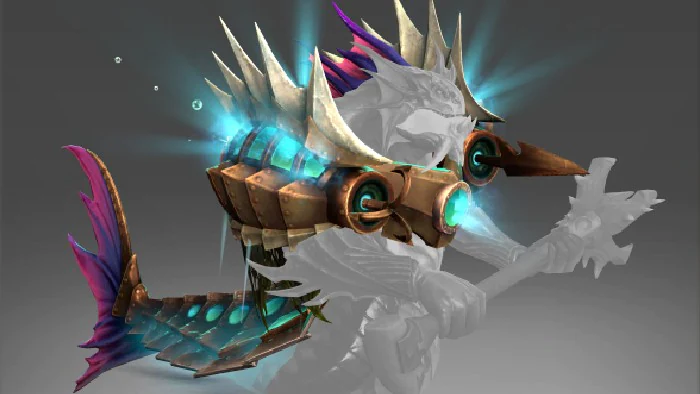
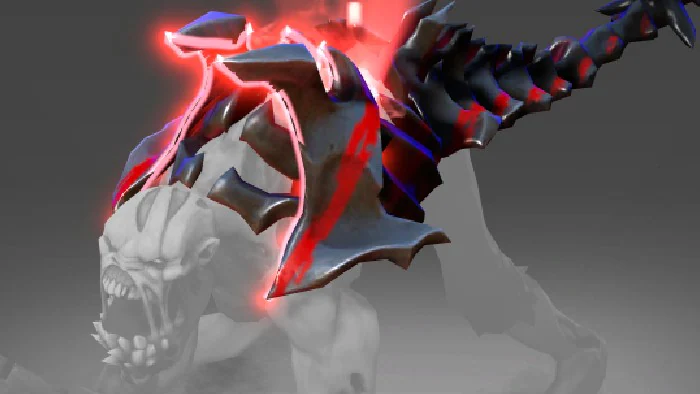
Profane Union wraps the hero in armor and makes the look even more aggressive and brutal. The standard version costs under a dollar, Golden Profane Union about $2.
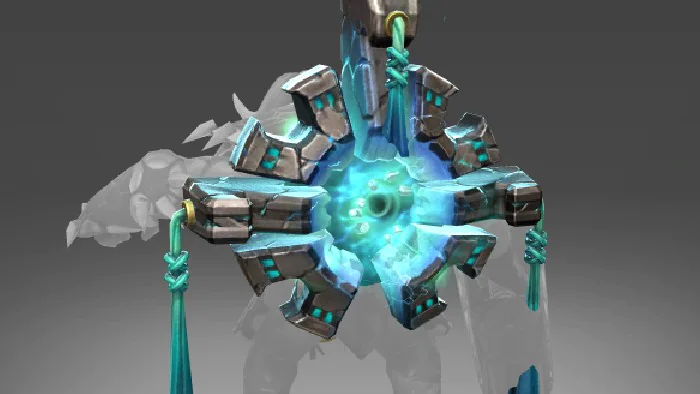
Bellows of Creation for Elder Titan embodies the mysterious energy the hero brought from his world: a massive ring of stone shards changes the silhouette noticeably. Yet the item is widely available and costs well under a dollar.
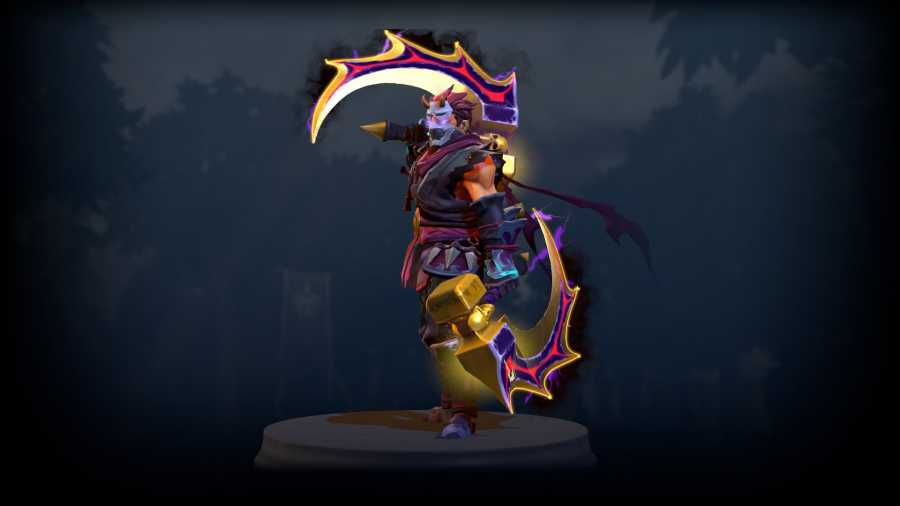
The truly rare pieces are golden versions of early items, such as Golden Basher Blades for Anti-Mage: LIS-SKINS has no listings right now, and copies rarely show up on the secondary market. Our overview of the rarest Dota 2 skins covers more of them.
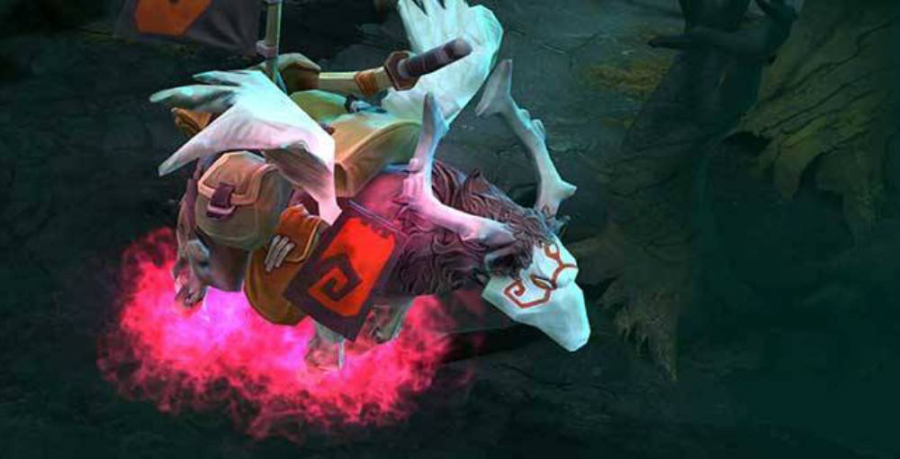
The best-known story of the Dota market is still the Ethereal Flames Pink War Dog, a courier with a rare pink effect that came from a bug in the color system. According to the community, one copy sold for roughly $38,000. Other high-end items are collected in the article on the most expensive skins in Dota 2.
With the examples covered, let's look at how mod installers are built and where they fall short.
Dota 2 Changer: How the Main Tool Works
Dota 2 Changer handles both standard items and unusual objects: models, sound packs and full sets. Setup starts with running the installer and choosing a folder.
Important: the tool accepts the folder path only in Latin characters, so keep that in mind when you pick the install location.
The remaining steps are:
install .NET Framework (the tool requires version 4.5.2 or newer);
restart the PC so the changes apply;
run the tool and pick the section with models, sound packs or sets;
add the items you want to the list and install them.
Weaknesses of Dota 2 Changer
This approach has serious drawbacks. The main one is described above: editing game files breaks the rules, and since 2024 the anti-cheat may block such mods. There are technical downsides too. The game cannot be launched with the enable_addons and override_vpk parameters, some mods only work after you unequip all items or delete other mods, and certain mods conflict with each other. Sometimes the tool only supports the default item in a slot.
On top of that, the full tool is paid: the best mods, sets and unique items require a premium subscription billed monthly. For comparable money you can buy several official items that stay in your inventory, are visible to every player and can be sold again later. Our guide on how to get skins in Dota 2 explains the options.
How to Create a Custom Skin for Dota 2 Yourself
Valve releases cosmetics regularly, but some players want more, and making an item with your own hands is entirely possible. You will need 3D software such as Maya, Blender or 3ds Max, and Photoshop is often recommended for textures. Linux users can work with:
Gimp;
Dust3D;
Blender;
Krita (handles layers and brushes well).
Start with a concept rather than with software. The concept is what lets you work out the silhouette and find the small details that make the piece. Study the hero you want to dress up so the skin emphasizes his character, and leave fine detailing for later. For inspiration, our roundup of new Dota 2 skins collects recent official work.
Preparing Your Unique Dota 2 Skin
Check the technical requirements for the specific model so you can plan textures and polygon counts correctly. The unpacked model is imported into the editor of your choice, and the work then follows these stages:
a simple sketch;
a symmetry check (it makes texturing much easier);
more detail;
relief and surface definition;
"baking" the finished model, for example in xNormal;
applying textures to the mesh and replacing the old samples with new ones.
Even then the model is not finished. First you create a few mask files without extra materials and test the preliminary result in the game.
Technical Aspects of Working with Skins in Dota 2
This is where small errors surface: something is rotated or positioned wrong, the model will not sit in place, and the editor throws an error. Such problems are usually easy to fix, but sometimes the fix requires non-obvious steps that run against the original technical requirements.
Because of how the engine works, you either use only the moving parts the developer provided or bind them rigidly to the hero's bones. Symmetrical models are easier: you can split them in half without worrying that the result will look sloppy.
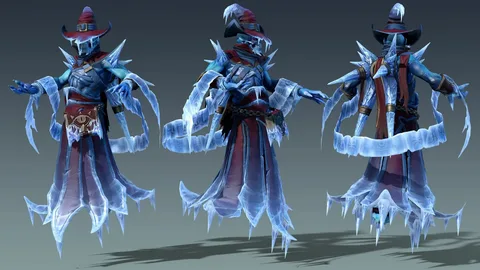
Unlike cheats, a homemade skin does not affect game balance, but the only way to put it in the game yourself is the same as for any mod, with the same risks. For a creator there is one official route: publish the work in the Steam Workshop, where Valve selects items for the game. If Dota crashes after you install a mod, remove it and verify the integrity of the game files in Steam.
FAQ
Can you get banned for custom skins in Dota 2?
Yes, the risk is real. Modifying game files breaks Steam and Dota 2 rules, and since February 2024 players have reported the anti-cheat blocking such mods. Official items in your inventory are completely safe.
Can other players see custom skins?
No. A skin changer edits files only on your PC, so everyone else in the match sees the default look. Items from your inventory are visible to all.
How do you get Dota 2 skins without mods?
Items drop from treasures and rewards, are sold in the Dota 2 store and on marketplaces. On LIS-SKINS many standout pieces cost from a few dollars, and you can also set up your Dota 2 profile showcase to display them.
Can you add your own skin to the game officially?
Only through the Steam Workshop: the creator publishes the model, and Valve decides whether it goes into the game. Without that, a homemade skin stays a local mod.
