


To link CS2 to FACEIT, create a FACEIT account, open the Integrations section in your profile settings, connect Steam, then add Counter-Strike 2 and install FACEIT Anti-Cheat. The requirements are Prime status in CS2 for anyone who signs up after January 30, 2025, a public Steam profile, and a Windows 10 or 11 PC with TPM 2.0 and Secure Boot enabled. With everything ready in advance, the whole process takes about 10 to 15 minutes.
FACEIT remains the main third-party platform for competitive Counter-Strike 2: its own matchmaking, an ELO-based level system from 1 to 10, and an anti-cheat that is stricter than Valve's built-in VAC. Below are all the steps in order, the account and PC requirements, and the errors that most often stop the link from going through.
What You Need to Link CS2 to FACEIT
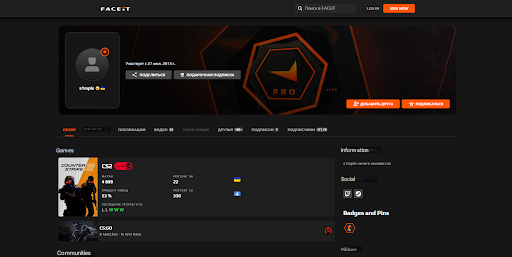
Before you start, check that your account meets the platform's requirements. FACEIT takes cheaters and smurfs seriously, so the rules for new players are strict.
Since January 30, 2025, you cannot begin the linking process without Prime status in CS2. This is a hard requirement for every new account, not a recommendation. Prime is a one-time purchase in the Steam Store for $14.99 (regional prices vary) and stays on the account permanently. Besides FACEIT, it unlocks Valve's Premier mode and weekly drops. For the full picture, see whether you need Prime for FACEIT in CS2.
Steam profile privacy is the second common obstacle. A private profile stops FACEIT from seeing your game details and Prime status. The fix is in Steam's privacy settings: set both "My profile" and "Game details" to "Public." Without this, linking CS2 to FACEIT is technically impossible because the system cannot read the data it needs.
There is an exception for older FACEIT accounts. Players who registered and connected CS2 before January 30, 2025 can keep playing without Prime. New registrations do not get this exception.
Sometimes Prime is purchased but the system does not detect it. The usual fix is simple: launch CS2 and play one Premier match. The status then refreshes on the Steam side, and FACEIT recognizes it.
| Requirement | Mandatory | Where to Check |
|---|---|---|
| CS2 Prime status | Required for new accounts | CS2 main menu, Prime icon in the upper left corner |
| Public Steam profile | Required | Steam → Profile → Edit Profile → Privacy Settings |
| CS2 in library | Required | Steam Library → search for Counter-Strike 2 |
| FACEIT verification | For new accounts with little history | Requested automatically during sign-up |
If the platform asks you to confirm your identity, the steps are covered in our FACEIT verification guide.
How to Register on FACEIT
A FACEIT account is the starting point before you link CS2 to FACEIT. Registration is simple and usually takes no more than five minutes.
Go to faceit.com and click the sign-up button in the upper right corner. You then have two options: a standard email registration (nickname, email, and password) or signing in with an external account such as Steam, in which case the platform pulls your profile data automatically. The current list of sign-in options is shown on the registration page itself.
If you register by email, choose your nickname carefully: opponents see it in every match, and changing it later comes with restrictions. After submitting the form, check your inbox. The confirmation email usually arrives within a few minutes and sometimes lands in spam. Do not put off clicking the link, since it expires.
The next step is basic profile setup: avatar, country of residence, and the games you play. Nothing complicated here.
A practical tip: use the same email that is tied to your Steam account. If you ever need support, matching emails make it easier to prove ownership. A detailed walkthrough with answers to common questions is in our guide on how to register on FACEIT in CS2. Once that is done, move on to connecting Steam, the most important part of the process.
How to Link Steam to FACEIT for CS2
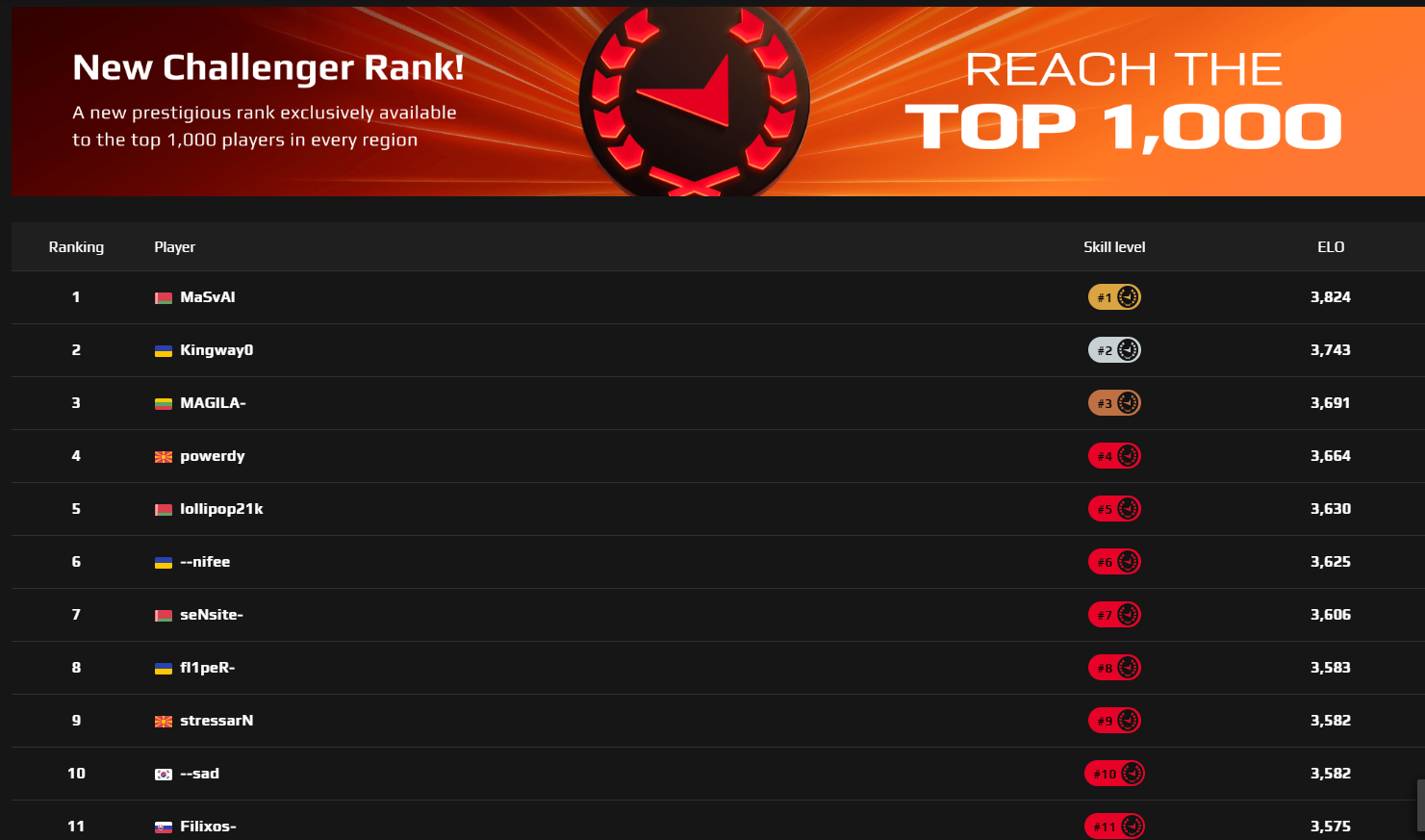
Linking Steam to FACEIT for CS2 is not difficult as long as you follow the steps in order and skip none of them. A mistake at any stage sends you back to the start. FACEIT tightly controls the link between accounts to prevent fraud and multi-accounting.
Steam Profile Setup
Start by preparing your Steam account. Open the Steam client, click your name in the upper right corner, and select "View my profile." Click "Edit Profile" and find "Privacy Settings" in the settings menu.
There are three key settings, each with three options: "Public," "Friends Only," and "Private." For FACEIT to work correctly, set "My profile" and "Game details" to "Public." The third setting, "Inventory," can be whatever you prefer, since it has no effect on linking.
After saving, close Steam completely and restart it. This makes sure the new settings are applied, and a restart often fixes profile recognition problems on third-party platforms.
Connecting Steam to FACEIT
Log in to FACEIT on the website and open your profile settings through the icon in the upper right corner. In the left menu, find the Integrations section, which lists every platform you can connect. Next to the Steam logo there is a "Connect Steam" button.
Clicking it redirects you to the Steam sign-in page. Enter your Steam username and password. If Steam Guard two-factor authentication is enabled (and for security it should be), you will also need the code from the mobile app or from your email.
Important: enter your Steam credentials only on the official steamcommunity.com sign-in page, and check the address in your browser. After you sign in, Steam asks you to confirm the connection and lists the permissions FACEIT will receive: access to your profile information, game list, and hours played. Click "Allow," and Steam is linked to FACEIT.
Activating Counter-Strike 2
Once Steam is connected, the same Integrations section shows the option to add Counter-Strike 2. Click "Connect CS2" next to the game logo. The system automatically checks whether you have Prime status, whether your profile is public, and whether the account has any game bans.
If the check passes, you will be asked to choose a game region. Take a moment here: the region determines your ping and connection quality, and changing it later means extra steps in the settings. Pick the region whose servers are closest to you; for players in Europe that is usually Europe.
After you choose a region, the system confirms that CS2 is linked to your account. One mandatory step remains: installing the FACEIT anti-cheat client.
Important Limitations
The key rule: one Steam account can be linked to only one FACEIT profile. Trying to connect a Steam account that is already in use to another profile produces an error. What you can change yourself and what only support can do is explained in our guide on how to unlink an account from FACEIT.
Common Errors When Linking CS2 to FACEIT
Even when following the instructions exactly, players regularly run into errors. Knowing what causes them lets you fix most problems without contacting support. In most cases the error comes from an unmet platform requirement or a temporary technical glitch.
The most common one is the message "We noticed your Steam account doesn't have Prime Status for CS2." It appears when the system cannot find Prime status on the account. The fix is to buy Prime for $14.99 on the Counter-Strike 2 page in the Steam Store. If you already own Prime and the error persists, play one Premier match so the status refreshes.
The second most frequent error is "This Steam ID is already in use on another FACEIT account." It means the Steam account is already linked to a different FACEIT profile. The only way to resolve it is through FACEIT support (the Help section on the website), with proof of ownership: screenshots of your Steam profile, Steam purchase receipts, and other supporting material.
The third common problem is a private profile. The error "Your profile or game details are set to private" appears when Steam privacy settings block access to your data. Go back to the privacy settings and make sure both "My profile" and "Game details" are set to "Public."
| Error Text | Cause | Solution |
|---|---|---|
| "No Prime Status for CS2" | No Prime status | Buy Prime ($14.99) or play a Premier match |
| "Steam ID already in use" | Steam linked to another FACEIT profile | Contact support with proof of ownership |
| "Profile set to private" | Private Steam profile | Set profile and game details to "Public" |
| "Steam ID mismatch" | CS2 connected from a different Steam account | Use the same account shown in Integrations |
The fourth error is "The Steam account you're trying to use is different from your connected account." It occurs when a player tries to connect Counter-Strike 2 from an account other than the one already linked in Integrations. Check which Steam account is listed in your settings and launch CS2 from that account. If an error shows up after linking, when you start a match, see our breakdown of common FACEIT errors and how to fix them.
Installing FACEIT Anti-Cheat

Once you have linked CS2 to FACEIT, one mandatory stage is left: installing the anti-cheat client. Without it, the platform will not let you into matches even if every other requirement is met. FACEIT Anti-Cheat runs at the operating system kernel level, so it monitors the system more deeply than Valve's built-in VAC.
Download the program only from the official FACEIT website (the Anti-Cheat section on faceit.com). Installers from third-party sites can carry malware and cost you your account. Run the installer as administrator, otherwise the installation may not complete correctly.
During installation, the program asks you to sign in: use the same credentials as your FACEIT account. The last step is restarting your computer. Do not skip it, because the anti-cheat only works correctly after a reboot. For a detailed checklist, see how to enable FACEIT Anti-Cheat.
Anti-Cheat System Requirements
FACEIT Anti-Cheat runs only on 64-bit Windows 10 and Windows 11. It will not install on Windows 7 or older versions. Linux and macOS are not supported, so Mac owners need a separate Windows PC.
Secure Boot must be enabled in your motherboard BIOS. Without it, the anti-cheat refuses to start and shows an error. To enable it, restart the computer, press Delete or F2 during startup (depending on the board manufacturer), open the Security or Boot section, and turn on Secure Boot. Step-by-step instructions for Gigabyte, MSI, and ASUS boards are in our guide on how to enable Secure Boot for FACEIT.
You also need TPM 2.0 (Trusted Platform Module). On Intel processors it is called PTT, on AMD it is fTPM. This component handles hardware encryption and system protection and is enabled in the BIOS, usually in the same section as Secure Boot.
Possible Conflicts
The anti-cheat has to be running before every gaming session. It works in the background with an icon in the system tray: if the icon is not there, the anti-cheat is not running.
Conflicts sometimes occur with drivers and companion software for peripherals such as mice, keyboards, and headsets. Software from manufacturers like Razer, Logitech, or SteelSeries uses its own system-level drivers, which can interfere with the anti-cheat. Symptoms vary: the anti-cheat will not start, the game crashes, or a device stops working. In that case, update the drivers and companion software or close it while you play.
If it is CS2 itself that blocks third-party programs (the game's Trusted Mode), you can add the -allow_third_party_software launch option. Open Steam, find CS2 in your library, right-click it, and select "Properties." In the "Launch Options" field, enter -allow_third_party_software: it allows third-party software to run alongside the game.
First Steps After Linking
With every stage complete, you can start playing on FACEIT. Before your first match, spend a few minutes on a final check to avoid technical problems in game.
Launch FACEIT Anti-Cheat and wait until the client shows that it is active. Then open the FACEIT website or the desktop client and start searching for a match.
The Play section offers several options: the free queue, Premium matches for subscribers, tournaments, and leagues. New players are better off starting with the free queue to learn how the platform works. Your FACEIT level is based on ELO, from 1 to 10, and your first matches show where you land. Matches, maps, and subscriptions are all covered in our guide on how to play on FACEIT in CS2.
You do not need to connect to a server manually: once a match is found, click the connect button on the website or in the client, and CS2 launches and joins the server automatically.
Can You Play Without Prime Status?
This is one of the most frequent questions from new players who plan to link CS2 to FACEIT. The rules changed on January 30, 2025, when the platform made Prime mandatory. Before that, any Steam account with Counter-Strike in its library could play on FACEIT.
According to FACEIT support, every new Counter-Strike 2 connection requires confirmed Prime status, and the rule applies in all regions. Older accounts connected before the rule can keep playing, but if they try to reconnect the game, the system asks for Prime as well.
There is no way around this requirement. Forums sometimes suggest "workarounds" such as renting a Prime account, but these break the platform's rules and end in a permanent ban. The only legitimate route is buying Prime for $14.99 in the official Steam Store.
Prime status in Counter-Strike 2 is a one-time purchase with no expiry: there is no renewal or repeat payment. It pays for itself through better match quality both on FACEIT and in Valve's official matchmaking.
From Linking to Your First FACEIT Matches
Linking CS2 to FACEIT means completing a few mandatory steps in order. The key conditions are Prime status for $14.99 and a public Steam profile: without them, the system will not let you finish connecting the game.
Installing FACEIT Anti-Cheat is mandatory and cannot be skipped, and it needs Windows 10 or 11 with TPM 2.0 and Secure Boot. If you hit an error while linking CS2 to FACEIT that the table above does not solve, contact official FACEIT support with a detailed description and screenshots.
FAQ
How long does it take to link CS2 to FACEIT?
If you already own Prime, your Steam profile is public, and TPM 2.0 and Secure Boot are enabled, registering and connecting Steam and CS2 takes about 10 to 15 minutes. Installing the anti-cheat and rebooting usually takes the longest.
Why doesn't FACEIT see my Prime status?
Most often the status has not refreshed on the Steam side yet. Play one Premier match, make sure your profile and game details are public, and connect CS2 again.
Can one Steam account be linked to two FACEIT accounts?
No. One Steam account links to only one FACEIT profile, and moving it to another profile is only possible through support with proof of ownership.
Does FACEIT work on macOS or Linux?
No. FACEIT Anti-Cheat supports only 64-bit Windows 10 and 11, so you cannot play on the platform from a Mac or Linux machine.
