


FACEIT is an independent competitive gaming platform for Counter-Strike 2, founded in 2012. It unites over 22 million players and offers competitive servers with proprietary infrastructure, anti-cheat, and an advanced ranking system with sophisticated anti-cheat protection. To know how to register on FACEIT in CS2, you need to create an account on the official FACEIT website, link Steam with CS2 and Prime status, install the anti-cheat client, and complete verification if necessary.
The FACEIT CS2 registration process includes several stages: account creation, Steam connection, anti-cheat installation, and profile setup. Since January 2025, the platform requires Prime status for all new accounts, which has improved match quality.
Why Register on FACEIT?
Players choose FACEIT for three key advantages. First, 128-tick servers instead of 64-tick provide more accurate shot registration and smoother movement. The difference is immediately noticeable – hitreg becomes predictable. Second, proprietary anti-cheat works more effectively than VAC, blocking cheaters at Windows kernel level. Third, a transparent 10-level system with ELO rating from 100 to 2000+ allows clear progress tracking.
Table 1: FACEIT vs Standard Matchmaking
Parameter | FACEIT | CS2 MM |
Tickrate | 128 | 64 |
Anti-cheat | Kernel-level | VAC |
Ranks | 10 levels + ELO | Premier Rating |
Tournaments | Regular | No |
Additionally, the platform offers prize tournaments, mission system for earning skins, and ability to build reputation in the community.
What's Needed Before Registering on FACEIT in CS2?
Steam Account Requirements
Since January 30, 2025, all new FACEIT accounts must have Prime status in CS2 for $14.99. When attempting to link an account without Prime, a message about necessary upgrade will appear. This requirement was introduced against cheaters and smurfs who were mass-creating free accounts. Owners of old FACEIT accounts (before 01/30/2025) can play without Prime, but new players cannot bypass this.
Steam profile must be public. In Privacy Settings, you need to set "My profile" and "Game details" to Public, otherwise FACEIT won't receive information about CS2 in library and won't allow game connection.
System Requirements
FACEIT Anti-Cheat only works on Windows 10 or Windows 11 and requires two mandatory components for security:
TPM 2.0 – security module for system integrity verification. Checked via msinfo32 command in Windows.
Secure Boot – UEFI protocol for verifying operating system and driver signatures at boot.
Both components are enabled in motherboard BIOS, usually in Security or Boot sections. These requirements create an additional barrier for cheat developers.
How to Set Up FACEIT in CS2: Step-by-Step Instructions
Step 1: Account Creation
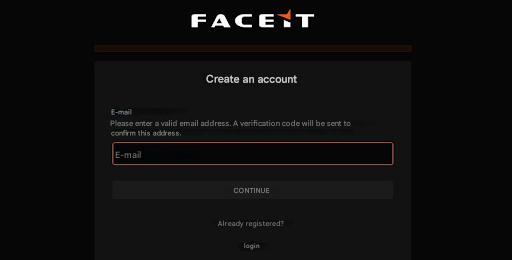
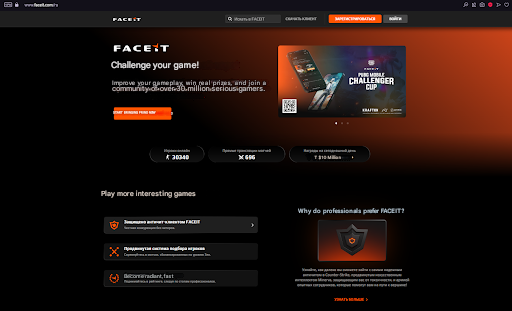
Open the official website faceit.com and click "Create Account" button in upper right corner. The platform offers three registration methods: via email (filling form with nickname, email, and password), via Steam (automatic account linking), or via Facebook and Google social networks. For CS2 players, Steam registration is most convenient – it immediately performs two steps: creates account and links Steam profile.
When choosing Steam registration, an authorization window opens where you need to enter login, password, and two-factor authentication code if enabled.
Step 2: Connecting CS2
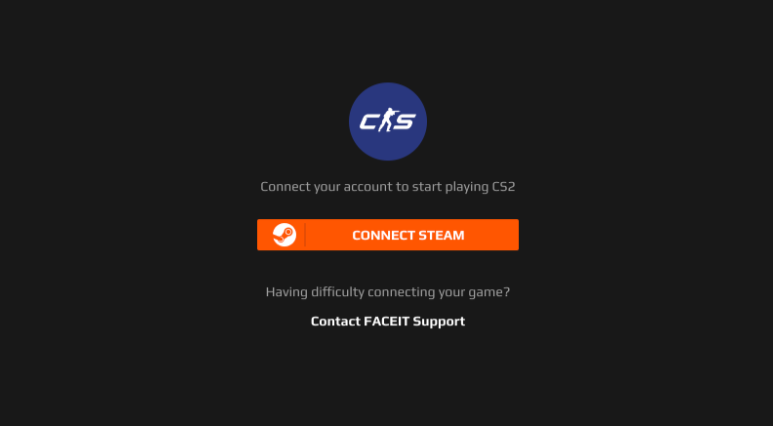
After logging into personal cabinet, go to Settings section, then select Game Settings tab. Here all games available for linking are displayed. Click "Add Game" button, select Counter-Strike 2 from list, and click "Connect Game" on next page.
The system automatically checks several parameters: CS2 presence in Steam library, profile publicity, and Prime status presence. Upon successful connection, settings will show option to select region for matchmaking – for players from Russia and CIS, Europe or CIS are optimal for low ping.
Step 3: Completing Setup
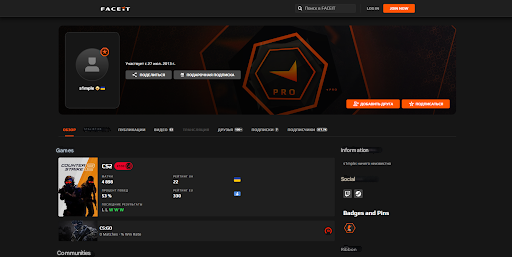
At the final FACEIT CS2 registration stage, fill basic profile information. Upload avatar, specify preferred maps, and configure account privacy. It's recommended to immediately enable two-factor authentication for additional protection against hacking.
How to Install FACEIT CS2: Anti-Cheat Setup
Client Download and Installation
Without installing FACEIT Anti-Cheat, playing on the platform is impossible – the system won't allow match access. Go to page faceit.com/en/anti-cheat and download client (size about 50-80 MB). Run installation file as administrator.
Installation process is standard: accept license agreement, choose installation folder, and confirm driver installation. FACEIT driver is certified by Microsoft and Symantec, guaranteeing security. After completion, FACEIT icon appears in Windows system tray.
First Launch and Setup
At first launch, log into FACEIT account. Client automatically checks system for requirement compliance: TPM 2.0 presence, enabled Secure Boot, and Windows version. If something doesn't comply, a message about necessary fixes will appear.
Important anti-cheat feature – it activates only when launching CS2 and disables after closing game, minimizing impact on computer's daily operation. For temporary disable, right-click tray icon and select "Disable driver". To enable, restart computer.
Table 2: Anti-Cheat System Requirements
Component | Requirement | How to Check |
OS | Windows 10/11 | Settings → System |
TPM | Version 2.0 | msinfo32 |
Secure Boot | Enabled | msinfo32 |
Permissions | Administrator | Run as admin |
Anti-cheat requires stable internet connection for communication with FACEIT servers and file integrity checking during matches.
FACEIT Account Verification
Who Must Verify
Identity verification is an additional protection level introduced in 2023. It's mandatory for players with few CS2 hours (usually less than 25-50 hours), for participation in official tournaments and open qualifiers, and for suspicious accounts with unusual gameplay patterns. For other players, verification is optional but provides visible "Verified" badge in profile, increasing team trust.
Verification Process
To register on FACEIT in CS2 with full verification, go to Settings → Verification. Scan QR code with mobile phone camera – this redirects to secure page of FACEIT partner, Daon company.
First step – upload selfie in well-lit place. System will ask to turn head in different directions to create three-dimensional face model. Second step – upload document (passport or driver's license). Photo must be clear, all data visible.
Verification takes from several minutes to 2-3 days. Upon successful verification, green "Verified" badge appears in profile. All data is stored encrypted on Daon servers in European data centers according to GDPR standards.
First Steps After FACEIT Registration
Launching First Match
To launch match, go to "Play" section in main menu and select "Matchmaking". Configure parameters: choose maps for play, enable "Verified only" option if available, check region. After pressing search, system matches players with similar ELO. Wait time usually 1-3 minutes.
When match is found, confirmation window appears – press "Accept" within 30 seconds. Team captains choose map through ban system, then players receive server IP address for connection.
Calibration Matches and Level System
New players start with 1000 ELO if there's no rating in CS2 Premier mode. For players with Prime and Premier rating, FACEIT automatically converts it to initial ELO. First 10-15 matches are critically important for determining starting level.
Table 3: FACEIT Levels and ELO
Level | ELO Range | Description |
Level 1 | 100-500 | Beginners |
Level 2-3 | 501-900 | Initial experience |
Level 4-6 | 901-1350 | Average level |
Level 7-9 | 1351-2000 | Advanced players |
Level 10 | 2000+ | Elite, pro-level |
For victory 20-30 ELO is awarded, for defeat approximately same is deducted. Amount depends on team strength difference.
Common Problems When Trying to Register on FACEIT in CS2
Error "Your Steam account doesn't have Prime status"
This is the most common 2025 problem. Only solution – buy Prime Status in Steam for $14.99. Open CS2 in Steam library, find section with game information and click on Prime upgrade offer. Payment processes through standard Steam methods.
Anti-Cheat Problems
If FACEIT Anti-Cheat doesn't launch, reason is usually missing TPM 2.0 or Secure Boot. To enable TPM, restart computer and enter BIOS (Del, F2, or F10 key at boot). In Security or Advanced section, find TPM Device and set to Enabled.
Secure Boot is enabled similarly: in Boot section find Secure Boot and switch to Enabled. Important: for Secure Boot to work, disk must be formatted in GPT, not MBR.
Other Common Errors
If verification doesn't pass, reason is usually photo quality. Use good lighting, ensure all data is clearly visible, no glare or blur. Face must be fully visible without glasses or mask.
CS2 connection problems are related to Steam settings. Go to Steam → Privacy Settings → set My profile and Game details to Public, then try connecting game again.
FACEIT Free vs Premium After FACEIT CS2 Registration
Free Account Features
Basic FACEIT version provides everything necessary: 128-tick servers with better hitreg, full level and ELO system, mandatory anti-cheat for fair environment, basic statistics with K/D and win percentage. For most players, free version is sufficient for comfortable play and skill improvement.
Premium Subscription Advantages
Premium opens additional possibilities for serious players. "Verified Match" mode guarantees all 10 players passed verification, almost completely excluding smurfs. Extended statistics with position heat maps and detailed analysis are available. Premium players can ban maps, participate in exclusive leagues, and receive priority support.
Table 4: Free vs Premium
Feature | Free | Premium |
128-tick servers | ✓ | ✓ |
Anti-cheat | ✓ | ✓ |
Basic statistics | ✓ | ✓ |
Verified Match | ✗ | ✓ |
Map bans | ✗ | ✓ |
Premium leagues | ✗ | ✓ |
It's recommended to start with free version to understand if platform suits you, then subscribe if desired.
Final Tips Before Starting
The FACEIT CS2 registration process requires Prime status ($14.99), public Steam profile, anti-cheat installation with TPM 2.0 and Secure Boot, and optional verification for new players. FACEIT offers a more competitive environment with 128-tick servers, transparent 10-level system, and effective anti-cheat against cheaters.
Free account is sufficient to start playing and improving skills. Premium subscription opens additional features like Verified Match and extended statistics but isn't mandatory. After completing all FACEIT CS2 registration stages, all that's left is launching first match and starting the path to Level 10 in a fair cheater-free environment.
