


Buying CS2 skins on LIS-SKINS takes a few minutes: sign in through Steam, top up your balance, find the item with search or filters (type, rarity, wear) and pay for it, and a bot sends the skin to your Steam inventory as a trade offer. CS:GO skins and CS2 skins are the same items: when the game moved to Counter-Strike 2 in 2023, inventories carried over in full, so everything you buy works in the current game.
The LIS-SKINS marketplace covers far more than weapon skins:
skins for pistols, rifles and the AWP;
knives with any float and pattern;
graffiti;
agents and patches for their uniforms;
name tags;
collectibles from key tournaments and events;
gloves;
cases and capsules;
music kits, charms and more.
Below is the step-by-step process on LIS-SKINS specifically. If you are comparing platforms, our overview of where and how to buy skins, including the Steam Market, covers the alternatives.
Purchase in a Couple of Clicks
To buy on LIS-SKINS, sign in to the site with a valid Steam account and top up your balance with the amount you need.
Click the deposit button in the upper right corner of the site, enter the amount, choose a payment method and enter a valid email address.
You can top up with a bank card or cryptocurrency. The minimum transaction amount depends on the payment method.
If you are short on funds, you can sell spare skins from your inventory on LIS-SKINS: open the sell section, enter your trade link and select the items you no longer need. Our guide on how to sell skins covers the options in detail.
Before buying, make sure your account is not banned, has no trade restrictions and is protected with the Steam Guard Mobile Authenticator; without it, Steam holds trades longer.
Every item transfer goes through official Steam trade offers. Never enter your Steam login and password on third-party sites, and never share your API key.
Finding a Skin: Filters and Search
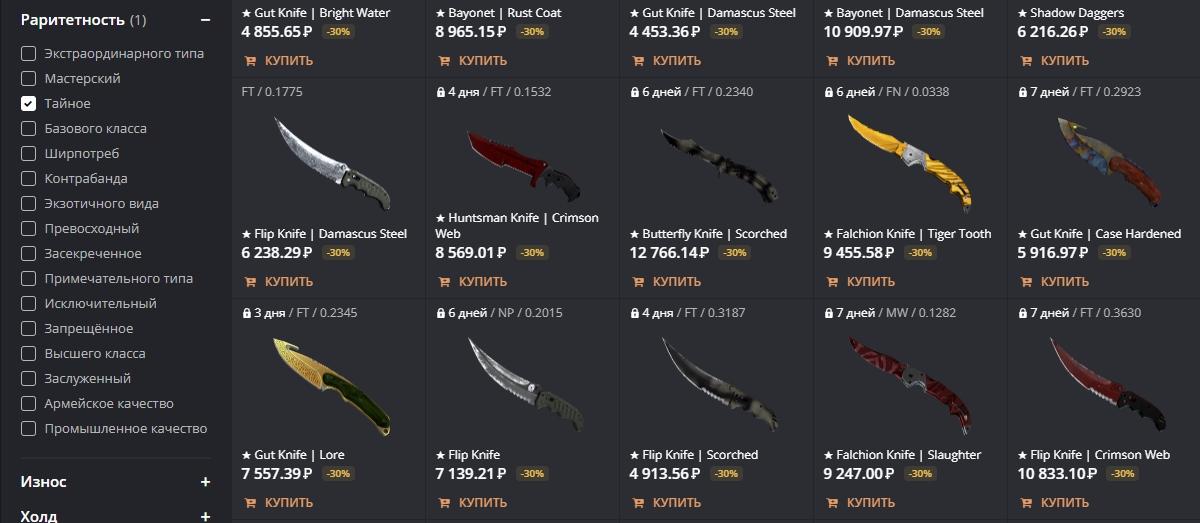
You don’t need to scroll through the whole catalog on LIS-SKINS: the interface is built around filters. Say you want to buy a knife.
Open the “Type” field and select the matching option.

Next, choose “Rarity” (in this case, Covert).
Then pick the wear: some buyers want a clean look, others a lower price. How wear affects both is covered in our guide to skin float and wear.
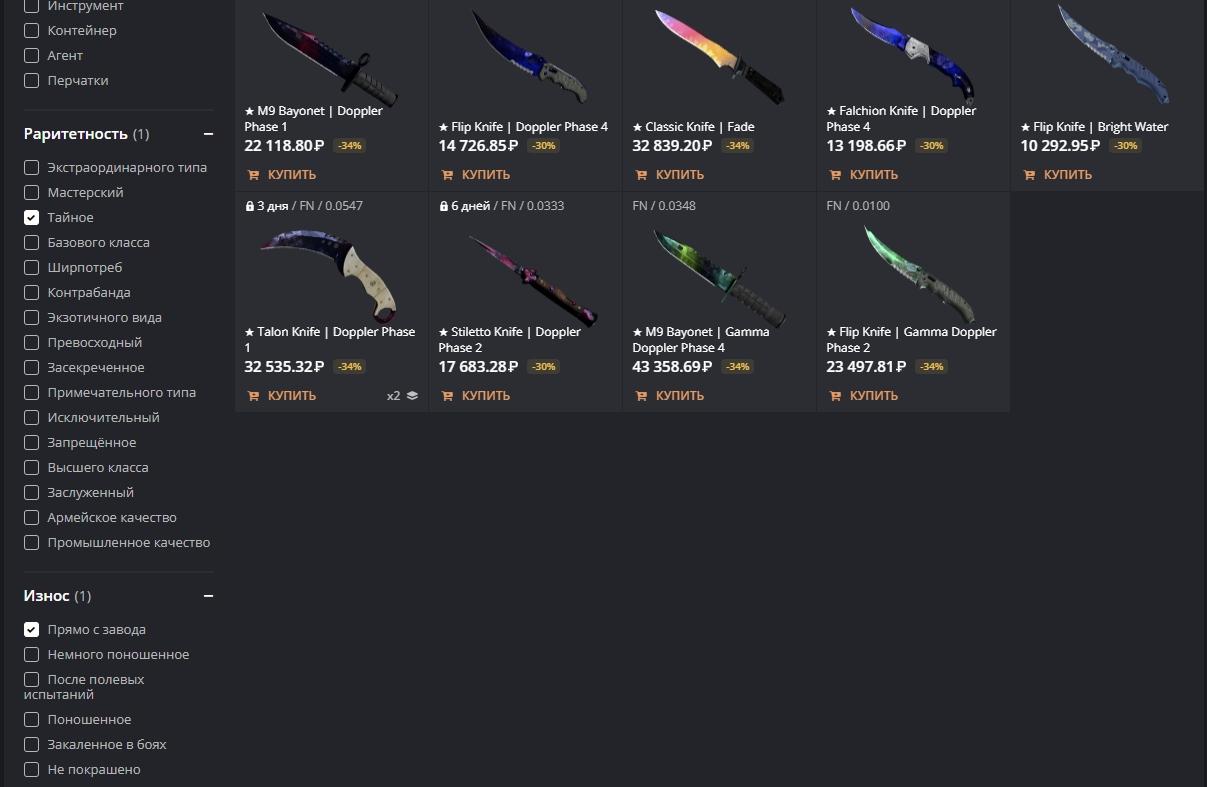
The catalog is updated constantly, but truly rare items, such as a StatTrak Factory New AWP | Dragon Lore, show up rarely. For everything else there is a search bar: just type the skin’s name.

Note that some items in the list are marked as locked. These skins are under Trade Protection: after a trade, Steam blocks them from being traded again for 7 days. LIS-SKINS sells both locked and unlocked items, and locked ones are usually a little cheaper. Once paid, the item is reserved for your account at the price you paid, and the bot sends it to you as soon as the lock ends.

Rare Items: StatTrak, Souvenirs, Stickers
If you have played Counter-Strike for a while, you know about StatTrak skins, Souvenir items and expensive stickers from old tournaments that no longer drop and only exist in other players’ inventories.
You can look for these on LIS-SKINS. The Souvenir section holds more than cheap MAG-7 and P90 finishes: even a Souvenir AWP | Dragon Lore appears from time to time (about $12,000 in Factory New, with the regular version from $4,600). Listings like that sell quickly, so the section is worth checking regularly.
Full Product Information
When buying an expensive item, you want to see it from every side: float, overall condition, stickers and availability. On LIS-SKINS this information is on every listing.
To examine a skin, select it from the list. Say you are looking for an AK-47 | Elite Build and find a StatTrak Minimal Wear copy (about $8) with a set of stickers.

You can also see it in the game: the inspect link opens this exact copy in CS2, stickers included, rather than a generic AK-47.
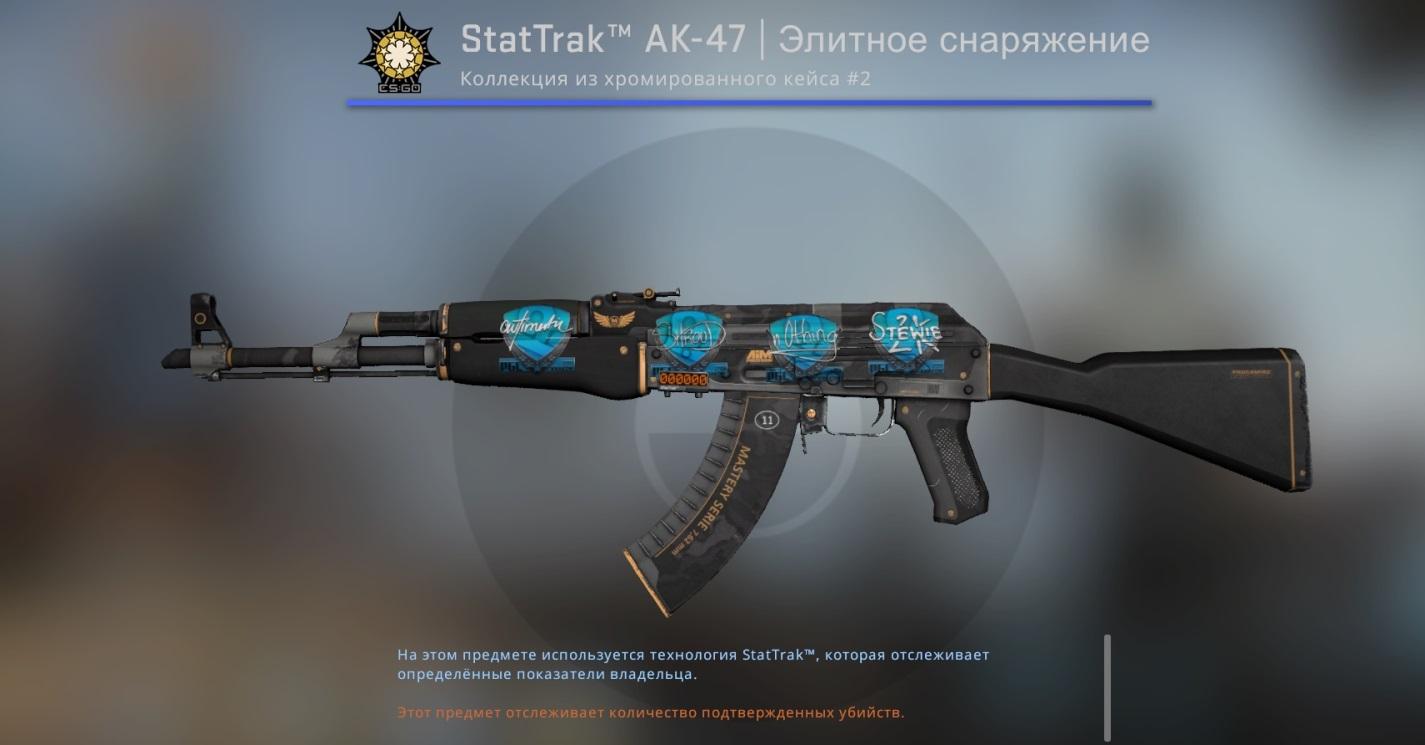
The listing also shows the exact float, type and rarity, and you can open the skin in the bot’s inventory through the link provided: the data matches what you will receive.
If you are picking your first serious skin and don’t know where to start, see our guide on how to choose a skin in CS2.
FAQ
Where is it safe to buy CS2 skins?
On marketplaces that deliver items through official Steam trade offers and never ask for your login or API key, and on the Steam Market. On LIS-SKINS the skin arrives as a trade offer from a bot right after payment, or once the Trade Protection lock ends.
Do CS:GO skins work in CS2?
Yes. Counter-Strike 2 replaced CS:GO in September 2023 in the same Steam app, and every item carried over to the new game.
Why are some skins sold with a lock?
That is Trade Protection: for 7 days after a trade the item cannot be traded again. These listings are usually a little cheaper than unlocked ones, and the bot sends them as soon as the lock expires.
