

Steam Trade Protection is a Valve mechanic that, since July 2025, makes every CS2 item trade reversible for 7 days. The sender can undo the trade from Steam Trade History without giving a reason and get the items back, while the received skins are locked for those 7 days: they cannot be traded again or listed on the Steam Community Market. Below are the Trade Protection rules, how they differ from the older trade holds, what they did to the skin market, and how selling works on LIS-SKINS now.
What Is Steam Trade Protection
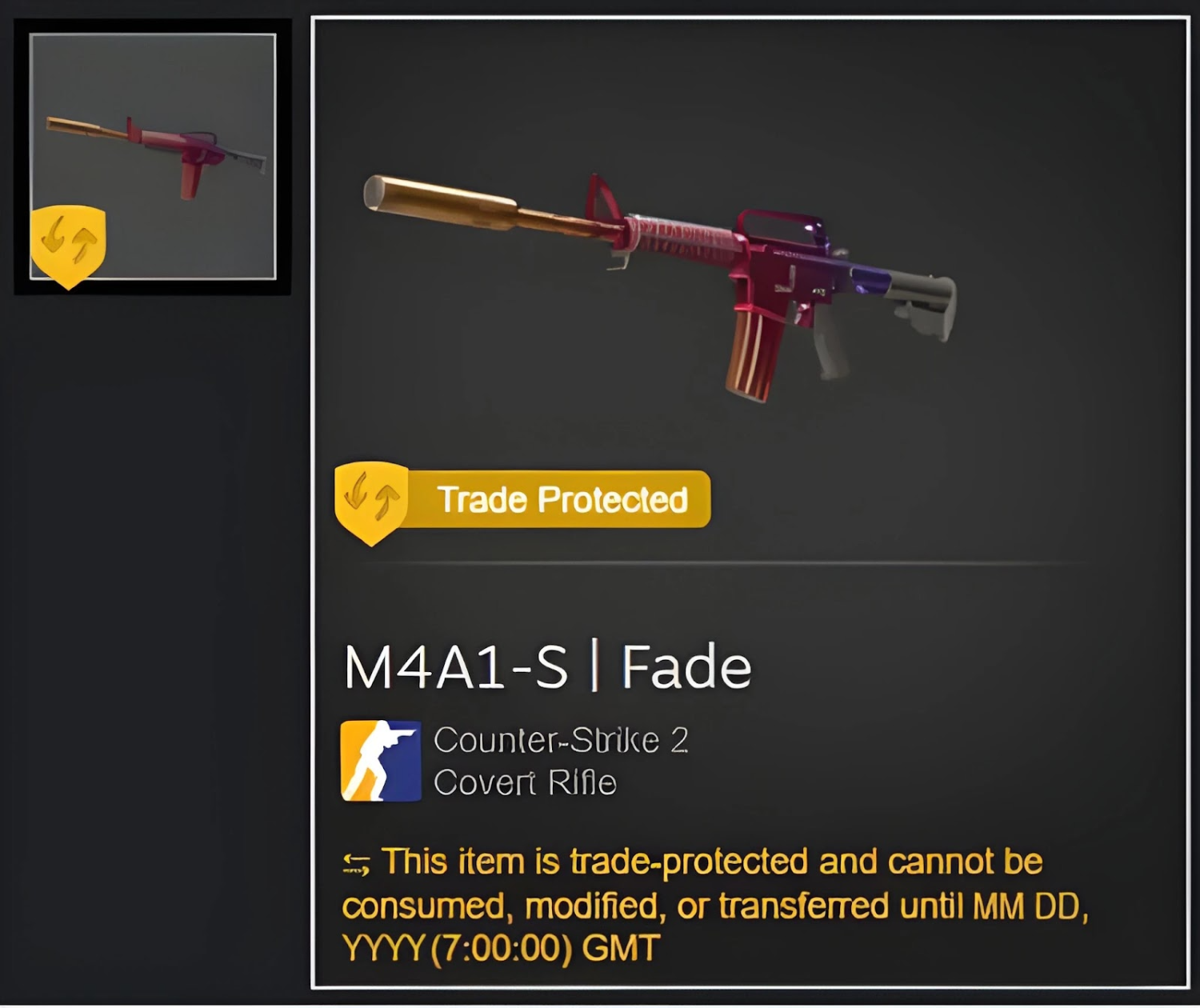
Trade Protection is a seven-day protection period applied to every CS2 item you receive in a trade, including skins, knives, gloves, stickers and charms. Until the period ends, the original owner can reverse the trade in one step from Steam Trade History, with no explanation owed to the buyer or to Valve. Once a trade is reversed, the item goes back to its original owner and the deal is void.
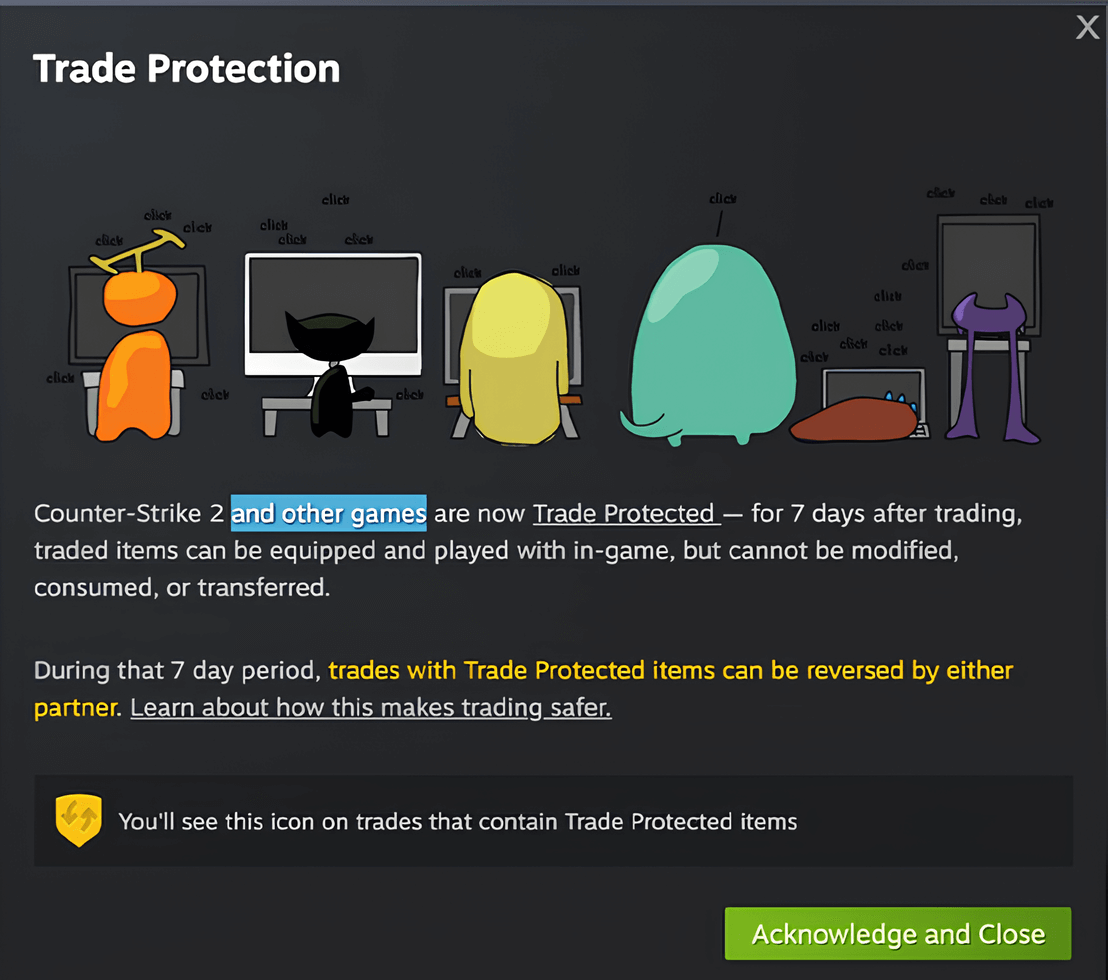
For the recipient, this means the item stays tied to the account for 7 more days: it cannot be passed on, traded again or sold on the Steam Community Market. The mechanic covers CS2 items only; at launch it did not apply to other Steam games.
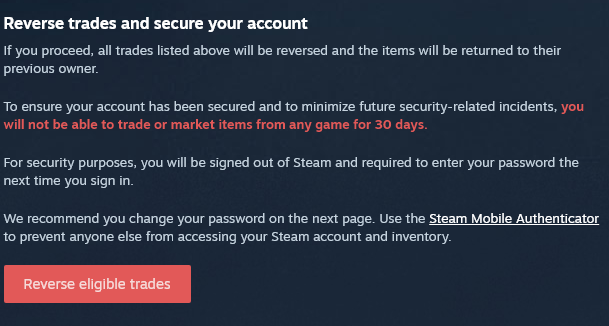
To keep the reversal option from being abused, Valve announced an extra restriction at launch: according to the update notes, a 30-day ban from using the Steam Community Market. The measure is meant to stop people from using reversals to scam or troll other users.
Trade Protection Rules: What Changed
| Before Trade Protection | With Trade Protection | |
|---|---|---|
| Trade hold | If your account had not been protected by the Steam Guard Mobile Authenticator for at least the last 7 days, outgoing items were held by Steam for up to 15 days. | A 7-day Trade Protection period applies after every trade: received items cannot be traded again, sold on the Steam Community Market or transferred. The 15-day hold for accounts without the mobile authenticator still applies. |
| Protection against scammers and malware | A confirmed trade was practically irreversible. Recovering items meant relying on Steam Support, with no guarantee. | Any CS2 trade can be reversed within 7 days from Steam Trade History, without contacting Steam Support. |
| Getting paid on third-party marketplaces | Minutes to hours, depending on the marketplace. | Delayed: to make sure a seller cannot reverse the trade after being paid, marketplaces hold the payout for the 7-day protection period. |
| Trading items from different games | No restrictions. | CS2 items can only be traded for CS2 items. At launch, Valve said it planned to extend the mechanic to other Steam games, including Dota 2, Rust and Team Fortress 2. |
The last row deserves a closer look: CS2 items can no longer be traded for items from other Valve titles such as Dota 2 and Team Fortress 2. Valve has effectively walled off the CS2 trading ecosystem, even from its own games. If you are new to trading, the step-by-step guide on how to trade skins in CS2 covers the process, and to receive offers you will need your trade link.
Why Valve Introduced Trade Protection
The main goal is to cut losses from phishing and malware. Previously, accepting a shady trade offer usually meant the items were gone for good, and getting stolen items back was hard even with Steam Support involved. Now the owner has 7 days to spot a mistaken or suspicious trade and reverse it. The mechanic does not stop scammers entirely, so the basics still apply: never enter your Steam login on third-party sites and never share your API key. See the guides on protecting your inventory from scammers and on the Steam API scam for the common schemes.
Impact on the CS2 Skin Market
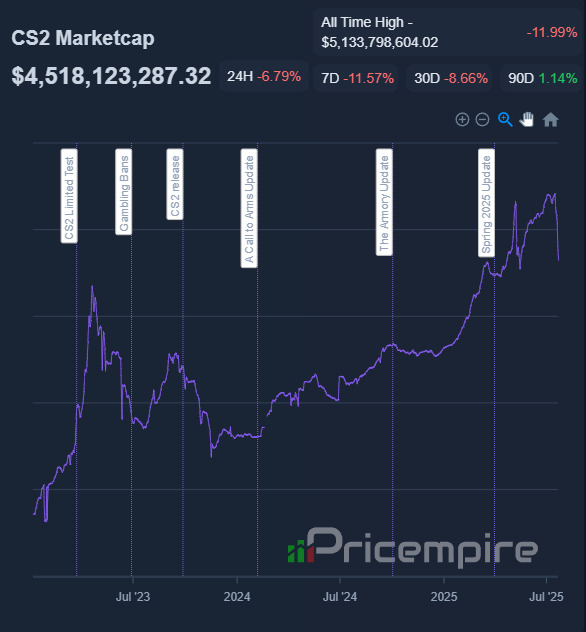
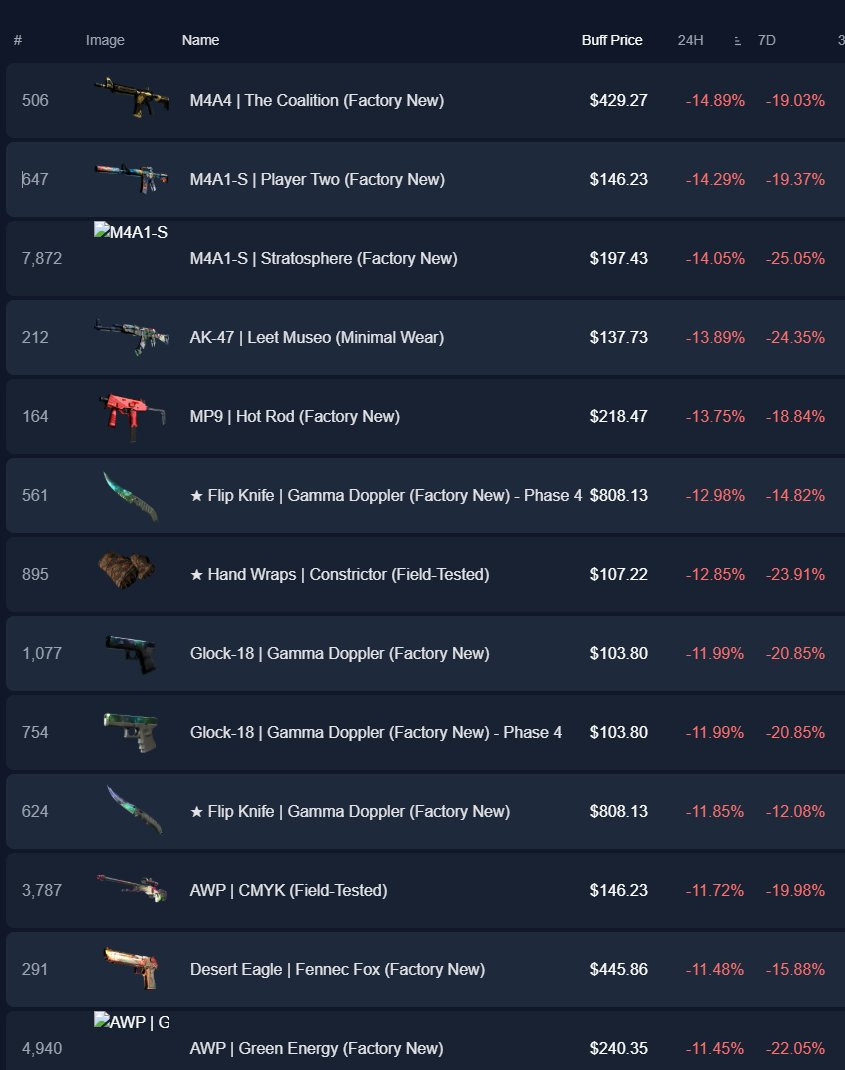
Trade Protection affected every market participant: players, traders, third-party marketplaces and Valve itself. The immediate reaction was sharp. According to data Pricempire published on X, the total estimated value of all CS2 skins fell by about $615 million in the week after the update went live. The trade delay was the main driver: panic selling flooded the market and pushed down prices even for rare skins.
In the long run, the update did not break the CS2 skin economy. Safer trades support trust in the market, and the main practical effect for users is waiting time: buyers have to account for the 7-day item lock, and sellers for delayed payouts on third-party marketplaces.
How to Sell CS2 Skins on LIS-SKINS Under Trade Protection
The seven-day reversal window affects every third-party marketplace. When you sell skins on LIS-SKINS the standard way, the funds are credited after 7 days, once the reversal window is guaranteed to be closed. The deal amount is fixed at the moment of sale and shown in the "Transactions" tab, so price moves during the wait do not affect your payout.
You do not have to wait 7 days: LIS-SKINS offers instant withdrawal for sold skins within a limit. The requirements and steps are in the guide on selling CS2 skins without the Trade Protection delay. For buyers, the marketplace lists items both with and without the Trade Protection lock: unlocked skins cost a little more but can be traded or resold right away. For a comparison with other options, see the overview of ways to sell skins.
Conclusion
Trade Protection made CS2 trading safer, but it also added limits for players and marketplaces alike: an item cannot be resold for a week after a trade, and marketplace payouts arrive with a delay. For most users, that is a fair price for being able to recover items after a mistaken or fraudulent trade, and the payout delay can be avoided with instant withdrawal.
FAQ
What is Steam Trade Protection in simple terms?
It is a 7-day period after a CS2 item trade during which the sender can reverse the deal from Steam Trade History. For the whole period, the received items are locked from being traded again or sold on the Steam Community Market.
How do I reverse a trade in CS2?
Open your trade history in Steam, find the trade and choose to reverse it. This is only possible within 7 days of the trade; once reversed, the items go back to their original owners.
Can I sell a skin while Trade Protection is active?
Not on the Steam Community Market: the item becomes tradable and marketable once the 7-day period ends. On LIS-SKINS you can buy skins without the Trade Protection lock, which are available to transfer right away.
Why does LIS-SKINS pay out sales after 7 days?
The payout is released once the 7-day reversal window is guaranteed to be over. If you do not want to wait, you can use instant withdrawal within your limit.
