


You can make money selling CS2 skins in two ways: by selling unused items from your inventory, or by trading, which means buying skins below market price and reselling them higher. Money from the Steam Community Market stays in your Steam Wallet and cannot be withdrawn, so to earn real money you sell on third-party marketplaces such as LIS-SKINS, where funds can be cashed out. Profit is never guaranteed: fees, liquidity and price swings all matter.
Features of Trading Skins in CS2
Trading skins in Counter-Strike 2 is officially allowed: Valve has long let players trade items with each other, list them for sale and buy any in-game items they want. Since July 2025, Trade Protection applies: the sender can reverse any CS2 trade within 7 days, and the received items are locked for that period. For a trader, this means a freshly received skin cannot be flipped right away. Read more about the mechanic in our guide to Steam Trade Protection.
Some skins gain value over time, especially rare items from collections that no longer drop. It is impossible to predict exactly which item will be worth more in a few years, but our breakdown of why some skins get more expensive while others get cheaper explains the general patterns.
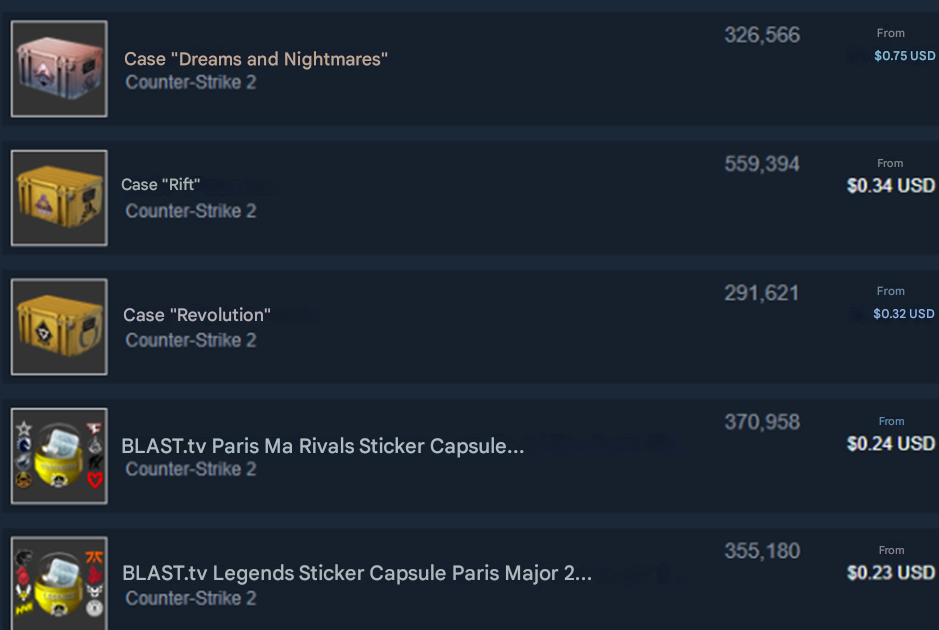
Skins can be sold in several ways (all options are compared in our guide on how to sell skins):
Through Steam. This only makes sense if you want funds for purchases in the Valve store. Steam keeps about 15% of every Community Market sale (5% Steam plus 10% CS2), and Steam Wallet money cannot be withdrawn to a bank card or by any other method.
Through third-party marketplaces. On these platforms players buy and sell the items they need, and this is where you can really make money selling skins in CS2: the selection is large and the proceeds can be withdrawn. On LIS-SKINS you can sell a skin instantly and withdraw the funds, and you can buy items with or without the Trade Protection lock (unlocked items cost a bit more). The process is described in our article on how to cash out skins for real money.
Trading Skins on Steam
Trading on the Steam Community Market is based on analyzing current prices: you buy skins and then sell them at a profit. Keep in mind that the roughly 15% fee eats into the margin, so a flip only pays off when the gap between buy and sell price is clearly larger than the fee.
If you plan to trade, you need to understand liquidity. Skins are assets, and for steady earnings you should pick liquid ones: skins that can be sold quickly and without a loss.
To start trading skins on Steam, you need to:
Create an account (if you do not have one yet).
Remove account restrictions. Set up the Steam Guard Mobile Authenticator, fill out your profile and make at least one purchase on Steam.
Buy the skins you plan to sell later.
Now you can trade to make money selling skins in CS2. An "intraday trading" routine looks like this:
The player logs into Steam and looks at the items in highest demand.
The trader then studies the sales chart, first for the past week, then for the past month and for all time. This shows which way the price is moving.
After that, the trader buys items and lists their own based on the lowest price on the market. The profit depends on how accurately the value was assessed.
When evaluating a skin, also consider its wear, a StatTrak counter, stickers and patches.
To sell skins on third-party marketplaces, you need your trade link. Here is how to find it (step by step in our guide on where to find your trade link):
Open your inventory.
Click the "Trade Offers" button.
Click "Who can send me Trade Offers?".
In the "Third-Party Sites" section, copy your trade URL.
Add this link to your marketplace profile: the platform uses it to send and receive items.
What You Need to Know Before Starting to Trade Skins
If you start trading in CS2, stick to these principles:
Investment in stock. For a quick start you need to invest in the items you will trade. Relying only on weekly drops or opening cases takes a long time, and you are unlikely to get truly valuable items that way. Start with an amount you can afford to lose: on a small budget, fees and price swings hit harder.
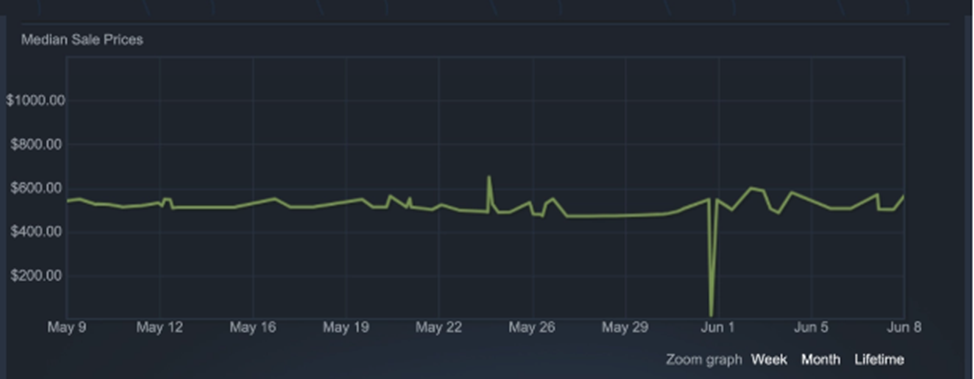
Patience. To sell at a better price, you may need to wait several weeks or even months. An example is shown in the screenshot below:
Caution. Act carefully so you do not become a victim of scammers, who steal large amounts of skins from players every year. Do not click suspicious links, never enter your Steam login on third-party sites, never share your API key and do not install browser extensions from unverified sources. More in our guide on how to protect your inventory from scammers.
If you plan to make money selling skins in CS2, remember that trading such items always carries a risk of loss, and not only from fraud. Price volatility matters: the value of certain skins can change sharply due to unpredictable events. For example, a weapon nerf in an update reduces its popularity, and the price of its skins drops along with it.
