


By adjusting your crosshair settings, you can make the game easier and even improve your accuracy. One of the simplest ways to do this is to use s1mple's crosshair in CS:GO. Copy the settings used by one of the best players in the world to save time when looking for the most effective combination. Additionally, you can check out our other guides to improve your gameplay, such as setting up s1mple's radar or configuring CS:GO settings.
How to Set Up Crosshair Settings
Every player who wants to achieve high results thinks about proper crosshair settings. Even if you feel comfortable playing with the default setup, it's worth trying different options — one of them might be more effective for you. A good crosshair makes aiming easier, helps you better understand weapon behavior, and ultimately results in more frags.
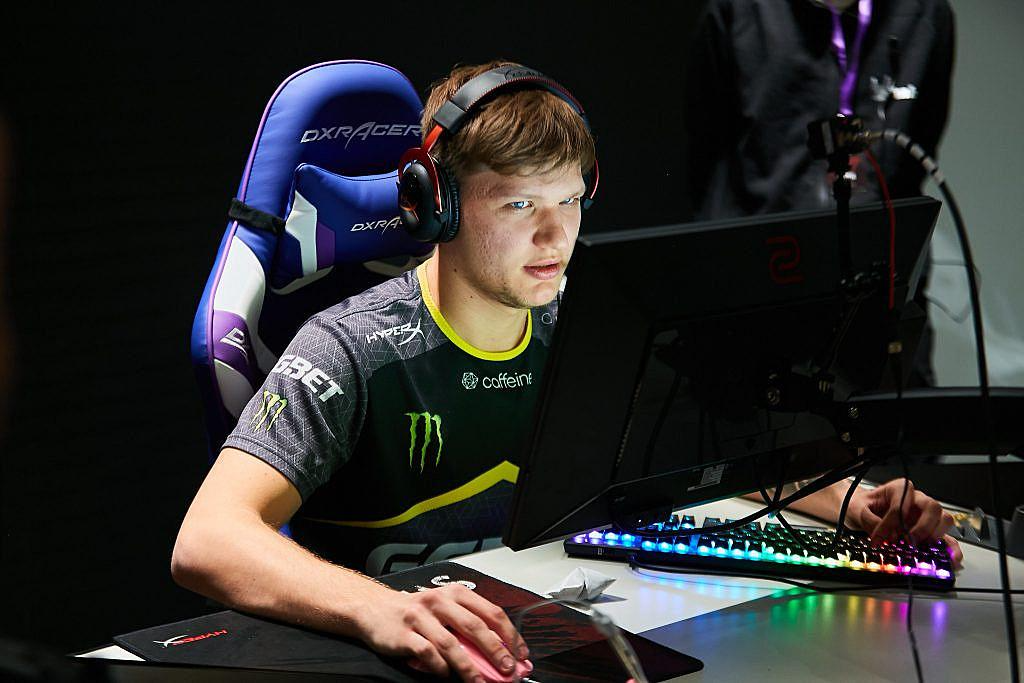
You can set up s1mple's crosshair in CS:GO in several ways.
First of all, you can change crosshair parameters through the console. This allows you to modify the following settings:
Make the crosshair static or dynamic (moving);
Choose a classic style or alternative design;
Select the crosshair color (it's logical to choose a contrasting color visible against any background or model);
Add or remove a center dot;
Change the crosshair size;
Add an outline to make it more visible on different textures;
Adjust the gap between the lines;
Change the thickness of the crosshair lines.
As you can see, there are many parameters to adjust. Finding the one that suits you best might take some time. That’s why trying settings used by well-known esports players is a productive solution.
Before exploring s1mple's crosshair settings in CS:GO for 2022, it's worth mentioning two other methods. If you don't want to deal with the console, you can use a custom map, such as Crashz's Crosshair Generator. Compared to the console, it's more convenient because all options are visualized, and you can instantly see changes. The map also features a table with crosshairs of top players — you can set up s1mple’s crosshair this way too.
Alternatively, you can use the in-game settings menu. This feature was added in an update and includes sliders and a live preview. You can also use a code — s1mple's crosshair code in CS:GO — to instantly apply the desired settings. Click "Share/Import," paste the code, confirm, and the crosshair will update.
s1mple's Crosshair Parameters
If you’re using the console to set up s1mple’s crosshair, remember that not all parameters may fit into one line. Enter them in parts to avoid exceeding the console's character limit.
cl_crosshairalpha 255;
cl_crosshaircolor 5;
cl_crosshairdot 1;
cl_crosshairgap -2;
cl_crosshairsize 1;
cl_crosshairstyle 5;
cl_crosshairusealpha 1;
cl_crosshairthickness 0;
cl_crosshair_drawoutline 0;
cl_crosshair_sniper_width 1;
cl_crosshaircolor_r 0;
cl_crosshaircolor_g 255;
cl_crosshaircolor_b 170;
Each command works independently, so the order doesn’t matter. As shown in the screenshot of s1mple’s crosshair in CS:GO 2022, this configuration creates a very small crosshair with a slight gap. It takes up little space and helps you focus on your target. The color contrast ensures visibility on any map.
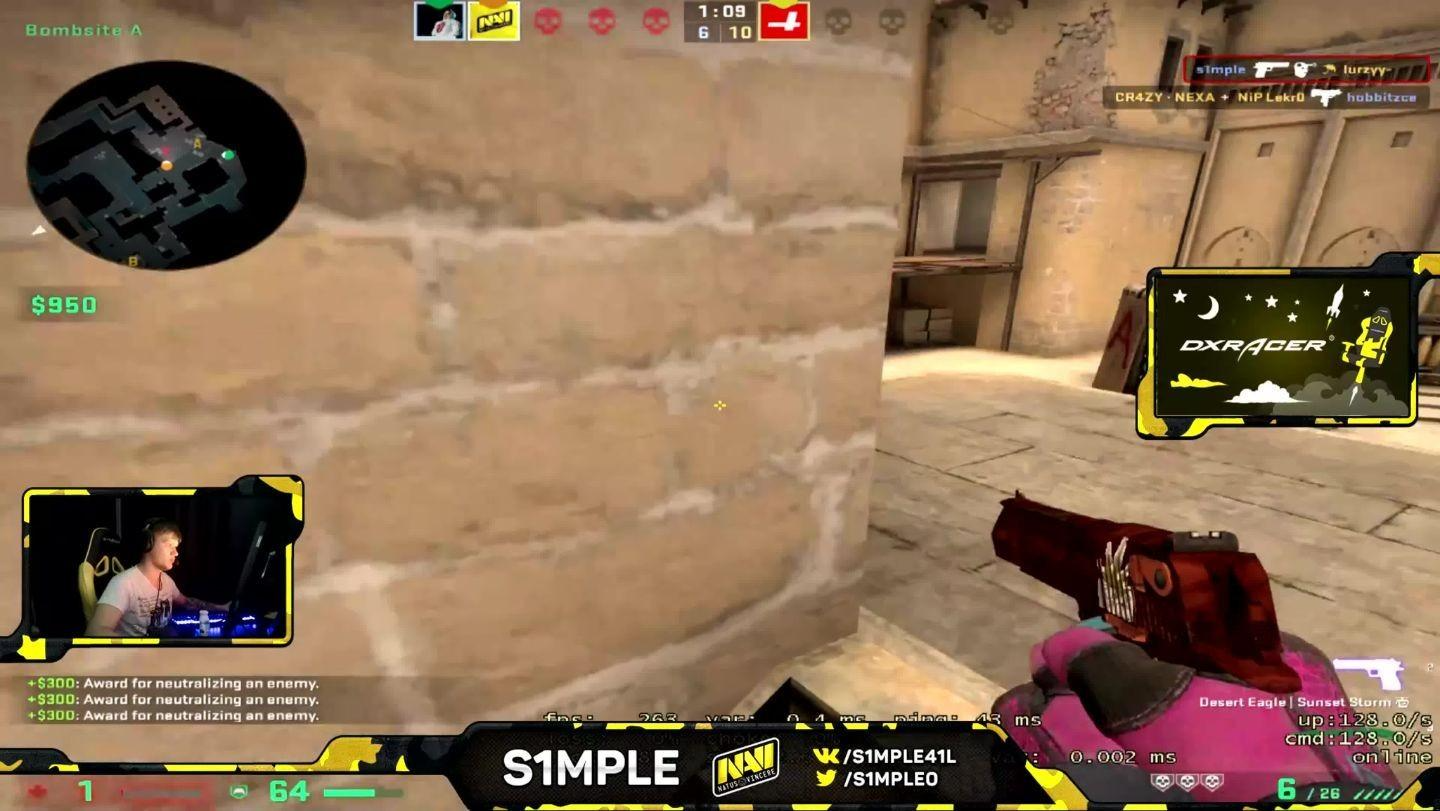
Like any player, s1mple changes his settings over time. Even within 2022, you can find both yellow and blue crosshairs in his configs. In any case, it’s clear he prefers highly visible, contrasting colors.

It might take some time to adjust to this small crosshair, but with practice, you’ll start to feel its benefits.
Setting Up s1mple's Crosshair with a Code
To save time, use s1mple’s crosshair code in CS:GO. Open the settings window and insert the following code using the import option:
CSGO-kuMHT-6DB3P-HnHrB-UvD6i-XNh8E.
The crosshair settings will apply instantly. No need to enter each console command manually — it only takes a few seconds.

This method allows you to test different crosshairs from top players and find the one that suits you. You can even save a list of crosshair codes to switch easily without manual adjustment.
Advantages of s1mple's Crosshair
Anyone who follows CS:GO knows why so many players want to copy s1mple’s crosshair. Oleksandr "s1mple" Kostyliev has been a pro since 2013. He spent most of his career with Natus Vincere and was ranked #1 by HLTV in 2018 and 2021. With NAVI, he won many major events and earned over ten MVP awards.
It's no surprise that many beginners — especially those aiming for a pro career — study his config and use his crosshair. Of course, copying settings won’t make you a star overnight, but it’s a useful starting point. To get used to the new crosshair, practice on a custom map or against bots. Your performance may dip at first, but it will improve once you adapt.
Now you know how to use s1mple’s crosshair code in CS:GO. Whether through console, settings menu, or a code — all methods are valid. Explore other pro configs too, and use them as a base for your own style. You’ll benefit from pro-level experience while adapting it to your gameplay.
