


The question of how to get S1mple’s radar in CS:GO sooner or later comes up for everyone who doesn’t just play CS:GO for fun but also aims to improve their performance. Copying pro players’ configurations is an effective way to make your gameplay more successful and avoid wasting time “reinventing the wheel,” that is, trying to find the right settings on your own. Let’s figure out why it’s worth changing the radar in CS:GO, what its settings affect, and how to get S1mple’s radar in the current version of the game.
Why Configure the Radar
How the radar is set up can significantly affect a player’s success in the game, especially when facing strong opponents. Often the outcome of a round is decided in split seconds, so it’s essential to assess the situation instantly. If the radar doesn’t help with that, it can be difficult. You can solve this by applying custom radar settings in CS:GO like S1mple’s. Compared to the default version, this radar has the following advantages:
The map displays all objects in detail, including barrels and boxes.
Not just symbols are used, but images of objects that preserve real proportions.
Wall corners are drawn with clear lines, helping players calculate their movement precisely.
Calm colors are used, which don’t strain the eyes even during long sessions.
Specific zones, like bomb sites, are marked with color on the map.
All significant locations on the map are labeled.
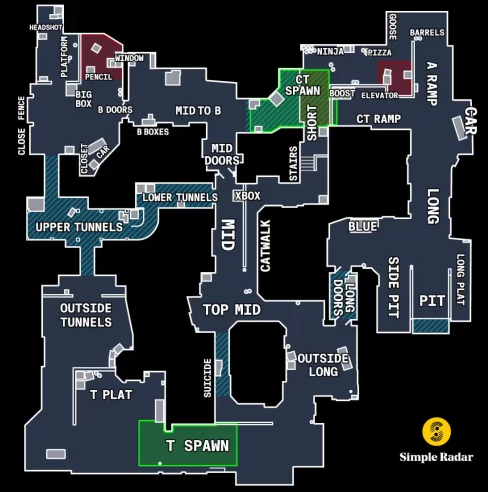
So, by figuring out how to install the S1mple radar in CS:GO, you can significantly boost your performance. This radar makes it easier to plan movements, cooperate with teammates, give and understand commands, and predict enemy actions.
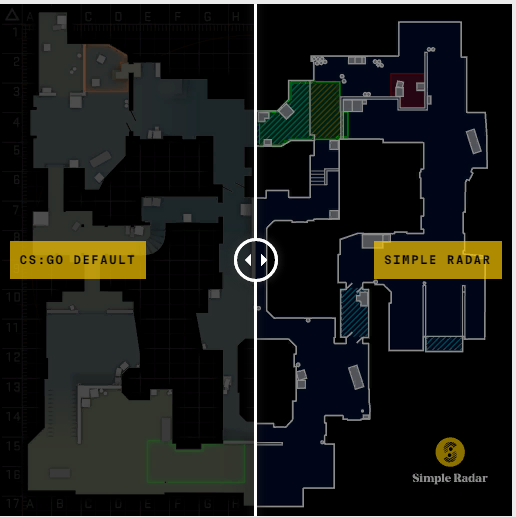
It’s also important that using a custom radar is not considered cheating, so this tool can be used even in competitive matches, such as those on FaceIt.
How to Install the Radar
Understanding how to install the S1mple radar in CS:GO isn’t difficult either. You need to download the radar archive and extract it. Inside, there will be two folders named “01 default” and “02 spectate.” Each of them contains system files defining the radar configuration for each map.
Select and copy these folders into the overviews folder located in the game directory. The path might look something like this:
/Steam/steamapps/common/Counter-Strike Global Offensive/csgo/resource/overviews.
To find its exact location on your computer, you can use the “Browse Local Files” option in the game settings on Steam. Or manually open “File Explorer,” go to your Steam Library folder, and find the matching address.
Since the files you’re copying have the same names as existing ones in the folder, the system will ask for confirmation. Confirm the operation. (If you’re concerned, you can copy the original files into a separate folder beforehand.).
That’s it – launch the game. It’s better to enter a bot match first to check how the radar displays and tweak the settings if needed. After playing a few rounds with the new radar, you’ll see for yourself how convenient it is.
Radar Configuration via Console
You might also need to know how to configure the S1mple radar in CS:GO via console. With console commands, you can perform the following actions:
enable and disable radar display;
choose player positioning (by default, always centered, but if centering is disabled, edge view improves);
change icon sizes;
fix the radar’s position or enable rotation;
adjust the map scale;
enable bomb display.
You can also create binds to change the radar scale mid-game. You may need to experiment a bit to determine which radar settings are optimal for you. Enter a bot map where no one will try to kill you, open the console, and try different settings. Run around various maps and see how the radar displays and how easy it is to navigate. Also, check how clearly the labels are displayed.
It’s recommended to start with these values:
cl_radar_scale 0.5 or higher;
cl_radar_icon_scale_min 0.4;
cl_hud_radar_scale 1.1 / 1.2 / 1.3 (you can choose one of these values).
One of the main reasons players want to know how to get the S1mple radar in CS:GO is the presence of labels on all callout points. Of course, pro players should know them by heart, but if you’re just starting out or playing on a map you don’t know well, those labels are invaluable. They help improve team communication and make it easier to assign roles and plan actions.
Where to Download the Radar
In 2022, the S1mple radar in CS:GO has become quite popular among both beginners and players who take the game seriously and aim for high results. The radar with labeled points and clear lines is known as the S1mple radar because it’s believed to be named after one of the world’s top players. However, that’s likely not the case: in fact, it refers to a modification called Simple Radar, which means “simple radar” in English, and it has nothing to do with the famous player. Still, there is evidence that pro teams use it in training: for example, printouts of improved radar maps were spotted in photos from an Astralis bootcamp.
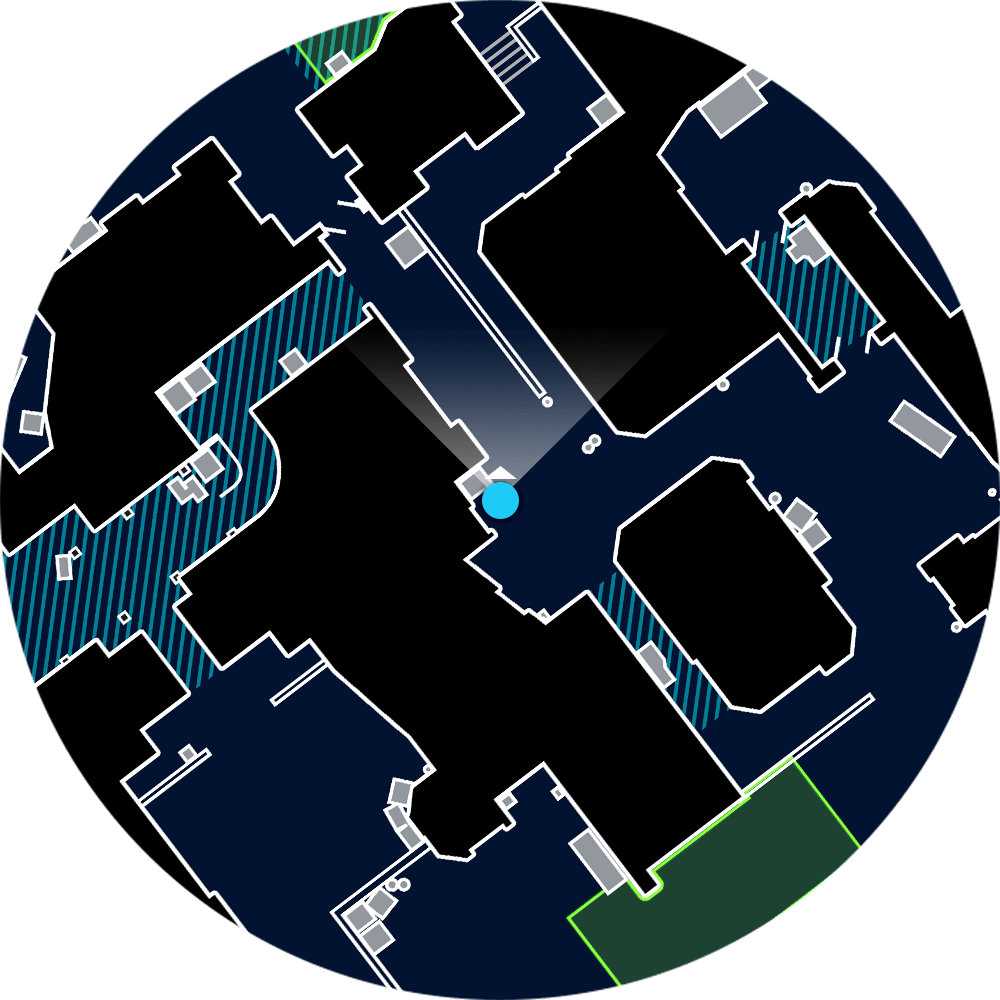
So, the easiest answer to the question of how to download the S1mple radar in CS:GO is to use the official website https://readtldr.gg/simpleradar. You can find it on third-party sites too, but this option is the safest. Plus, if the mod gets updates or changes, they’ll appear on the official site first. When downloading, you can choose the radar version you need – with or without labels.
Note that all map labels are in English. There is no Russian version of this mod, but that shouldn’t be a problem: in any case, knowing callouts in English is useful because it allows you to communicate effectively with teammates, even if they’re from other countries.
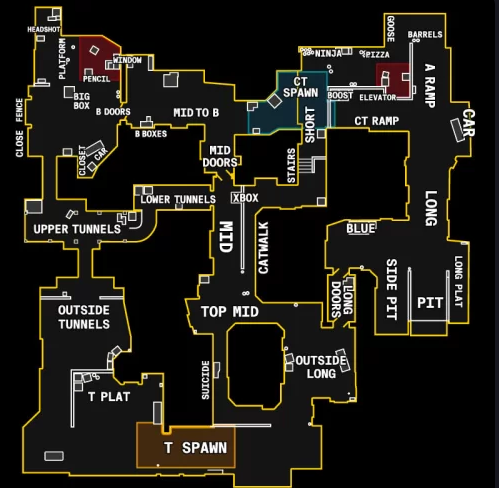
Now you know how to download a customized radar, where to put the S1mple radar in CS:GO, and how to set it up. If you end up not liking it, restoring the default radar is easy: just replace the files again with the original versions. That’s why, as mentioned earlier, it’s a good idea to back up the contents of the overviews folder before replacing them, so you can roll back if needed.
Using the S1mple radar, of course, won’t replace dedicated training and aim practice, but it will make the game noticeably easier and improve team coordination. Plus, the mod is completely free, so it’s definitely worth trying.
