


Aim – This is a cheating function that allows you to automatically aim at the enemy’s head and destroy him with one shot, so some kaesers are interested in how to enable aim in the CS GO console in order to improve their shooting performance and win “skating rinks” more often. Aiming is usually done on the head, but the game does not prohibit setting up automatic targeting on other parts of the body.
The use of aiming is prohibited in competitive matches, as it gives an unfair advantage to one team over the other. We strongly advise against using any cheats in competitive mode and recommend following Valve's rules so that your account does not get banned, most likely for life. And if you decide to play on a local server or just want to practice, then in this case no one will forbid you to enable aim in CS GO via the console.
Precautionary measures
We consider it necessary to additionally tell you about the undesirability and, from our point of view, inadmissibility of attempts to cheat in competitive mode.
In an official match on servers owned by FaceIT or Valve, you will not be able to use the console to type cheat commands into it, because on their servers this opportunity is blocked for gamers. Unscrupulous kasers usually find aim bots, download them and play with them in competitive mode. Of course, we will not tell you where you can find such bots, because we are for fair play in Counter Strike and do not intend to promote dishonest ways of playing. According to our recommendations, you yourself will enable aim in the CS GO console, which is only permissible on your server or another unofficial community server.
If you think that you can cheat the system in official matchmaking, then we will disappoint you. The use of aim is easily calculated by the bizarre twitching of the sight and the constant 100% hit to the head. For example, one of the best headshots among the pros, b1t (Valery Vakhovsky), hits the head on average 65-80% of the time, so it’s impossible to do headshots without cheats all the time.
Preparing to enable aim in the CS GO console (part 1)
First of all, you need to activate it console, where you will then enter the necessary commands, in particular, enable aim through the console in CS GO. Of course, if your console was already turned on, then you can safely ignore this chapter and read on.
Activation is done in the following sequence:
First you will need to click on the Steam icon and go into it. If we do not write which mouse button should be used when clicking, then by default we assume that the left one.
Next, in your list of games you need to find CS GO and right-click on the name.
A menu will appear where you select “Properties”.
In the window that opens, look for a button with the name “Set launch options.” Click on it.
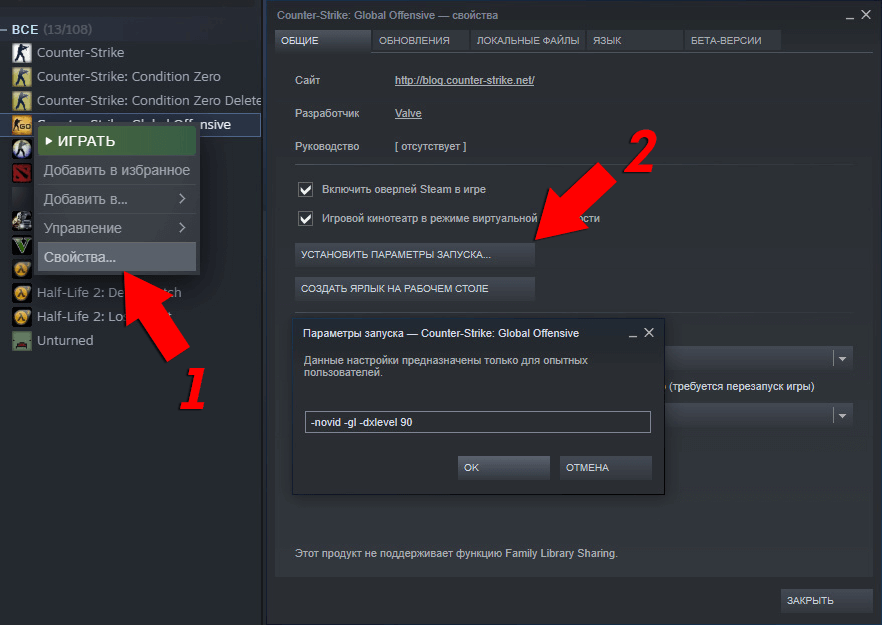
Now in the rectangle intended for entering text commands, you need to write the following text –console. Confirm by clicking OK.
Congratulations! Now you can enable aim in the CS GO console.
Preparing to enable aim in the CS GO console (part 2)
Next stage – We create our own personal server using a simple sequence of actions. First, open the console (the ~ key is assigned to it by default) and type “map” in it. A sheet of all possible cards will appear in front of you, you just need to make your choice on one of them and fix it by pressing Enter.
For now, you still cannot enable aim in CS GO through the console and try it out, even on your server, because you first need to get permission to use cheating commands. Again, activate the console with a special key on the server you have already started (how to do this is written in the paragraph above) and write “sv_cheats 1” in it. Now you have complete freedom to use commands.
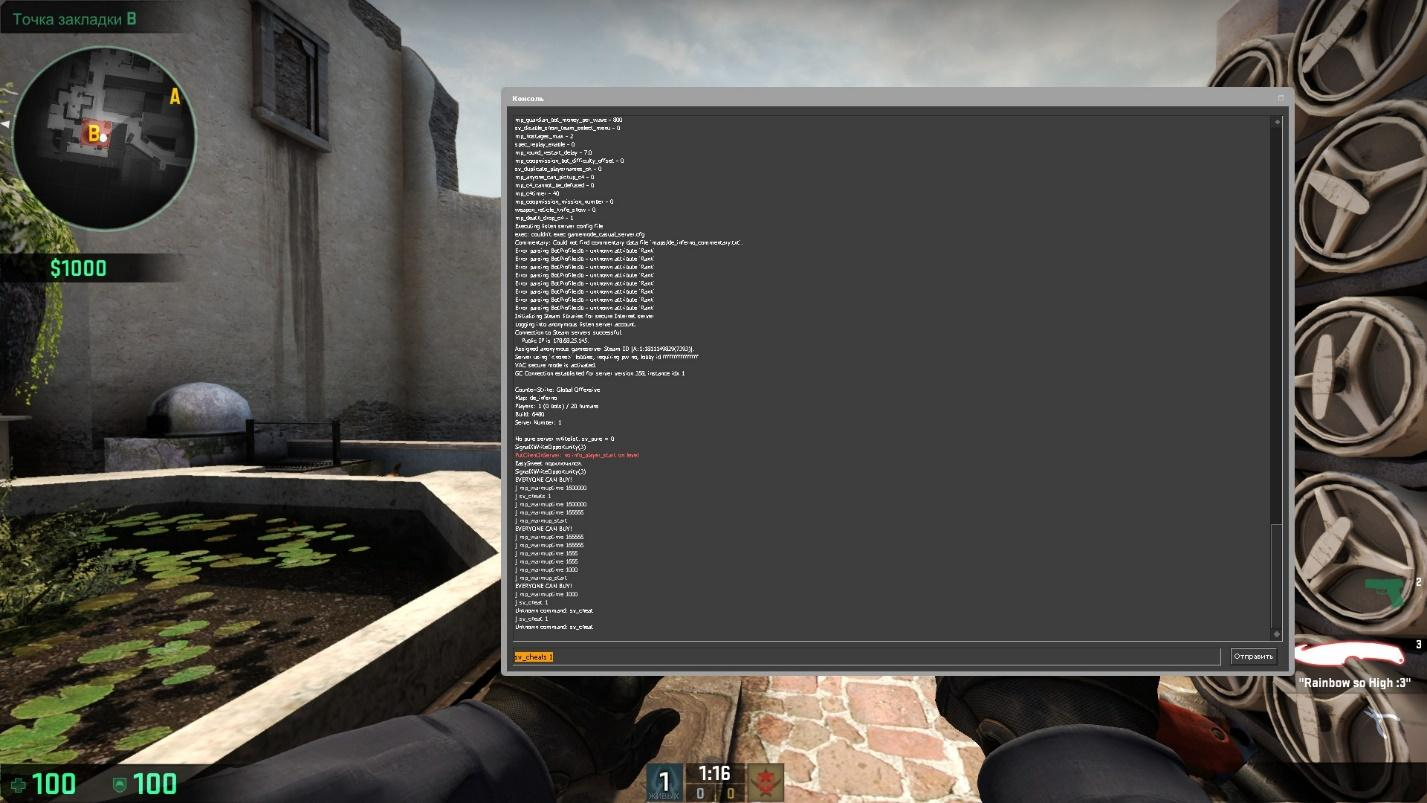
But that’s not all. Aim will not be able to earn money if you try to turn it on by aiming at any random place on the map. You need to aim strictly at the bot, and if you turn on aim in the CS GO console, aiming at the bot’s stomach, then all the bullets during the game after activating aim will fly to the bots’ stomach. Accordingly, if you are interested in headshots, then you need to enter a cheat command for aim while holding the sight on the bot’s head.
Preparing to enable aim in the CS GO console (part 3)
So, you need to create bots as targets on which you can set up aim. Their creation, like many things in Counter Strike, is done through the console you are already familiar with.
For bots to appear at the respawn site, you need to type “bot_add_t” for terrorists (1 “terror” will appear) or “bot_add_ct” for special forces (1 special forces will appear). Type this command as many times as you see fit until you have made the required number of bots.
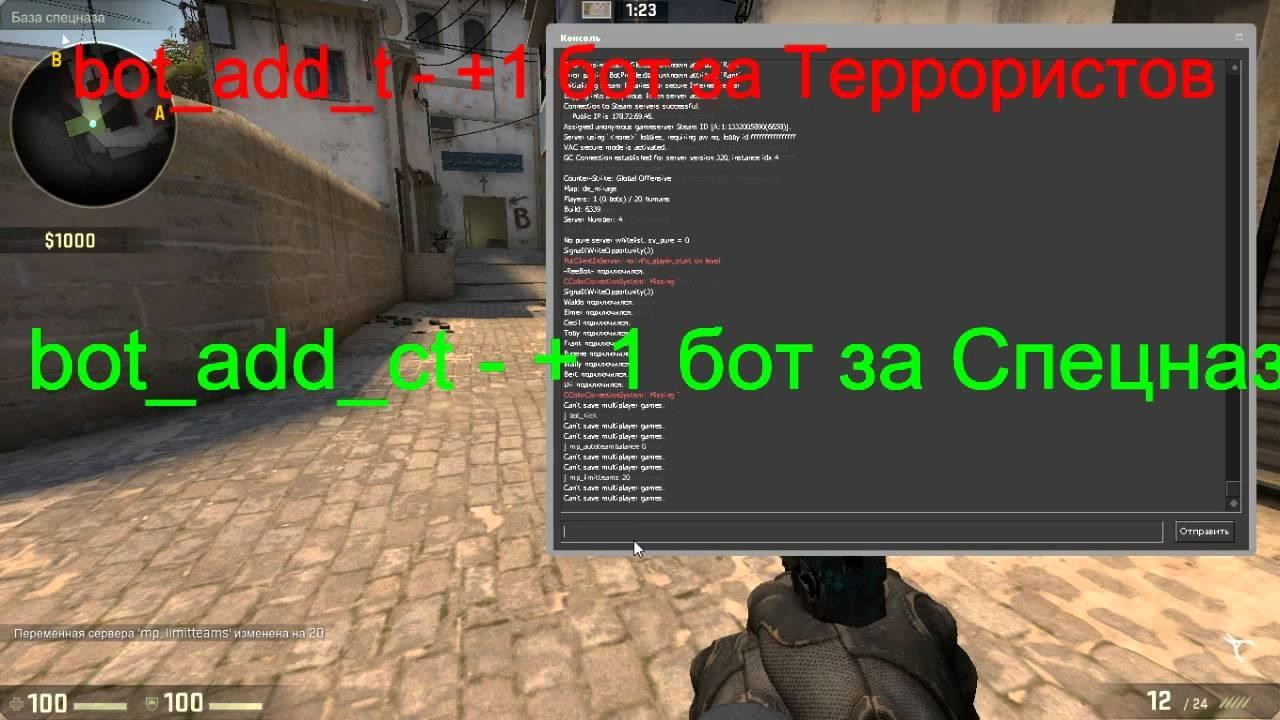
There is another useful command to quickly enable aim in CS GO via the console, and namely: put the bot in the place where your sight is looking - “bot_place”. If you want, make a bind for it, for example, write “bind N bot_place” in the console. (pressing the N key will put the bot under your sight) or “bind O bot_place” (pressing O will put the bot in your crosshairs). In general, you can select any key.
Activate aim
So, you have made bots, and this means that you have reached the final stage and can now turn on aim in the CS GO console.
First, freeze the bots. Call the console if it is not already on the screen and write “bot_stop 1” in it. By entering the number 0 instead of 1 in the same command, you will allow the bots to move. Then either go to the enemy spawn location, or create a bot next to you using the “bot_place” you already know.
Approach the bot and place the crosshair on the part of the body where you think the bullets should fly. While holding the crosshair in one place, enter ent_fire !picker addoutput ''modescale 0''
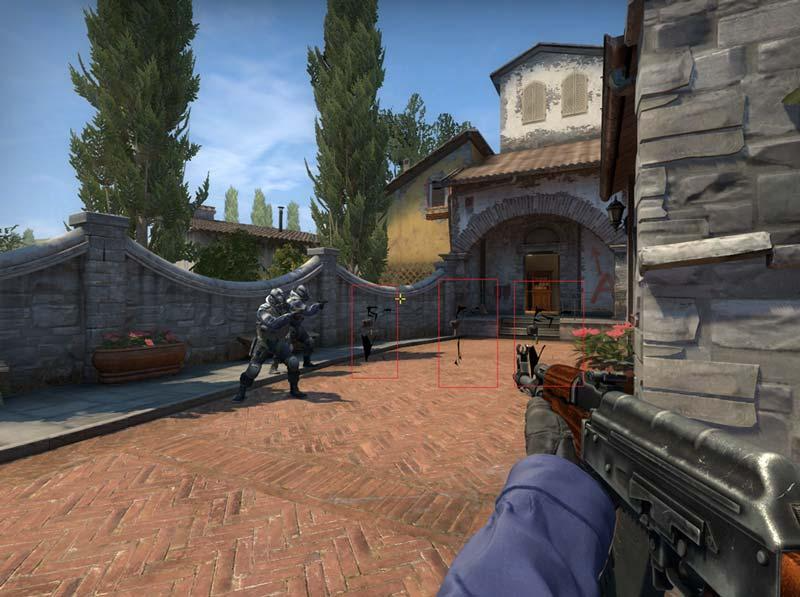
Confirmation that you have successfully enabled aim in CS GO through the console will be the transparency of the bot, on which only black spots will be visible. The command indicated in the previous paragraph works exclusively on one enemy, therefore, in order for the aim to affect everyone, you need to apply the command to each enemy.
Useful commands for aim
What we are talking about we will write here, you can use it to even out the chances during the skating rink or just for fun. These commands are included freely, no aiming at the bot is required.
If you want opponents to also have a working aim in relation to your character, then write !self addoutput ''modescale 0''. Now an enemy, seeing you and shooting in your direction, is guaranteed to hit you in the head. This is a lot of fun and turns the match into a furious action or, alternatively, into the quietest stealth with careful sneaking. We recommend trying it for fun.
If you want any players who log into your server to have an aim, turn on the aim in the CS GO console for them as follows: write ent_fire player addoutput ''modescale 0''.
It is impossible to bind to Aim commands, so you won’t be able to activate/disable them conveniently via the keyboard.
