


Weapon recoil control remains one of the most crucial skills in Counter-Strike 2, defining the difference between a novice and an experienced player. Many gamers face the problem when bullets scatter all over the screen during active firefights.
How to remove recoil in CS2 is a question that concerns thousands of players. Completely removing actual recoil in official matches is impossible, as it's a core game mechanic implemented by Valve. In CS2, "visual recoil" usually cannot be completely disabled with a console command: the viewmodel_recoil command is often unavailable (if console shows unknown command). In practice, players reduce visual discomfort through viewmodel configuration and recoil control training. The Follow Recoil function is also available for visual understanding of patterns. But the main method is learning to compensate recoil with proper mouse movement.
What is Recoil in CS2 and Why It Cannot Be Completely Removed
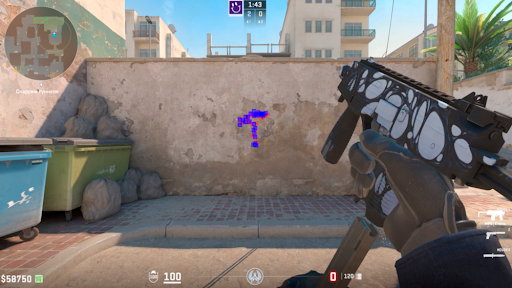
The recoil system in Counter-Strike 2 consists of two components. The first is actual recoil or spray pattern, determining the real trajectory of bullet flight. The second is visual recoil or viewmodel recoil, representing the weapon bounce animation in the character's hands.
Completely removing weapon recoil in CS2 is only possible in practice with sv_cheats 1, if specific commands are available in your version (check by console reaction to input: unknown command = command absent). Using third-party programs to disable recoil in official matches will result in a permanent VAC ban.
Valve regularly makes adjustments to shooting and weapon behavior – specific changes are best checked in official patch notes (Release Notes).
How to Remove Visual Recoil Through Console
Visual screen recoil in CS2 is an animation where the weapon model sharply jumps upward when shooting. Some players try to reduce visual distracting effects to keep screen center clearer.
How to Enable Developer Console
Before removing recoil in CS2 through console, you need to activate the console itself:
Launch Counter-Strike 2 and open settings.
Go to the "Game" section.
Find "Enable Developer Console (~)".
Switch the parameter to "Yes".
After this, the console opens with the ~ key.
Command to Disable Visual Recoil
Open console and try the command to disable recoil animation in CS2:
viewmodel_recoil 0
If console responds with unknown command or the command only works with sv_cheats 1, it won't help in competitive modes (Premier/Matchmaking) – then focus on viewmodel configuration and recoil control training.
Additional commands for optimal weapon position:
viewmodel_fov 68
viewmodel_offset_x 2.5
viewmodel_offset_y 0
viewmodel_offset_z -2
These settings push the weapon as far to the screen edge as possible, freeing up central view. Removing hand recoil in CS2 and removing recoil visibility in CS2 is helped by precisely this configuration.
Follow Recoil Function – Visual Assistant
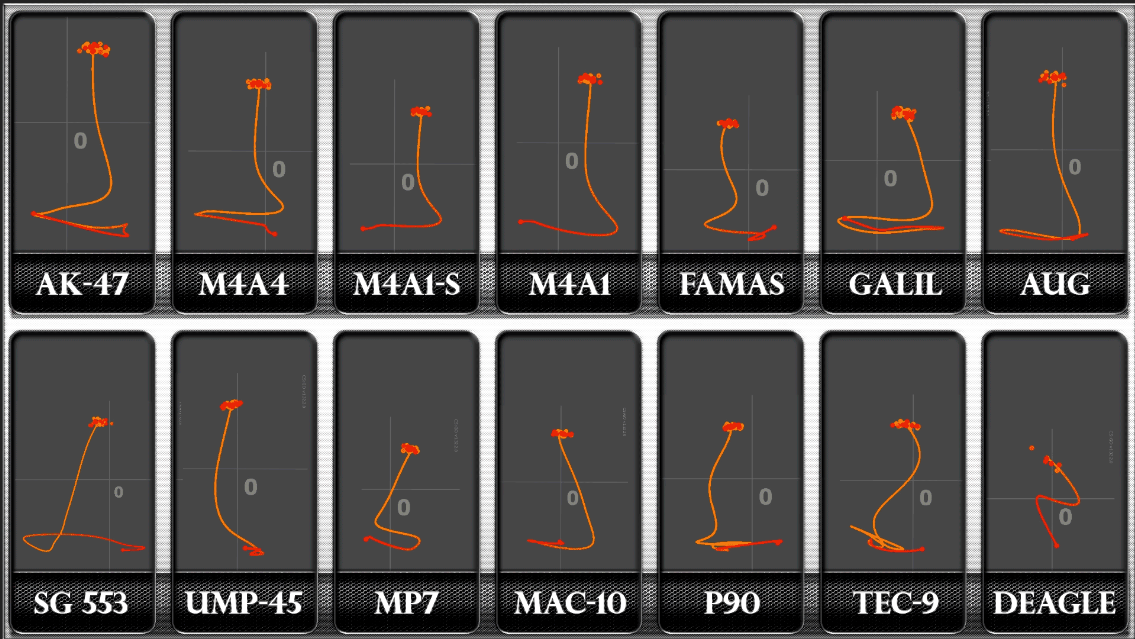
Follow Recoil is a function where the crosshair moves along with the weapon's recoil pattern, showing the real direction of bullet flight.
How to Enable Follow Recoil
Method 1 – through settings:
Open game settings.
Go to "Game" → "Crosshair".
Enable the "Follow Recoil" option.
Method 2 – through console:
cl_crosshair_recoil 1
To disable, use value 0. The function helps beginners learn patterns, but most professionals keep it disabled as a moving crosshair can be distracting. The command/setting may be named similarly in the menu, and the console parameter – if available in your version.
Recoil Compensation – Core Skill
The real way to remove recoil in CS2 is mastering the skill of compensating it. When bullets fly upward, the player pulls the mouse down. When trajectory goes left, the mouse moves right.
Basic Pattern: First 10 Bullets
In many duels, the first shots and short bursts decide the outcome. Therefore, it's useful to separately train the first 5-10 bullets: smooth downward mouse movement and control of first horizontal deviations.
Patterns of Popular Weapons
AK-47 is the most difficult weapon to control. The pattern starts with sharp vertical rise, then goes right, left, and right again. M4A4 and M4A1-S have softer recoil with less pronounced horizontal deviations.
Weapon | Difficulty | Pattern Direction | Recommendation |
AK-47 | Very High | Up → right → left | Start with 5-10 bullets |
M4A4 | Medium | Up → slight deviations | Good for learning |
M4A1-S | Low | Smoothly upward | Best for beginners |
Shooting Techniques
Tapping – single shots for long distances. Bursting – short bursts of 3-5 bullets for medium distances. Spraying – long burst for close combat, requiring full pattern control.
Movement greatly increases spread – so it's important to know how to stop before shooting (counter-strafing). Counter-strafing is an instant stop technique: when moving left, release A and briefly tap D, shooting at the moment of stopping (when speed is almost 0).
Recoil Control Training
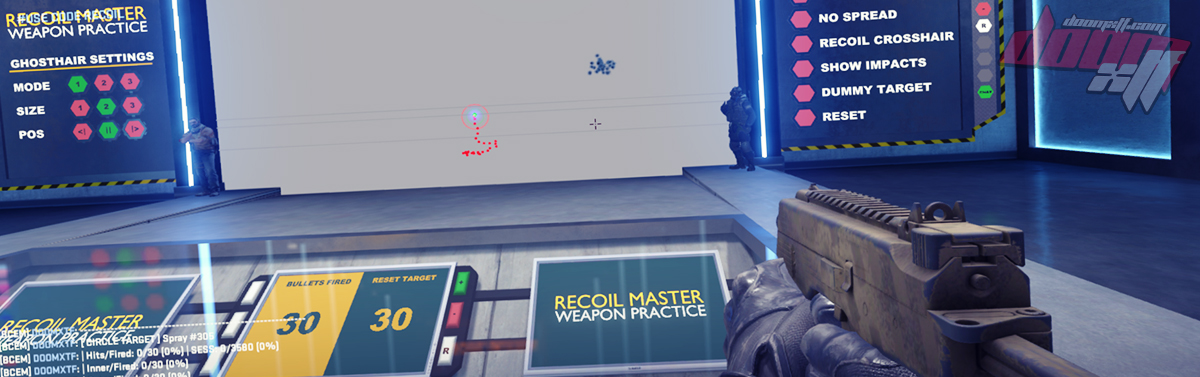
One of the best ways to learn to remove recoil in CS2 is Workshop maps for recoil/spray-training (including Recoil Master, if it's available in your version/region).
Wall Training
Classic method – shooting at a wall while observing bullet traces:
Fire a full magazine at one point.
Study the pattern from bullet holes.
Repeat with recoil compensation.
Goal – group bullets in a 20-30cm circle.
Start with short bursts: first week – 5 bullets, second – 10 bullets, third – 15 bullets.
Practice Commands
How to remove weapon recoil in CS2 in training mode:
sv_cheats 1
sv_showimpacts 1
sv_infinite_ammo 1
bot_dont_shoot 1
These commands only work in private lobbies for training.
Cheats and Prohibited Methods
Completely removing recoil in CS2 through cheats will result in a permanent VAC ban. Programs like "No Recoil Pro" are prohibited by Valve. Consequences:
Permanent VAC ban of account.
Matchmaking/server restrictions and noticeable reputational consequences (including problems with leagues/platforms).
Inability to play on protected servers.
Ruined reputation.
Legal methods are the only way. Valve constantly improves anti-cheat, and the risk isn't worth the temporary advantage.
Additional Settings
Professional players use minimalist viewmodel settings:
viewmodel_fov 68
viewmodel_offset_x 2.5
viewmodel_offset_y 0
viewmodel_offset_z -2
viewmodel_recoil 0 (if command is available and works in your mode)
Stable FPS is critical for accurate control. Optimization commands:
fps_max 0
Many players try to maintain maximally stable FPS and minimal drops because it simplifies spray control and timing.
Practical Conclusion and Action Plan
Completely removing visual recoil in CS2 in competitive modes is usually impossible, but you can reduce distracting elements where settings allow. The player's task is different: reduce visual distracting effects (where possible) and automate spray control.
If you want to reduce visual discomfort, start with viewmodel configuration (FOV and model shift), and use Follow Recoil as a learning mode for understanding patterns. The viewmodel_recoil 0 command only makes sense to try if it's recognized by your version and works in the needed mode – if console responds with unknown command or requires sv_cheats 1, in Premier/Matchmaking this won't be a solution.
Next – practice: 10-15 minutes daily on recoil training map/maps (Recoil Master and similar), plus separate work on the first 5-10 shots and counter-strafing. This way progress will be more noticeable than trying to "find a magic command." And most importantly – no third-party programs: that's a direct path to ban and problems with game access.
