


Binds have been accompanying players since CS 1.6, it is impossible to overestimate their usefulness and after the release of the new part of the franchise, many players are interested in how to make a bind in CS 2. We have created a complete one for you instructions with a list of the most useful console commands.
How to enter a bind
The procedure for entering has not changed in any way, you need to open the console (by default “е”, in the settings you can change it to another key), enter the command and press Enter.
It is worth noting right away that the game is in the testing stage and some long-familiar console commands are not available, but may appear in future:
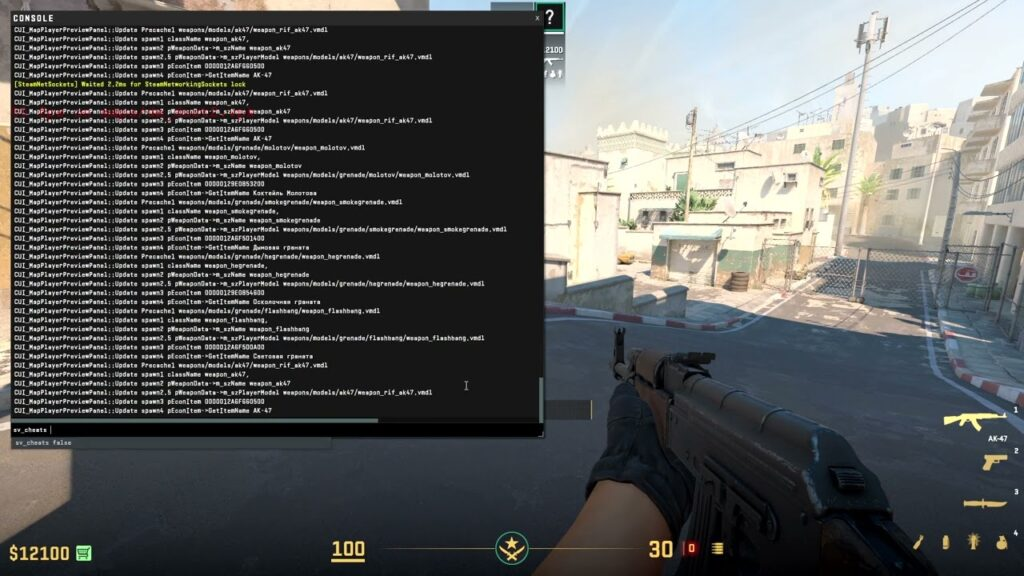
“r_cleardecals” - clears the entire map of blood and bullets. An indispensable bind in cs 2 for weak computers. Extra sprites put a lot of stress on your PC and reduce FPS. Usually it is bound to a frequently used key, for example, shift, so as not to be distracted by clearing the screen.
Changing hands can be assigned to one button or two.
Changing using two keys - bind “desired key” cl_righthand false + bind “second button” cl_righthand true.
You can change the position of the weapon in your hands with a single button - bind “required button” toggle cl_righthand true false.
Binds for grenades
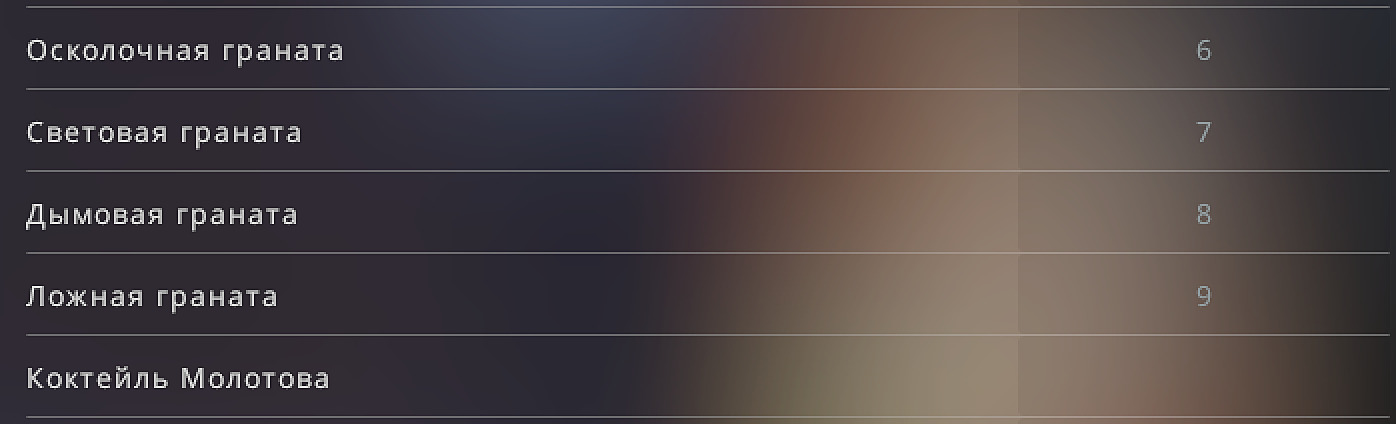
For their convenience, players often place grenades on certain keys so that during battle they are not distracted by switching and quickly get the one they need. At first it will be unusual for you, but over time you will get used to it and will not be able to refuse the binds for grenades in cs2:
bind “button” buy hegrenade - purchase of haeshka.
bind “button” buy decoy - purchase of decoy.
bind “button” smokegrenade - purchase of smokes.
bind “button” flashbang - buying a flash drive.
bind “button” buy molotov - purchase of Molotov (for terrors).
bind “button” buy incgrenade - purchase of an incendiary grenade (for CT).
In addition to the purchase, you can bind getting grenades to save time:
bind “button” use weapon_flashbang - get the flash drive.
bind “button” use weapon_hegrenade - get the haeshka.
bind “button” use weapon_decoy - reach with the deck.
bind “button” use weapon_flashbang - get a flashbang.
bind “button” use weapon_smokegrenade - get smoke.
bind “button” use weapon_molotov - get Molotov.
bind “button” use weapon_incgrenade - get an incendiary grenade.
If you are not very familiar with the developer console, then you can set the call of grenades yourself in the settings. In the “settings” Find “Keyboard and Mouse”, then “Weapons”. Go down closer to the bottom of the list and you will find the settings responsible for grenades.
For binds in cs2, we recommend using those keys that you are unlikely to press, because it will be very disappointing to accidentally get a molotov in front of a suddenly appearing enemy.
Binds for mute
You are tired of the constant conversations of your allies and are distracted by extraneous sounds due to a disgusting microphone one of the teammates? You can bind the mute key to a separate key and forget about these problems:
Open the console.
bind “the button you need” “voice_scale 0” - turns off voice chat sounds.
bind “the button you need” “voice_scale 1” - turns on the voice chat back.
Press Enter.
Bind to drop a bomb
In a match, sometimes there are situations in which you urgently need to drop a bomb. For example, when you are on the verge of death and give it to your teammate. In order not to switch to it, but to do this with one button, you need to:
Open the developer console.
Enter bind “required key” “use weapon_c4; drop;" and press Enter.
Bind for jumpthrow
A large number of throws require a jump for a larger throw distance. However, without this bind in ks2 it is impossible to make an accurate throw during a jump; she will fly up from a random height. To solve this problem, do the following:
Enter the commands into the console one by one: alias "+boing" "+jump".
alias "+ding" "-attack.
-attack2" alias "+dong" "-jump".
After this, enter the last bind: bind "key" "+boing; +ding; +dong".
If done correctly, you will be able to perform accurate throws even while jumping or falling. Unlike CSGO, in the sequel you need to tear off the pin yourself, but otherwise the bind works unchanged.
Jump on the wheel
Since CS 1.6, players have become accustomed to using the mouse wheel to jump. This is due to the popular bhop mechanics at that time, which is absent in CS2, but for some it is still more convenient to use the wheel than the spacebar.
Enter bind "MWHEELDOWN" into the console. "+jump" and separately bind "MWHEELUP" "+jump".
Press Enter and get used to using the spacebar. Now you can jump by scrolling the wheel down or up.
If you really really want to try yourself in bhop, you can go to individual servers, or turn it on in the lobby:
In the console, enable cheats with the command “sv_cheats1”.
Enter sv_enablebunnyhopping1.
Then press Enter. This function is now enabled.
Binds for purchasing weapons
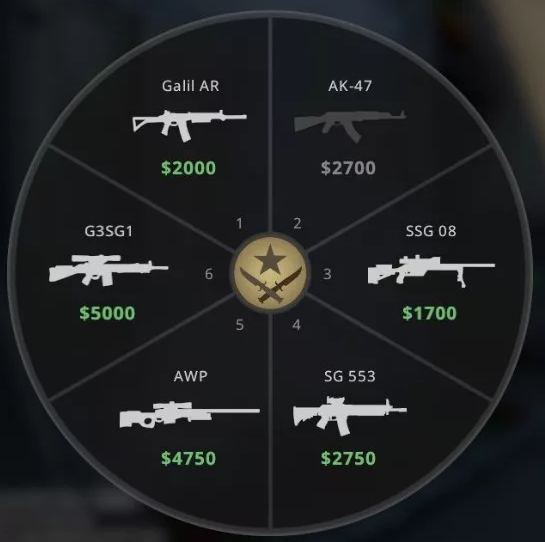
It is difficult for beginners to quickly navigate the purchasing wheel, and at the beginning of the round there is little time to comfortably purchase all the necessary equipment. We save you from this problem:
bind “the button you need” buy_name of equipment
For such binds in cs2, numpad numbers are most often used. Example command “bind kp_9 buy_deagle” - buying a deagle. Save your time and get used to purchasing through binds.
List of weapon names for binds:
Scout (ssg08)
Galil (galilar)
Famas (famas)
SG550 (sg550)
AUG (aug)
Emka (m4a1)
Emka with silencer (m4a1_silencer)
Kalash (ak47)
T automatic rifle (g3sg1)
CT automatic rifle (scar20)
Avik (awp)
Mac (mac10)
UMP (ump45)
P90 (p90)
Bison (bizon)
MP7 (mp7)
MP99 (mp9)
Automatic shotgun (xm1014)
Mag7 (mag7)
Sawn-off shotgun (sawedoff)
Nova
M machine gun (m249)
Negev (negev)
P228 (p228)
Glock (glock)
Duals (elite)
Five Seven (fiveseven) when buying five-seven it is important to set the bind “buy tec9” - for ST you can buy five seven, for terrov you can buy tek9.
Deagle
Tek9 (tec9)
HKP2000 (hkp2000)
USP (usp_silencer)
P250 (p250)
Incendiary for CT (incgrenade)
Molotov for terra (Molotov)
Flashbang (flashbang)
Smokegrenade
Haeshka (hegrenade)
Molotov (molotov)
False (decoy)
Armor (vest)
Armor and helmet (vesthelm)
Taser (taser)
Difuse (defuser)
How to secure binds
Players are constantly They are faced with the fact that when rebooting, the installed ks2 binds are lost. Considering that most people have a large number of binds, you don’t really want to re-enter them. What to do about this problem?:
Go to Steam\SteamApps\common\Counter-Strike Global Offensive\csgo\cfg.
Find or create the autoexec.cfg file. Make sure you not only have “cfg” in the file name, it should be displayed as an extension in its properties.
Write all the settings and binds there.
Close and save the file. In the property settings, turn on the “read-only” checkbox
After these manipulations, you don’t have to worry about your binds suddenly disappearing.
Bind to increase volume
You are left in the clutch, you are required to have full concentration and… oh, you've already been killed because you didn't hear your opponent's steps. To avoid such incidents, we do the following:
alias +walkvol "incrementvar volume 0 1 0.5;+speed".
alias -walkvol "incrementvar volume 0 1 -0.5;-speed".
bind shift +walkvol.
After This means that when you press Shift, the volume increases, so you can more accurately track the sounds your opponent makes. If you wish, you can change the key from Shift to any other convenient for you.
Changing the size of the radar
At some points, the map is the player's best friend. On it you can track the location of your opponents and draw up an action plan based on this. To increase its size, you need to enter the following bind into the console “bind key incrementvar cl_radar_scale 0.25 1 0.75".
How to remove the bind
When installing a new config, or simply because the bind is no longer needed, it must be deleted. To do this, use unbind “full writing of the bind you want to get rid of.”
