


The Counter-Strike 2 shooter is also loved because the developers have given players the opportunity to customize the game for themselves. This is done through settings and console commands. In today's article we will tell you how to make a left hand in CS2: by default, the weapon is displayed on the right.
Is it possible to change the hand that holds the weapon in CS2?
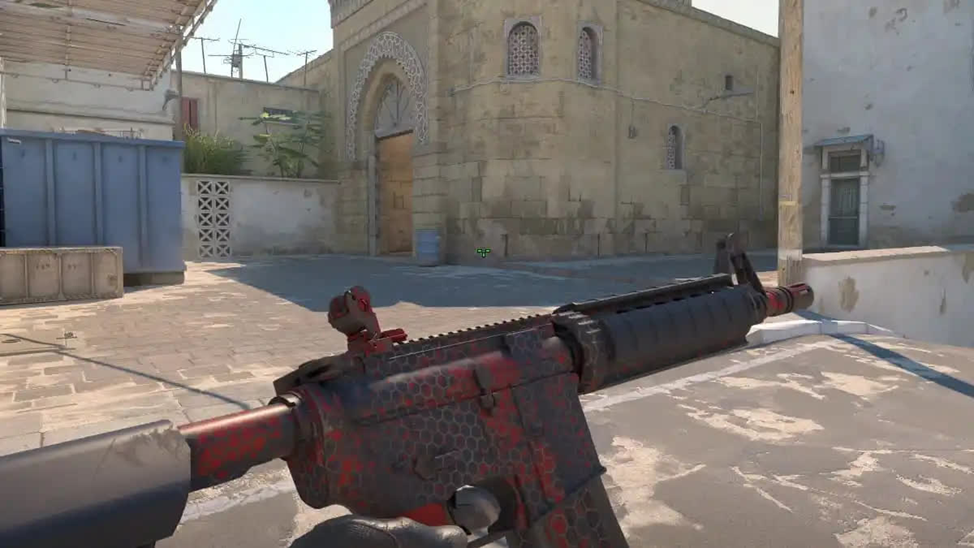
Yes, in this shooter you can change your main weapon hand. This feature was returned to Counter-Strike 2 at the end of April 2024. The ability to turn on the weapon with the left hand was very convenient for left-handed people, as well as for those who like a non-standard arrangement of a pistol or shotgun. Of course, this function cannot compare in popularity with the crosshair adjustment, but it was useful in situations where there was a need to control the territory on the right.
After CS:GO was transformed into Counter-Strike 2, this function was removed. Fortunately, as we wrote above, it was returned.
In an early version of the game, the left hand in CS2 was switched using the cl_righthand console command, which is responsible for the active hand. Now, to change it, you need to go into the game settings and make certain changes.
Instructions for selecting the side of the hand
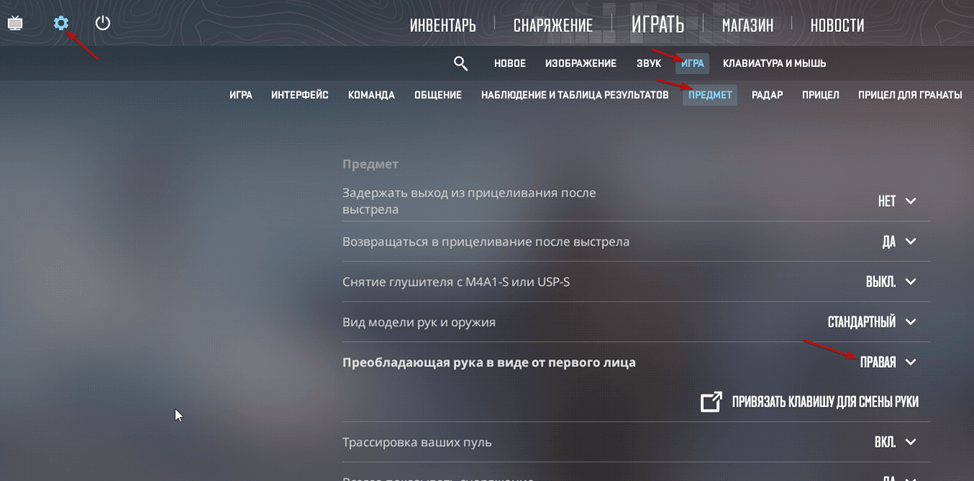
In order to select the desired hand in CS2, follow these instructions:
Go to the settings. Select the “Dominant hand in first person view” option, click “Show in settings”.
Select the hand you are interested in.
To bind the change of hands, select the “Bind key to change hand” option. By default, it is set to the H key, but you can choose any other key for this.
Let's take a closer look at how the bind works. To change the default key, you need to:
go to the game settings (they are located in the upper left corner and are indicated by a gear);
go to “Keyboard and Mouse”;
select “Weapons”;
go to the option “Change hand in first person view” and change the H key to another one that suits you.
If you use your left hand in CS2, remember that each switch leads to the original position. Also note: even if you set the left hand, the shadow of the weapon will still always be on the right.
Other commands for hands in CS2
In addition to choosing the side of the hand, you can also adjust their location: how well you can see the enemy depends on its correctness. In addition, with the correct placement of the hands, it will be possible to expand the field of view and reduce the number of blind spots.
The Viewmodel settings are responsible for the position of the character’s hands on the screen. With their help, you can move your hands to the edge of the screen or, conversely, move them forward, as close to the central part as possible.
If you prefer to use your left hand in CS2, you can also adjust its position and viewing angle. To do this, use the special command viewmodel_fov "x". Instead of "x" Enter here any number in the range from 54 to 68.
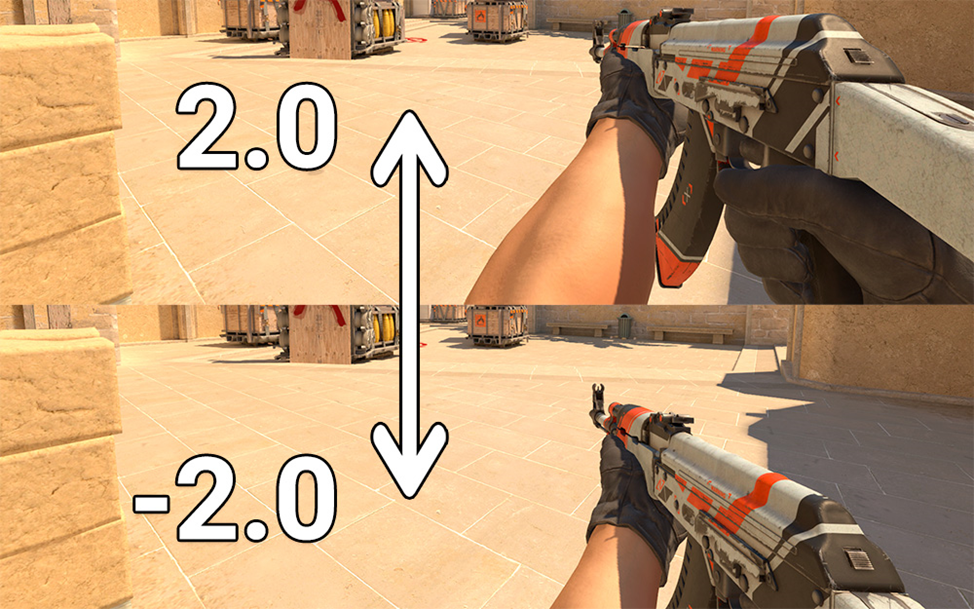
You can also change the length of your arms so that they look longer on the screen. To do this, use the viewmodel_offset_y 2.0 console command.
To move your hands to the right or left, use the viewmodel_offset_x 2.5 command. A value of -2.0 shifts the position of the hands to the left, a value of 2.5 – to the right.
Left hand in CS2 – a useful feature that will give the player some advantage over his opponents. Its skillful use will make the fight even more exciting.
