


CS2 servers (often still searched for as "CS:GO 2 servers") come in two kinds: official Valve servers, which host matchmaking, Premier, Wingman and the other built-in modes, and community servers run by gaming projects and by players themselves. CS2 launched on September 27, 2023 and is free on Steam, so you no longer need a beta invite or a pirated build with patches to play on official servers. Below we cover how the two types differ, where to find community servers, how to join a server by IP and how to host your own for a game with friends.
How it worked during the 2023 CS2 beta
Valve announced Counter-Strike 2 in March 2023 and opened a limited test that only a small share of players could join by invitation. Everyone else could only watch videos and streams, so pirated builds, "online fixes" and invite-bypass patches quickly appeared in the community, along with unofficial servers to play them on. Using those builds broke Steam rules and put accounts at risk of a ban, which is why we advised against it even at the time.
After the release on September 27, 2023, CS2 replaced CS:GO in the same Steam app, and skin inventories carried over from CS:GO unchanged. All the beta-era workarounds became pointless: official servers are open to everyone, and community servers are once again a normal part of the game, just as they were in CS:GO.
Official Valve servers
Official servers host every mode you launch with the Play button: Premier with its CS Rating, Competitive with per-map ranks, 2v2 Wingman, Casual, Deathmatch and others. For more on the ranked mode, see our breakdown of what Premier mode is in CS2. Premier requires Prime Status, which costs $14.99 (less in some regions) and also unlocks weekly drops.
The game picks a server for each match on its own, based on your ping to the nearest Valve data centers. If you keep getting matches on distant servers, check your network settings and the matchmaking ping limit in the game settings; the main causes of lag are covered in why ping is high in CS2. Official servers run VAC, so any third-party software that interferes with the game leads to a ban.
Community CS2 servers
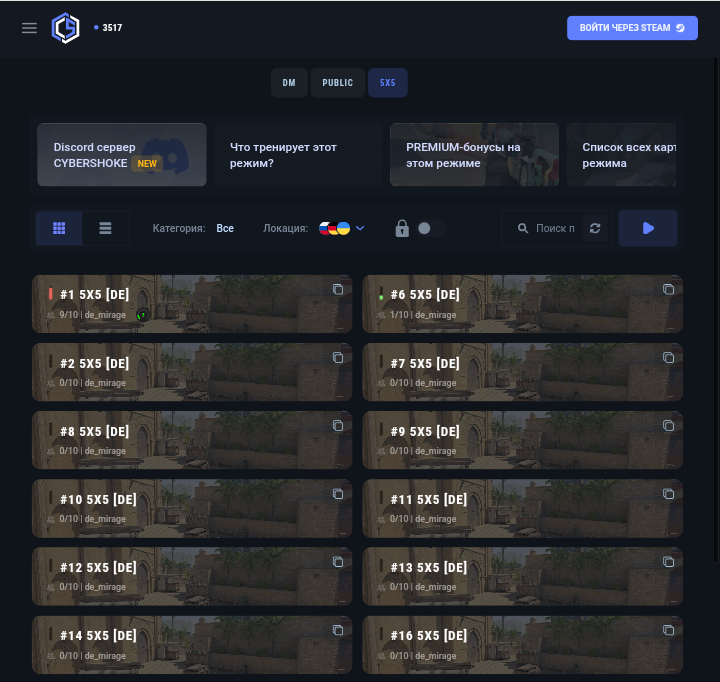
Community servers are run by gaming projects, clans and regular players. They have their own rules, plugins and modes that official matchmaking does not offer. The most common categories are:
Deathmatch: a free-for-all where the player with the most frags in a limited time wins. A good way to warm up before a match.
Public: classic rounds without fixed teams, often with simplified rules and more players per map.
5v5: an analog of standard matchmaking with side switches, just on a community server.
Retake: the round starts with the bomb already planted, and the CTs have to storm the site to defuse it. More on the mode in our article on retake servers.
A separate category is servers with skin plugins, where commands like !ws or !knife let you equip any knife and finish. Those skins are visible only on that server and never appear in your Steam inventory. We explain how they work and why they are safe in our article on CS2 servers with skins, and specific projects are listed in our roundup of the best CS2 public servers with skins.
Where to find community servers
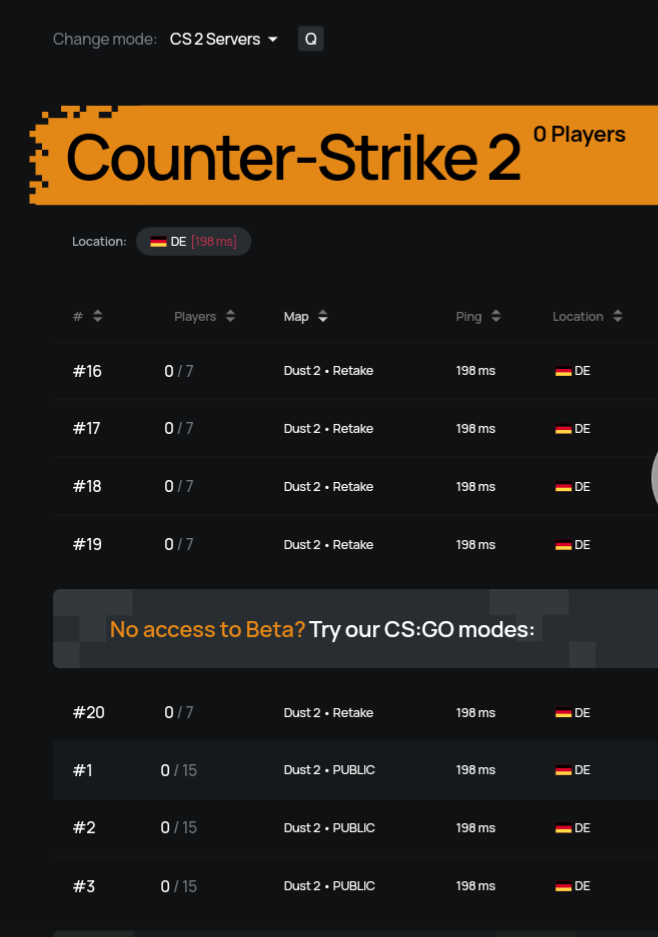
The simplest option is built into the game: the Play menu includes a Community Server Browser. It shows each server's name, map, player count and ping, and you can add servers you like to your favorites so you don't have to search for them again.
The second option is gaming project websites and server monitoring sites. They usually list each server's IP address, current map, player count and ping, and larger projects offer filters by mode and country. During the beta there were so few servers that sorting hardly mattered; now there are thousands, so filtering by mode and location saves a lot of time. Watch the ping: for comfortable play, pick a server in your own region.
How to join a server by IP
If you have a server's address, you can join it through the developer console:
Enable the console in the game settings (Game tab, "Enable Developer Console"). Our guide on how to open the console in CS2 covers this step and the key to open it.
Open the console with the ~ (tilde) key.
Type connect followed by the server address, for example: connect 123.45.67.89:27015. If the server is password-protected, add ; password and the password after the address.
If the console does not open, make sure it is enabled in the settings and switch your keyboard layout to English.
Official or community servers: which to choose
The two types serve different purposes, and most players use both. The main differences are summarized in the table.
| Aspect | Official Valve servers | Community servers |
|---|---|---|
| Run by | Valve | Gaming projects, clans, players |
| How to join | Play button, matchmaking queue | Server browser, project website or connect by IP |
| Rating and ranks | Yes (Premier, Competitive, Wingman) | No, sometimes the project's own stats |
| Modes | Standard game modes | DM, retake, public, practice and fun modes |
| Skins | Only from your Steam inventory | From your inventory, or any skin on plugin servers, visible only there |
| Rules and bans | Valve rules and VAC | Server admin rules, some servers are VAC-secured too |
If your goal is to raise your rating or rank, only official servers count. For warming up, aim practice and unusual modes, community servers are more convenient: there is no queue, and you can pick a server with the map and player count you want.
Hosting your own server for friends
If you only want to play with your own group, you can set up your own server. The simplest way is to start a local server straight from the client and give your friends your IP so they can join with the connect command. Keep in mind that the host's computer acts as both a game client and a server, so it needs enough power and a stable connection. For regular sessions, a dedicated server that runs separately from the client is more convenient. Step-by-step setup for both options is in our guide on how to create a server in CS2.
Staying safe on CS2 servers
Playing on community servers carries no risk in itself: they are a legitimate part of CS2. The real risks lie elsewhere. Don't download "builds" or "patches" from unverified sites, never enter your Steam login and password on third-party websites, and never share your API key with anyone: that is how accounts with skins most often get stolen. Official servers run VAC, and a ban for third-party software applies to the whole account, not just one match.
The skins you see on official servers always come from your Steam inventory. If you want a knife or a favorite finish to show up in every match, not only on a plugin server, you can buy it on LIS-SKINS: the item goes into your Steam inventory and stays yours on any server.
FAQ
Do you need Prime to play on CS2 servers?
Prime Status is required for Premier and weekly drops. Community servers are open without it: all you need is CS2 installed and the server address.
Can you get banned for playing on a community server?
Playing on a community server does not lead to a VAC ban by itself. Server admins can ban you from their own server for breaking its rules, while VAC bans are issued for third-party software that interferes with the game.
Why don't my plugin server skins show up in regular matches?
Plugins like !ws change how weapons look only on that specific server and never add items to your inventory. Official matches display only the skins that are actually in your Steam inventory.
