


The recently released Counter Strike 2 has many shortcomings, so often players do not know how to create a server in cs 2. There are a huge number of ways to play together with friends. You can host your own server, make a lobby, or go to a ready-made one.
In previous parts of the game this did not cause any difficulties. All you had to do was start the training mode with bots, and your friend could join. In Counter-Strike 2 it doesn’t work like that; you must either connect to other people’s servers or create your own network using third-party programs. Perhaps, over time, developers will pay attention to the inconvenience of creating their own server and fix it.
How to add a person to your friend list
In order to play with your friend, the first thing you need to do is add him to your friends list on Steam. To do this you need to:
Open your friends list in Steam.
Click on the icon next to the line search.
Enter a nickname or friendship code that a friend might tell you. The code is located in the profile settings.
After sending the application, your friend must confirm it.
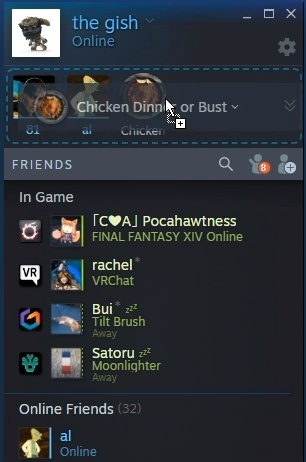
After confirmation, your friend will be added to your friends list, now you can play together not only in cs 2, but also in any online games that support the friend search function.
If your friend is not on the Steam friend list, then you will not be able to add him to your lobby for playing in official modes. For example, partners or regular mm. However, this will not prevent you from adding it to your own server, because in this case the connection is via IP
How to play with a person from your friend list in CS 2
There are several methods that differ in the connection method and the ability to customize your game:
Official game - competitive matches and partners mode. If you want to have fun with a friend, then this option is not suitable.
Closed match selection - thanks to closed selection, you can create your own server in cs 2, which your friends can join. The game takes place on Valve servers. If you just want to have a friendly match, then this is the best way.
Community servers are unofficial servers created by other players. They often contain mods and plugins that change the gameplay and textures.
Your own local server - this server will be hosted on your computer, you will have full access to it.
How to create a lobby in CS 2
In order to create a lobby, you just need to open the friends menu in the main menu and invite him. If the invitation is accepted, a lobby will be created. Now you can play all the official ranked modes together, just click on the game search.
How to close a lobby
After creating a lobby, you can close it so that no one except the friends you invite can enter. To do this, go to the map selection, there will be a switch on the left panel. Turn it off, then your group will be closed.
If you want to find a new teammate for your group, or you want to play with someone, but your friends are busy, then leave the slider on.
How to create your own server in cs 2
There are several ways that will allow you to create a server in cs 2. One of them is provided by the functionality of the game itself, the second will require the intervention of third-party programs.
Radmin
The RADMIN application allows you to play with a friend on an unofficial server. The order of necessary actions is as follows:
Install the Radmin application from the official website.
Enable the application and go to the “network” tab.
Next, create your network, set a name and password for it.
Start the server with bots in the main menu of CS 2.
If a friend wants to connect, then he needs to:
Also install the application and launch it.
In the “network” find the “join network” button.
In the input window you need to write the name of the network and the password for it that you set.
If the data is entered correctly, you will be given an IP by which you can join.
Go to CS 2, open the console and enter “connect there (ip)”.
There are alternative applications, but Radmin allows you to create a server in cs 2 without any extra effort, and connecting to it is also simple.
Hamachi
This application has been known to everyone since ancient times. It allows you to play with friends even on pirated versions of games. In terms of convenience, Hamachi is inferior to the previous application, but it is worth paying tribute to the old man and considering its principle of operation.
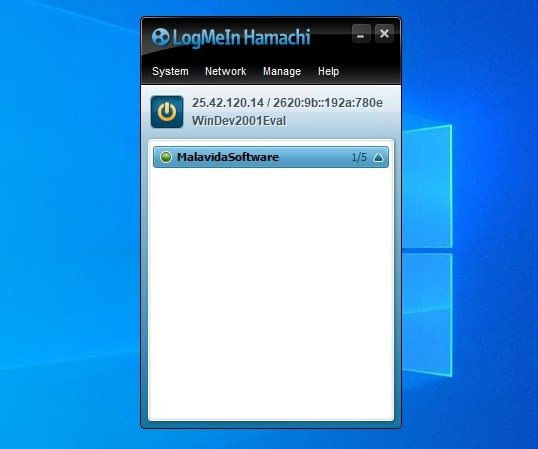
To create a local match you need:
Download the Logmein Hamachi application
Find the necessary files on the Internet. The request will look something like this: “CFG to create a server in cs 2 Hamachi”
After that, open Hamachi and in the “Network” create a server, set a name and password for it.
Start Counter-Strike 2.
Replace the files in the game folder with the downloaded ones.
In the console, enter connect *ip*.
After your friend has installed Hamachi, to connect he needs:
In the tab “network” join the network using your password and name.
After copying the IP, enter it into the CS 2 console to log into the server.
How to create a local offline server
If you want to play with your friend on an offline network, you will have to be very confused. The first step is to open port 27015. This is done differently on each device, so you will have to search the Internet yourself.
You only need to open the port for the IPv4 and UDP protocols. You can skip this step if the computers are on the same local network. If your computers are not connected by a local network, then closed ports will not allow a friend to join your server.
Find the .exe file of the game and move it to your desktop, open the properties with the right mouse button. In the “object” enter -dedicated -usercon +game_type 0 +game_mode 1 +map de_dust2. The command must be after the closing quotes.
Instead of de_dust2, specify the map that you want to run on your server. A list of map names can be found on the Internet.
Open Counter-Strike 2 through the Steam application, and then launch the shortcut into which you entered the commands and map name. The console should appear on your monitor.
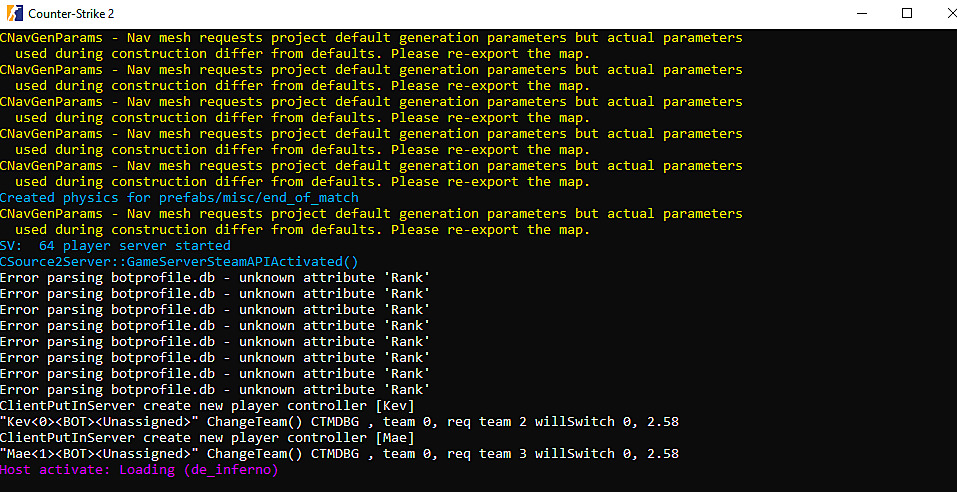
Open window with CS 2 and enter “connect localhost” into the console. If your server has started, congratulations, the hardest part is over. Now you can add your own settings to the shared config folder. To install them, enter the config name into the console from the “exec” shortcut. If the config installation was successful, the round on the server will start again with new settings.
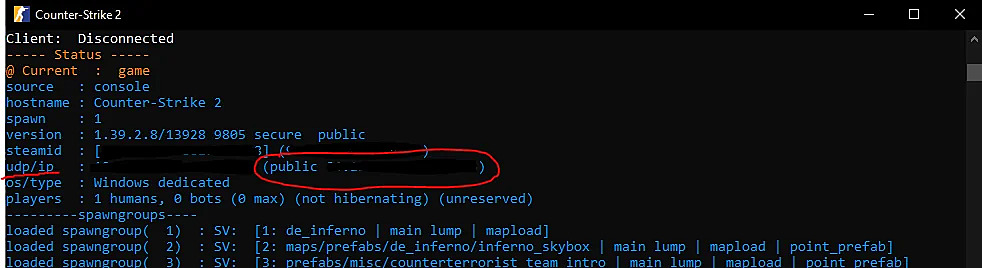
In order for your friend to join your offline server, you need to provide the IP. To find it out, enter “status” into your server console. Your friend needs to enter “connect ip”.
When creating a server in cs 2 in this way, remember that the host is your computer, this loads the system and reduces performance, so you can forget about stable FPS.
If you exit the server, it will remain on as long as the game console remains running. If you want to change the map, then enter “changelevel map_name” into the server console. and restart your config using the command “exec file name”.
Possible problems
When creating an offline server or lobby, questions may arise. Answers to the most common ones:
What to do if your session in CS 2 is full - most likely this is due to the fact that you are trying to log in through the training mode. This could be done before, but now you need to create your own network through third-party applications or the console.
Why don’t you receive an invitation to the lobby from my friend - turn off your stealth mode, if it is on, re-login to Steam and Counter-Strike 2.
Why is there such a high ping on the server - if you made your own network, then this may be due to a weak Internet or the location of the host. If you are playing on an off-server, then just wait, the servers closest to you are full and will become free over time.
I can’t invite my friend to the lobby - exit the game, add CS to the firewall exception list and enter the game again. If this does not work, then let a friend invite you to the lobby.
If you carefully follow the tips from the article, you should not have any problems creating your own server in cs 2. It is worth noting that you should not use your computer as a host for an offline server, if it is weak, you simply will not be able to play normally. In this case, it is better to place a server on a friend’s computer, or rent online hosting for 1 day and place your server there.
If you cannot find information on how to open ports on your router, then, if possible, connect your computers to a local network, then closed ports will not prevent your friend from joining your match.
If you want to install some mods or textures on your server, then your friend must also download them in order to access the server. You can add plugins without any problems if you use online hosting. If you want to add plugins to a server hosted by your computer, then be aware that this will be a large additional load, which can cause high input lags and crashes from the game.
If your friend cannot access your server via IP, then double-check the address that he They threw it off, most likely it is incorrect.
