


donk's CS2 settings are built around low sensitivity and maximum FPS: 800 DPI with 1.25 in-game sensitivity (1000 eDPI), 1280x960 stretched 4:3 on a 240 Hz monitor, low graphics and a small white crosshair with no dot that you can import with the code CSGO-FuJ2H-MvNbU-Qf96G-mYcbX-8d7iL. Below are all of donk's known settings, from monitor and mouse to video, crosshair and viewmodel, with console commands you can copy.
Danil "donk" Kryshkovets, a Russian rifler born in 2007, became a star with Team Spirit and earned his first MVP award at IEM Katowice 2024 at just 17. He used the values below at the Perfect World Shanghai Major 2024. Pros adjust their configs from time to time, and settings are always a matter of personal preference, so treat them as a starting point rather than a recipe. For more on the player himself, read who donk is.
Monitor Modes and Settings
donk plays on a BenQ ZOWIE XL2546K with a 240 Hz refresh rate, a monitor used by many professional players. In the monitor menu he picks the Gamer 2 mode, with the color setting also at 2.
His other display settings in CS2:
resolution: 1280x960;
DyAc mode: Premium;
aspect ratio: 4:3;
scaling: stretched;
display mode: fullscreen;
brightness: 102%.
Stretched scaling makes player models look wider on screen, which makes them easier to hit. To compare other options, see how to set a 1080x1080 resolution in CS2.
The same goes for desk height. donk sets his desk at 73 cm, 2 cm lower than the standard 75 cm, and explains that 73 is his lucky number.
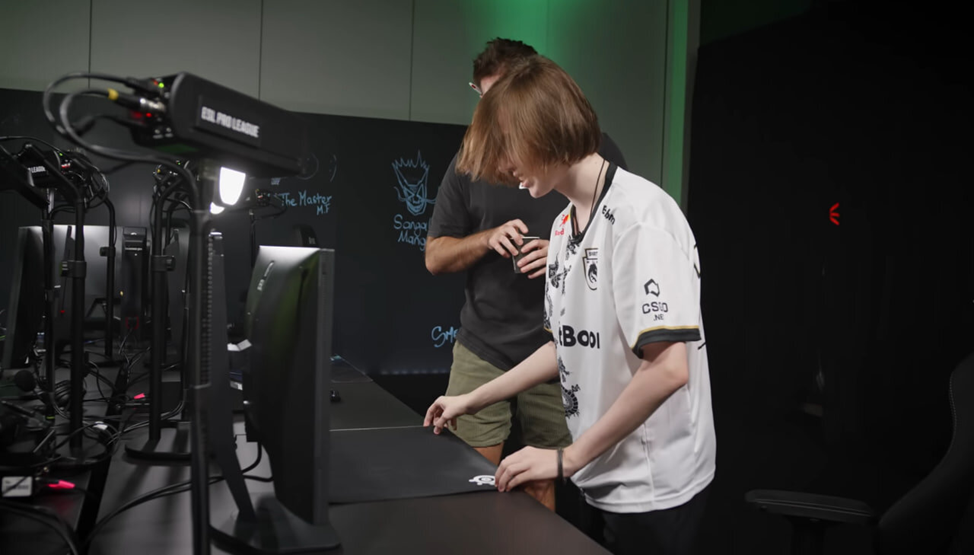
He places the mouse pad so that his elbow does not rest on the desk.
donk's Mouse and Sensitivity Settings in CS2
donk uses a Logitech G Pro X Superlight Magenta. Before configuring the mouse itself, he adjusts Windows: pointer speed at 6 and Enhance Pointer Precision turned off.
Mouse and in-game values:
DPI: 800;
polling rate: 1000 Hz;
in-game sensitivity: 1.25 (1000 eDPI);
zoom sensitivity: 1;
mouse acceleration: off.
These values suit players who spend most of their time on the AK-47 and M4A4: a lower sensitivity makes spray control easier, and 1000 eDPI sits in the typical range for riflers.
donk's Graphics Settings in CS2
donk tunes his graphics for performance: nearly everything on low in exchange for maximum FPS. The main video settings:
global shadow quality: medium;
ambient occlusion: off;
model and texture detail, shader detail and particle detail: low;
NVIDIA Reflex Low Latency: off;
NVIDIA G-Sync: off (set in the NVIDIA driver panel, not in the game).
Earlier versions of this list also included motion blur and multicore rendering. Those are CS:GO options: CS2's video settings have no separate toggles for them. Many players turn on NVIDIA Reflex to cut input latency, but donk plays without it because it feels better to him. If your PC is on the weaker side, see our CS2 settings for weaker computers.
donk's Crosshair: Code and Commands
The crosshair is the most discussed part of donk's config. The detailed values are shown in the screenshot:
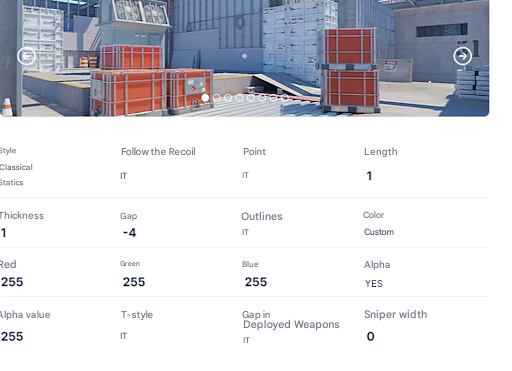
His crosshair gap does not change with the weapon.
The crosshair is one of the most personal settings, so there is no universal answer. donk plays with a small crosshair, which will not suit everyone. He prefers plain white because it does not distract and keeps his attention on the round.
To copy donk's crosshair exactly, use the code:
CSGO-FuJ2H-MvNbU-Qf96G-mYcbX-8d7iL
Danil "donk" Kryshkovets used this crosshair at the Perfect World Shanghai Major 2024.
To apply it, open the game settings, go to the Game tab and then Crosshair, click "Share or Import," paste the code and confirm. A step-by-step walkthrough is in our separate guide on how to set donk's crosshair in CS2.
You can also set the same crosshair with a block of commands in the console:
cl_crosshair_drawoutline 0; cl_crosshairalpha 200;
cl_crosshaircolor 4; cl_crosshaircolor_b 255;
cl_crosshaircolor_g 255; cl_crosshaircolor_r 255;
cl_crosshairdot 0; cl_crosshairgap -4; cl_crosshairsize 1;
cl_crosshairstyle 4; cl_crosshairthickness 0;
cl_crosshair_sniper_width 0;
Hand Position (Viewmodel)
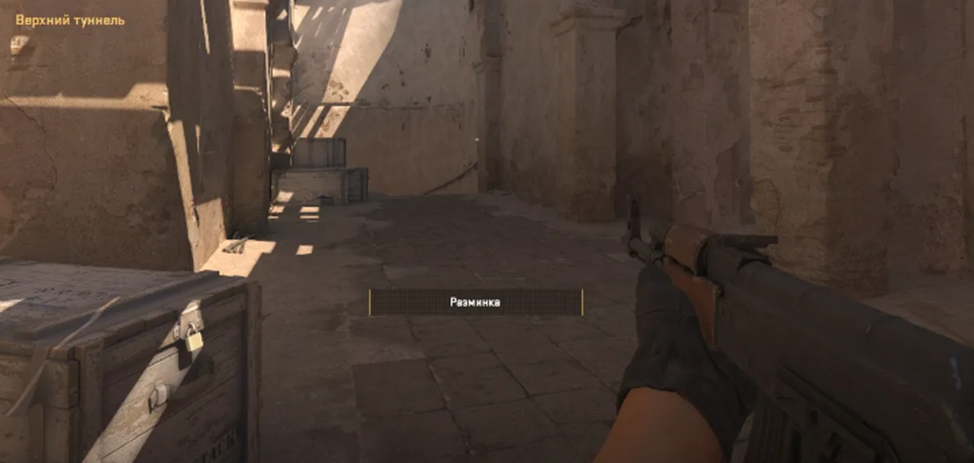
You can copy donk's weapon and hand position in full. Enter this in the console:
viewmodel_fov 68; viewmodel_offset_x 2.5; viewmodel_offset_y 0;
viewmodel_offset_z -1.5; viewmodel_presetpos 2;
The same values can be set by hand: a viewmodel FOV of 68 and X, Y and Z offsets of 2.5, 0 and -1.5. What each command does and how to find your own values is covered in our guide on how to set up hands in CS2. To avoid retyping everything after a reinstall, save the commands in an autoexec file: see how to install a config in CS2.
Every top player's settings come from years of practice, so copying them will not give you donk's level of play. They do make a proven baseline to adjust from. If you want to match his inventory too, take a look at the skins donk uses, all available on LIS-SKINS.
FAQ
What is donk's crosshair code?
CSGO-FuJ2H-MvNbU-Qf96G-mYcbX-8d7iL. Paste it in the Crosshair menu with "Share or Import." donk used this crosshair at the Shanghai Major 2024.
What sensitivity does donk use in CS2?
800 DPI and 1.25 in-game sensitivity, which is 1000 eDPI. Zoom sensitivity is 1, acceleration is off and the polling rate is 1000 Hz.
What resolution does donk play on?
1280x960 at a 4:3 aspect ratio, stretched, in fullscreen mode, on a 240 Hz monitor.
What are donk's viewmodel settings?
viewmodel_fov 68, viewmodel_offset_x 2.5, viewmodel_offset_y 0, viewmodel_offset_z -1.5 and viewmodel_presetpos 2. Enter them in the console on one line.
