


To make an infinite round in CS2, start a local game or your own server, enable the developer console and enter two commands: mp_roundtime 60 (the maximum round time, 60 minutes) and mp_ignore_round_win_conditions 1 (the round does not end on win conditions, whether kills, a bomb explosion or a defuse). Then apply the settings with mp_restartgame 1. These commands do not work in matchmaking or Premier, only where you control the server yourself. The same commands worked in CS:GO, so the familiar way to make an infinite round carried over to CS2 unchanged.
Below are the commands for round time and round count, ready-made practice configs, how Workshop maps behave and the most common mistakes. An infinite round lets you practice grenades and positions, learn a map or record videos without the timer pushing you.
What Is a Round in CS2 and How It Works
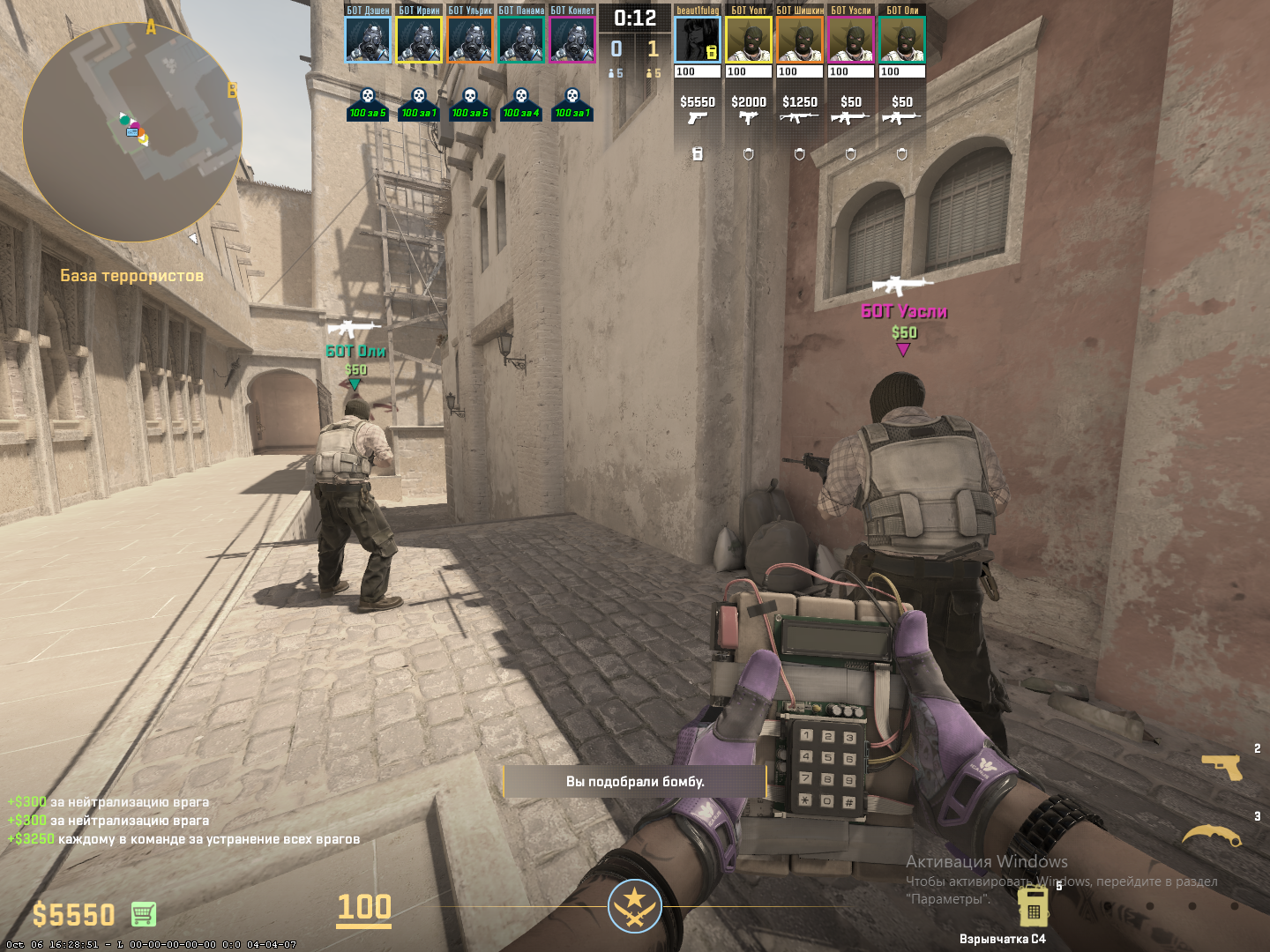
A round in CS2 is a time-limited phase of a match during which one side must reach its goal: plant and defend the bomb or prevent that from happening. In standard matchmaking modes, a round lasts 1 minute 55 seconds. A team wins by eliminating the opponents or completing the objective, such as a successful detonation.
In official matches these values are set by the server and cannot be changed. On a local server or in a game with friends where you are the host, it is different: you can edit game parameters, including the duration and behavior of rounds. That is exactly how an infinite round in CS2 is made: you switch off the standard limits with console commands.
How to Enable the Developer Console
To control round settings, you need the developer console. It is enabled once in the settings (see the full guide on how to open the console in CS2):
Go to Settings → "Game" → "Enable Developer Console" and set it to "Yes".
By default, the console opens with the ~ (tilde) key, to the left of 1. You can rebind it in the "Keyboard / Mouse" section.
To begin, enter these basic commands:
sv_cheats 1
status
bot_kick
The first enables cheat mode (many practice commands need it), the second shows the server status and the third removes bots; other methods are covered in the guide on how to remove bots in CS2. These commands do not work in competitive or matchmaking games, only in local games or your own lobby.
Commands to Control Round Time
To make a long round in CS2, simply set a high time value. The main command is:
mp_roundtime 60
This sets the round duration to 60 minutes, the maximum the game accepts. Additional commands:
mp_roundtime_defuse 60
mp_roundtime_hostage 60
These set the round time for bomb defusal and hostage rescue maps, respectively. Some maps do not use the plain mp_roundtime value, so it is safer to set all three.
Example setup for grenade practice:
mp_roundtime 60
mp_roundtime_defuse 60
A Truly Endless Round
Sometimes you need more than a long round: you need a round that never ends on its own. Here is how to make an infinite round in CS2:
mp_roundtime 60
mp_ignore_round_win_conditions 1
This pair disables round endings based on win conditions, while the timer sits at its 60-minute maximum.
How to Change the Number of Rounds
Sometimes what matters is not only how long each round lasts but how many rounds there are: for tournaments with friends, custom modes or long practice sessions. Here is how to set more rounds in CS2:
mp_maxrounds 100: sets the number of rounds in a match on the server;
mp_winlimit 50: sets how many rounds a team needs to win the match.
These commands apply to servers and lobbies with a regular match structure. In practice sessions using mp_ignore_round_win_conditions, they may have no effect.
To set a specific number of rounds, such as 30, enter:
mp_maxrounds 30
You can keep the default round time or increase it as needed.
How to Set One Hour or More for a Round
Some players need a specific time, such as one hour. Here is how to set a one-hour round in CS2:
mp_roundtime 60
mp_ignore_round_win_conditions 1
The mp_roundtime value cannot exceed 60: enter a higher number and the game caps it at the maximum. You cannot get more than an hour on a single timer, but with win conditions disabled the round will not end on its own.
These settings let you practice smokes, flashes and grenade lineups calmly, without constant restarts.
How to Restart a Match and Save Settings
Once you have entered the commands, apply them with a restart. Here is how to restart a round in CS2:
mp_restartgame 1
The number is the delay before the restart, in seconds. After the restart, all parameters take effect.
To avoid typing commands every time, save them in a config file. In CS2, configs live in the Counter-Strike Global Offensive/game/csgo/cfg/ folder (more on where to find the config file in CS2). Create a file there, for example autoexec.cfg, and add:
sv_cheats 1
mp_ignore_round_win_conditions 1
mp_restartgame 1
After the map loads, type exec autoexec in the console and the parameters will apply. This is convenient if you practice often or review grenade lineups.
Additional Commands and Tips
For full freedom in practice, use the following:
mp_freezetime 0: disables freeze time at the start of the round;
mp_respawn_on_death_ct 1 and mp_respawn_on_death_t 1: instant respawn after death;
mp_buy_anywhere 1: lets you buy anywhere on the map.
These settings turn a match into a full practice mode with no interruptions. For lineup practice, it helps to add infinite grenades as well.
If you want a long round in CS2 while keeping game elements such as the bomb, use this combination:
mp_roundtime 60
mp_roundtime_defuse 60
mp_freezetime 0
mp_ignore_round_win_conditions 1
These commands also suit custom Workshop maps: aim maps, AWP practice maps or team training maps.
If the goal is to play many rounds, combine mp_maxrounds and mp_roundtime, for example:
90 rounds of 3 minutes each: mp_maxrounds 90 and mp_roundtime 3.
For a very long series of rounds, you can use:
mp_maxrounds 999
mp_ignore_round_win_conditions 1
However, the game will still treat this as one continuous match, not a series of separate "infinite" rounds.
Infinite Rounds on Workshop Maps
Players often practice not only on default maps but also on custom Workshop maps such as aim_botz, training_aim_csgo2, Yprac and others. It seems the infinite round commands should work there too, but in practice it is more complicated.
Many custom maps run built-in launch scripts (usually gamemode_script.txt or gamemode_training.cfg) that automatically overwrite your settings: the timer, freeze time, bot count, win conditions and even sv_cheats.
That is why, even if you manually enter mp_roundtime 60 or mp_ignore_round_win_conditions 1, the map may reset them a second later, and it is not obvious why the settings keep "breaking".
What to Do If Commands Do Not Work
Check whether the map overwrites the values. Enter mp_roundtime without a value: if it reports a different number, the map is resetting it.
Run your config after the map loads. Wait until the map has started and its scripts have run, then enter exec practice.
Explore the map menu. Some maps, especially the Yprac series, have their own settings system, with an option like "Round Settings" where you can disable the timer or turn on an infinite mode through the interface rather than the console.
Open the map cfg files. Sometimes you can remove conflicting values by hand, but do so at your own risk.
How Popular Maps Behave
| Workshop map | Compatibility with mp_roundtime and mp_ignore_round_win_conditions | Comment |
|---|---|---|
aim_botz | Partial | Accepts most commands but resets some on startup |
training_aim_csgo2 | Full | Commands work consistently |
Yprac Dust2, Yprac Nuke | No | Commands do not work; everything is set through the built-in menu |
Aim Training (CS2) | Yes | Commands work, but it is better to run them via exec |
Map behavior depends on the author and can change with updates. If the parameters still reset, the easiest option is to pick a default map such as de_dust2, set your values and practice there, or look for custom maps whose description mentions support for server settings.
Common Errors and How to Fix Them
Even when the infinite round commands are entered correctly, the game does not always behave as expected. Here are the most common issues and how to fix them:
| Issue | What happens | How to fix |
|---|---|---|
Console does not open | The ~ key does nothing, so there is nowhere to type commands | Game settings → "Game" section → enable the developer console ("Yes") |
Commands do not work | You enter mp_roundtime, but the game ignores it | Make sure you started the game yourself (you are the server host) and apply changes with mp_restartgame 1; some practice commands also need sv_cheats 1 |
Settings reset after relaunch | You set everything up, relaunch the game, and the values are gone | Save the commands in a .cfg file and run it with exec after the map loads |
Round ends despite the settings | The time is set, but a win is still awarded and the round ends | Add mp_ignore_round_win_conditions 1 to disable win conditions |
Map resets parameters | Some Workshop maps run built-in scripts that partly override your commands (such as the timer or win conditions). This depends on the map author | Check whether the map has its own rules or settings menu and disable them if possible |
Most players who have tried to make an infinite round in CS2 run into these issues at some point. They are not bugs but the way the game and its configs work: set everything up correctly once, save it to a config, and later practice sessions will run smoothly.
Ready-Made Config Examples
When you want to start practicing quickly, it is easiest to keep all commands in a separate config file. That way you do not have to type every line each time you load a map, and the parameters apply the same way every time. Below are two options: one for a fully infinite round and one for a long practice match with a fixed number of rounds.
Config for an Infinite Round
Use it when you need to remove time and win-condition limits: for learning maps, testing grenades, recording videos or building practice scenarios.
sv_cheats 1
mp_roundtime 60
mp_roundtime_defuse 60
mp_roundtime_hostage 60
mp_ignore_round_win_conditions 1
mp_freezetime 0
mp_restartgame 1
With this config, the round will not end even if the bomb explodes or all enemies are eliminated. The game continues until you restart it manually or shut down the server.
Config for a Long Practice Match
This option suits players who want a full series of rounds, for example 60 rounds of 5 minutes each. It works well for aim practice, teamwork or "almost a real match" tests with a custom length.
mp_roundtime 5
mp_maxrounds 60
mp_freezetime 0
mp_restartgame 1
In solo practice, mp_maxrounds may not apply: the parameter works in match modes and on dedicated servers.
How to Save and Run the Config
Open the game folder through Steam: right-click CS2 → "Manage" → "Browse local files". Configs are located at .../Counter-Strike Global Offensive/game/csgo/cfg/.
Create a new file, for example practice.cfg, and paste in the set of commands you need.
Load the map you want, open the console and enter exec practice.
If the config is formatted correctly, all settings apply automatically. For a detailed walkthrough of installing config files, see the guide on how to install a config in CS2.
Summary
An infinite round in CS2 comes down to mp_roundtime 60 plus mp_ignore_round_win_conditions 1, followed by mp_restartgame 1. mp_maxrounds and mp_winlimit set the number of rounds, while mp_freezetime 0, respawn and mp_buy_anywhere 1 turn a match into a convenient practice session. A single round in CS2 is capped at 60 minutes, even if you enter a higher value.
All of these commands work in local games, on your own server or in your own lobby. In competitive matches such changes are not possible. More useful commands are collected in the guide to CS2 console commands.
FAQ
How do I make the round timer infinite in CS2?
Enter mp_roundtime 60, mp_roundtime_defuse 60 and mp_ignore_round_win_conditions 1, then mp_restartgame 1. The timer goes to its 60-minute maximum, and the round will not end on win conditions.
What is the maximum round time in CS2?
60 minutes. The game does not accept an mp_roundtime value above 60 and caps it at the maximum.
Can I make an infinite round when playing with friends?
Yes, if you created the lobby or server and are the host: the commands are entered by whoever controls the server. The guide on how to launch a map with friends in CS2 explains how to get everyone into your game. It is not possible in matchmaking or Premier.
Why does the infinite round not work on a Workshop map?
Many Workshop maps run their own scripts and overwrite the timer and win conditions. Run your config after the map loads, use the map's built-in menu, or practice on a default map.
How do I make an infinite round in CS:GO?
The same way as in CS2: CS:GO used the same commands, mp_roundtime 60, mp_roundtime_defuse 60, mp_ignore_round_win_conditions 1 and mp_restartgame 1, on a local or your own server. Only the config folder differs: in CS:GO it was Counter-Strike Global Offensive/csgo/cfg, while CS2 uses Counter-Strike Global Offensive/game/csgo/cfg.
