


Pretty much every gamer knows that it is worth to tweak a few settings in order to find the best resolution in CS2, which will improve the quality of the game and the number of frags scored. In this aspect, amateurs focus on professionals and copy their screen settings, hoping that this way they will replicate the best players' actions and movement. However, this is just a common myth, sort of a miracle magic pill. To achieve outstanding results in Counter Strike, you need to develop the right training system and follow it hard, as well as to choose the most comfortable for yourself config and the best screen resolution. In this article, you'll find out everything you need to know about what screen resolution is, what are the pros and cons of different resolutions and a few interesting facts about it.
Screen resolution: what it is, its types in CS2
Keeping it simple, the screen resolution is the size of the image specified in pixels horizontally and vertically and displayed on the player's monitor. The more pixels a monitor can display, the more information it can show, meaning the picture will be more crisp and detalized.
Among the best custom resolutions for CS2, used by both pros and ordinary gamers are:
5:4. Extremely unpopular screen setting, literally only a few percent of professionals use it. Typical resolution is 1280 by 1024.
In turn, it is considered as if 4:3 is the best resolution for CS2, especially in stretched version, if it is used by the likes of s1mple, ZywOo and Niko. However, this is not the case as each resolution has its own pros or cons. Classic is 1280 by 960.
16:10. A compromise between 4:3 and 16:9. The most popular format is 1440 by 900.
16:9. The leader at the moment. Valve did a study and found that out of all the players registered in Steam, 2/3 of gamers used 16:9. For owners of powerful computers this is the best resolution for CS2 in 2025.
.

What to do if you want to set your own display format?
The custom resolutions listed above can be set through the game settings without any problems. In general, Counter Strike allows you to set any screen format through the launch parameters.
Experiment as you wish: even 2000 to 1 put, or no less exotic 56 to 473. There are no restrictions. Perhaps for you to decide what is the best CS2 resolution to apply on your device, will end up choosing a screen configuration that will be only for you and no one else.
To go into the launch options, first you need to launch Steam and in the game catalog find CS GO. Next, right click on the game icon and select «Properties». A window opens where you need to find «Set startup parameters», click on this button. Now in front of your eyes should appear a line where you should write the commands.
I believe that by now you have already chosen for yourself the best resolution for CS GO. Enter numeric values with a space after the -w and -h commands. -w specifies the number of pixels horizontally, -h — vertically. That is, if you write -w 239 -h 500, the game will run at a resolution of 239 by 500.
The key difference between all resolutions
You may have now thought that the conversation will be about picture quality. Yes, when you are going to choose the best resolution for CS GO for yourself, this factor should be considered. If your computer pulls FullHD and 16:9, then, of course, there's no point in agonizing over blurry textures.
However, the key difference is that different resolutions have different horizontal viewing angles. The CS GO engine is made in such a way that at any resolution it does not change the vertical image. It follows that in principle any screen format in Counter Strike differs only in the field of view horizontally. Therefore, when deciding on the best resolution for CS:GO, the first thing to think about is what viewing angle you will be more comfortable playing with: narrow or wide.

Which resolution to choose?
Let's evaluate the pros and cons of each format. Let's start with 4:3.
Its advantages are excellent performance and FPS even on older devices, as well as increased game model size and game speed. Many professionals say that 4:3 is the best resolution for CS GO, because due to the large character models here it is easier to make headshots and hit the enemy. The second reason is old habits inherited from Counter Strike 1.6 or Source.
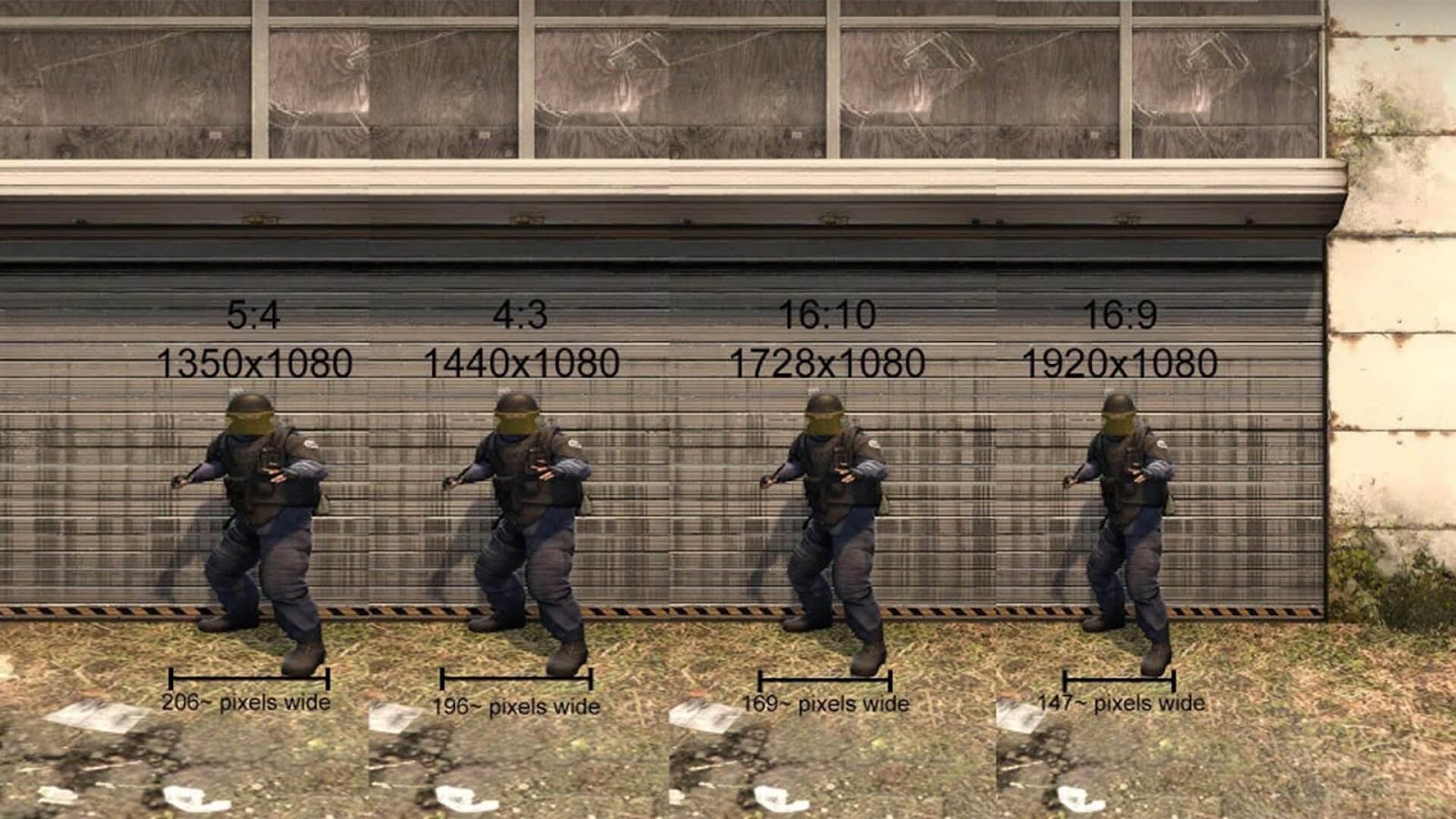
Minus - a very small viewing angle and the need to constantly turn your head to not miss your opponent.
Let's move on to 16:9.
Its advantages - improved picture, smooth character movements and increased viewing angle.
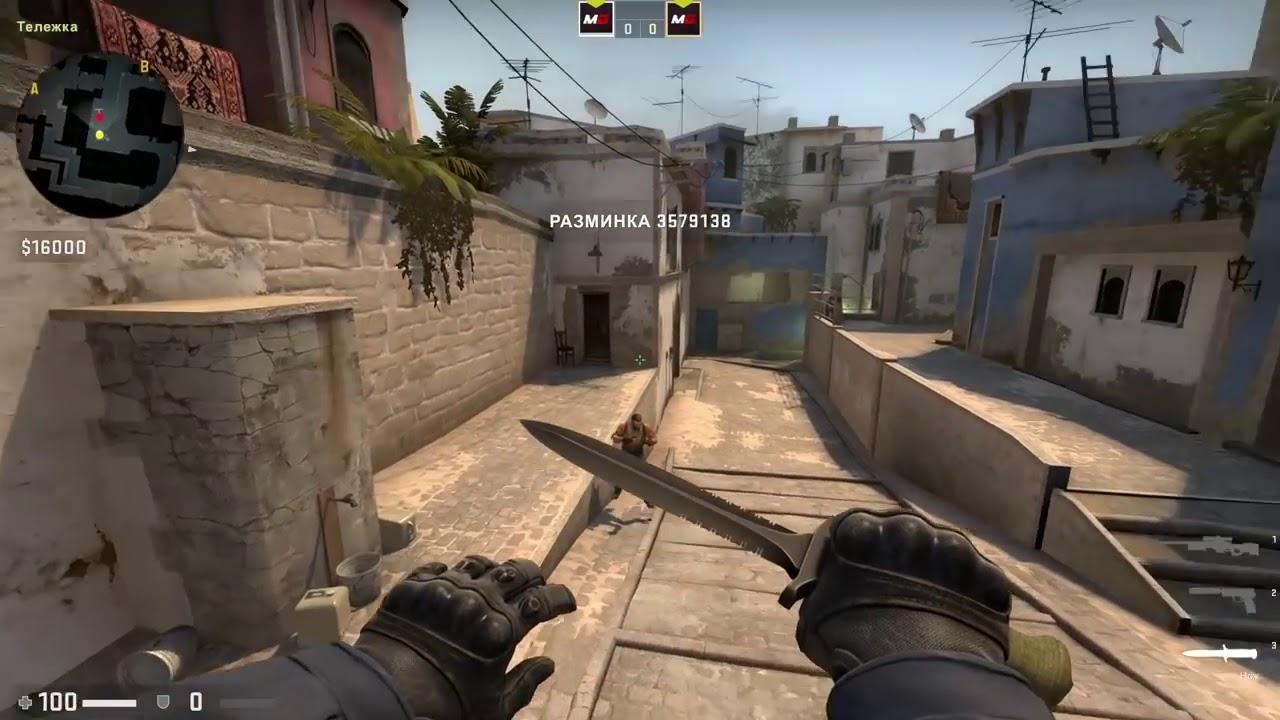
The disadvantages of the best resolution for CS GO 2022 include small character models, which makes it difficult to aim, and the need for powerful hardware.
As for 16:10, it is basically a compromise between 4:3 and 16:9. Suitable for those who do not like too narrow view and fast style of play on 4:3, but also not satisfied with excessive slowness of movements on 16:9.
Interesting Facts
All the CS2/CS:GO players who have ever been top 1 according to hltv.org have never used 16:9 resolution.
For today's top players, the best resolution for CS:GO is 4:3 at 1280 by 960 or 1024 by 768.
The best headshotter in CS GO history, who statistically got hit in the head 80% of the time, is ScreaM (real name Adil Burnlitom). Curiously enough, he played in an 800 by 600 format.
Among the top players using 16:9, the highest ranked is ropz (real name Robin Kohl), who plays for Vitality.
The unpopular 16:10 format was once used by the 2017 Krakow Major champion. Hobbit (real name Abay Hasenov). However, as of 2022, it is back to 4:3.
